User’s Manual EM11A015B
intelligent Touch Manager
122
Moving an area
1F North
1F South
Meeting Room
Aisle
Room A
Room B
Office
Lighting A
Lavatory
Building A
Top
All
Indoor
Ventilator
Fig. 5
(5)
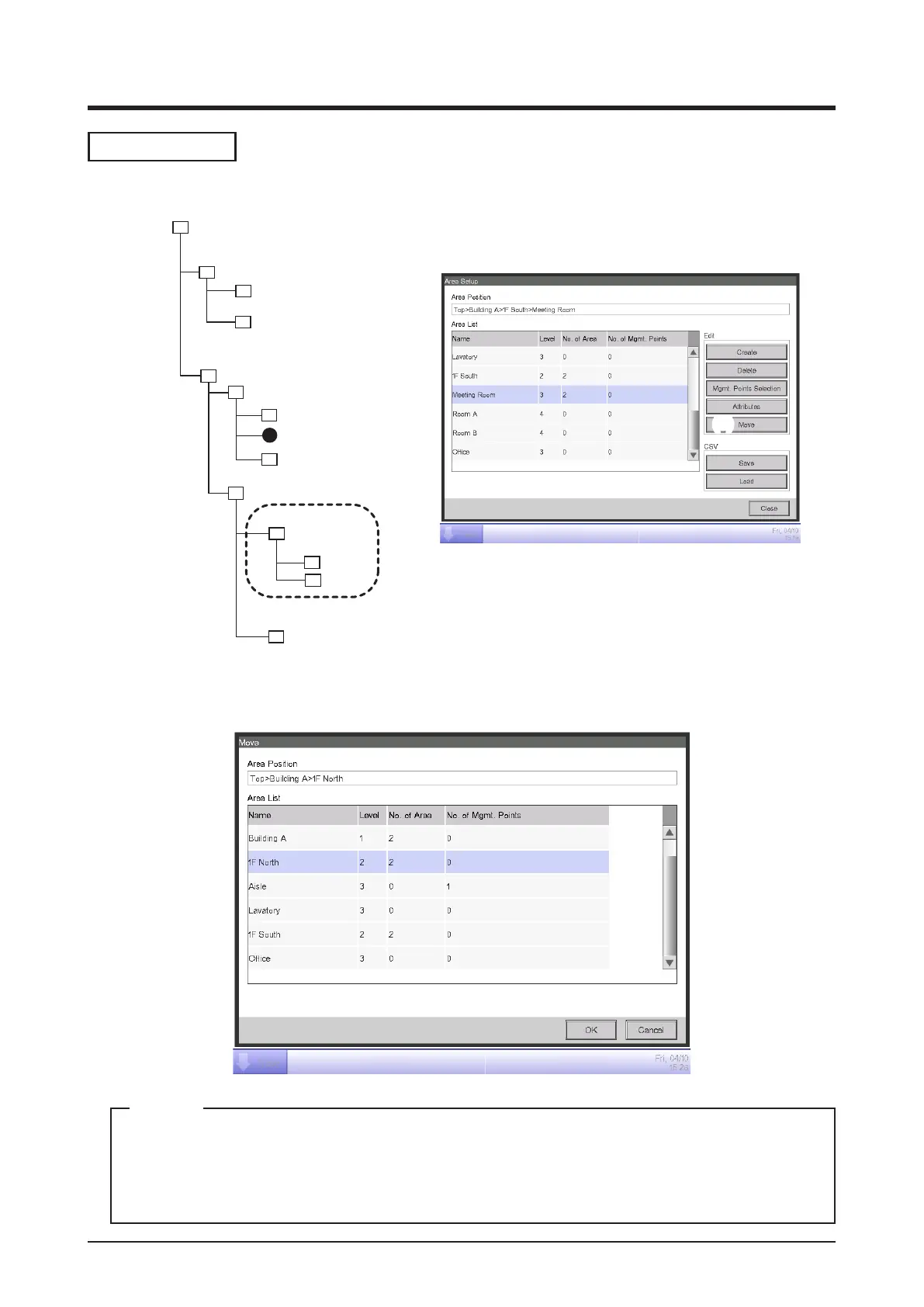
1. To move an area, select the area you want to move (for example, Meeting Room) and touch the
Move button (5) to display the Area Move screen.
The area to move and lower level areas (for example, Meeting Room, Room A/B) are not
displayed. Furthermore, areas where a move makes the number of members exceed the
maximum are not displayed.
NOTE



 To Next Page