User’s Manual EM11A015B
intelligent Touch Manager
27
2. Simple Operations
2-1 Displaying the List of Areas and Management Points
(1)
(2)
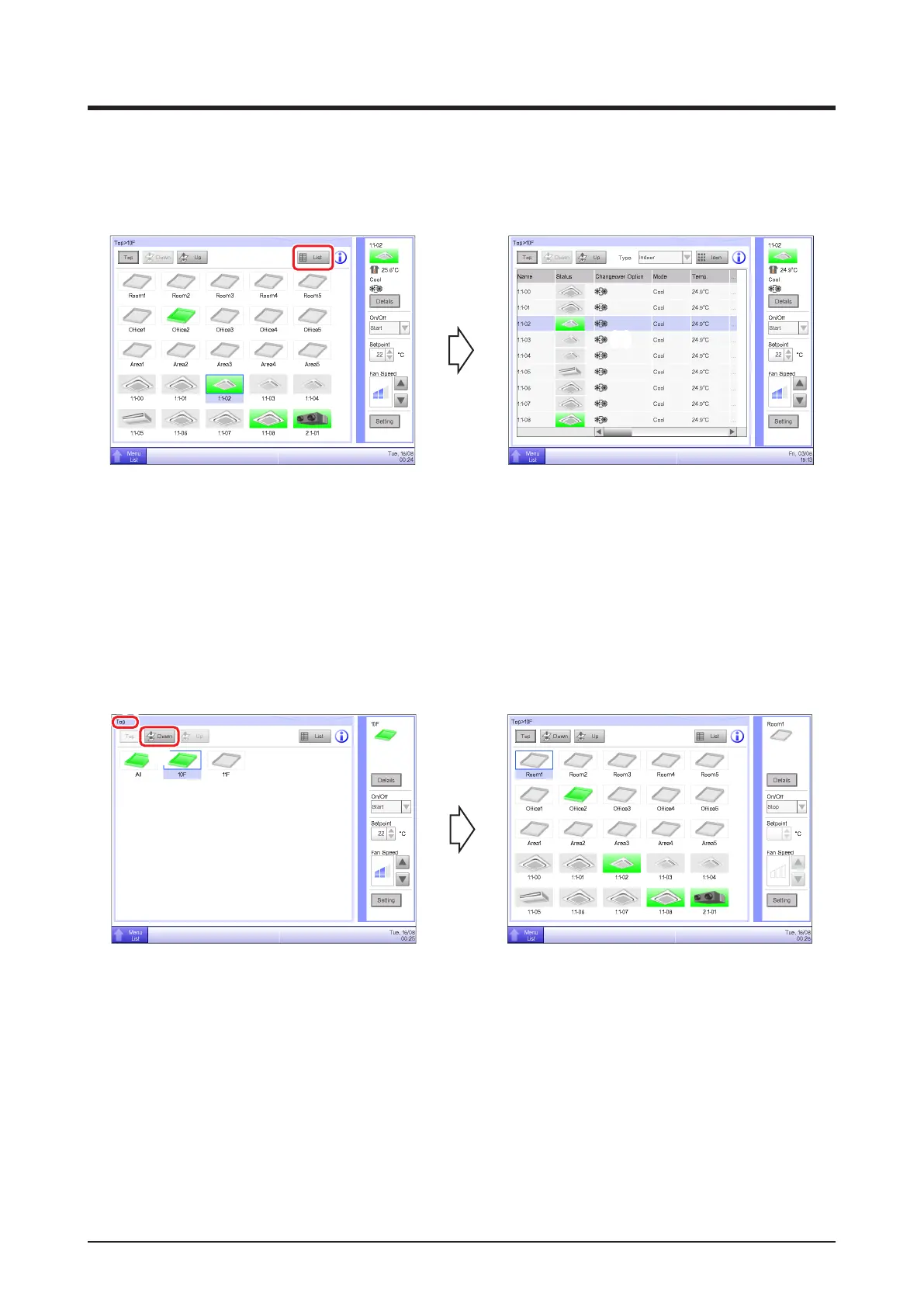
(1) Touch the List button.
(2) The List View screen with the area and indoor unit names, the operation mode, setpoint, and
fan speed information appears.
(For detailed operation, see “4-3 Standard View (List) Screen”.)
2-2 Displaying Areas and Management Points
(1)
(2)
(1) Displays the hierarchical level of the current area and indoor unit.
(2) Touch the Down button to move into the selected area and display the areas and management
points included there.
Quick Reference



 To Next Page