User’s Manual EM11A015B
intelligent Touch Manager
32
2-6 Enabling/Disabling Remote Controller
(1)
(2)
(4) (a)
(5)
(4) (b)
(5)
(4) (c)
(5)
(6)
(3)
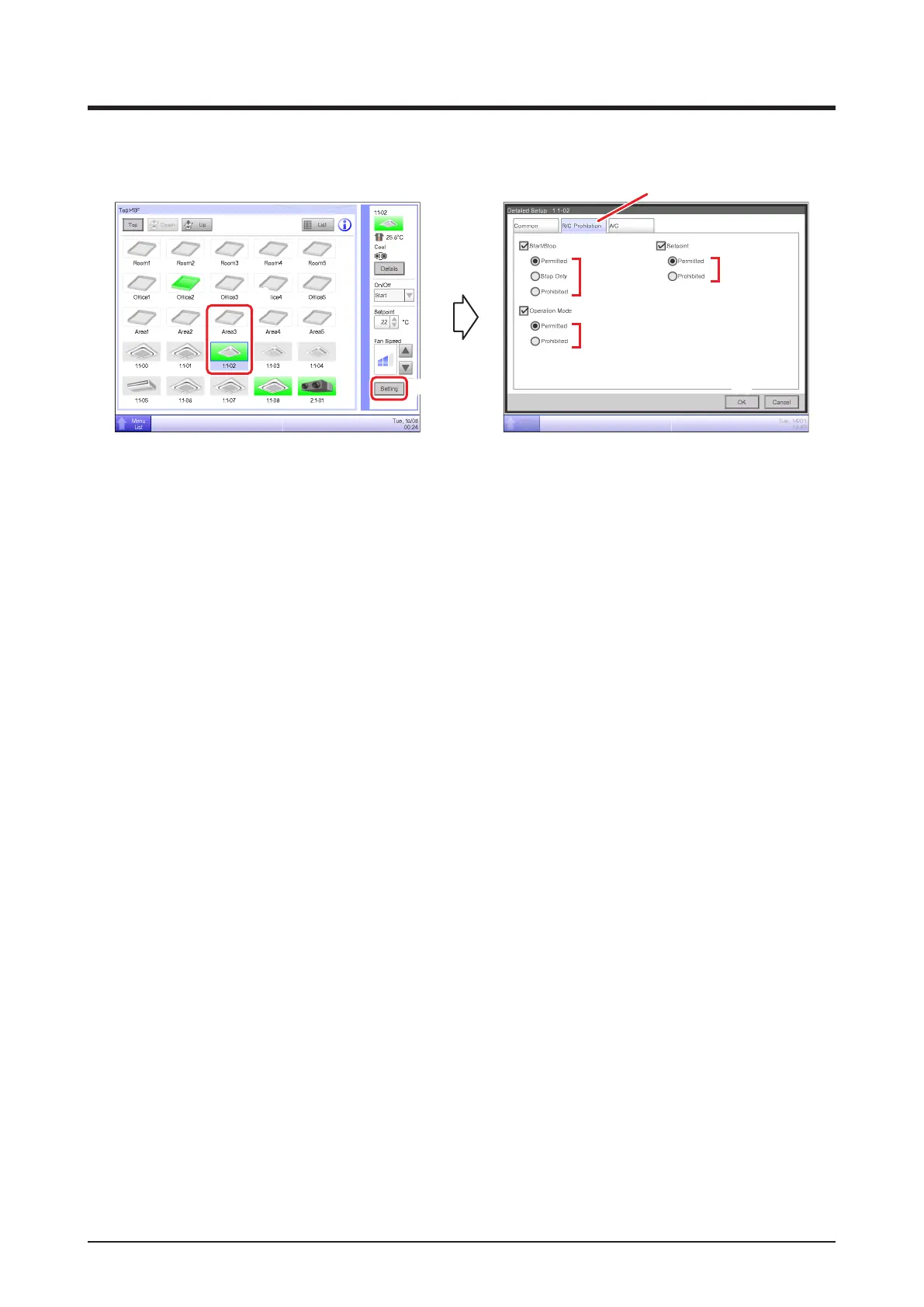
(1) Select the area or management point for which you want enable/disable remote controller.
(2) Touch the Setting button and display the Detailed Setup screen.
(3) Select the R/C Prohibition tab.
(4) You can permit/prohibit the following remote controller operations: (a) start/stop, (b) set up the
operation mode, and (c) set up the setpoint.
(5) Select the check box of the operation you want to set up and select its detail from the radio
button.
(6) Touch the OK button to commit and close the screen.
(For detailed operation, see “4-2 Detailed Setup Screen : R/C Prohibition Tab”.)



 To Next Page