User’s Manual EM11A015B
intelligent Touch Manager
36
Setting up the time
(1)
(3)
(2)
(4)
(7)
(5)
(6)
<Time Input dialog>
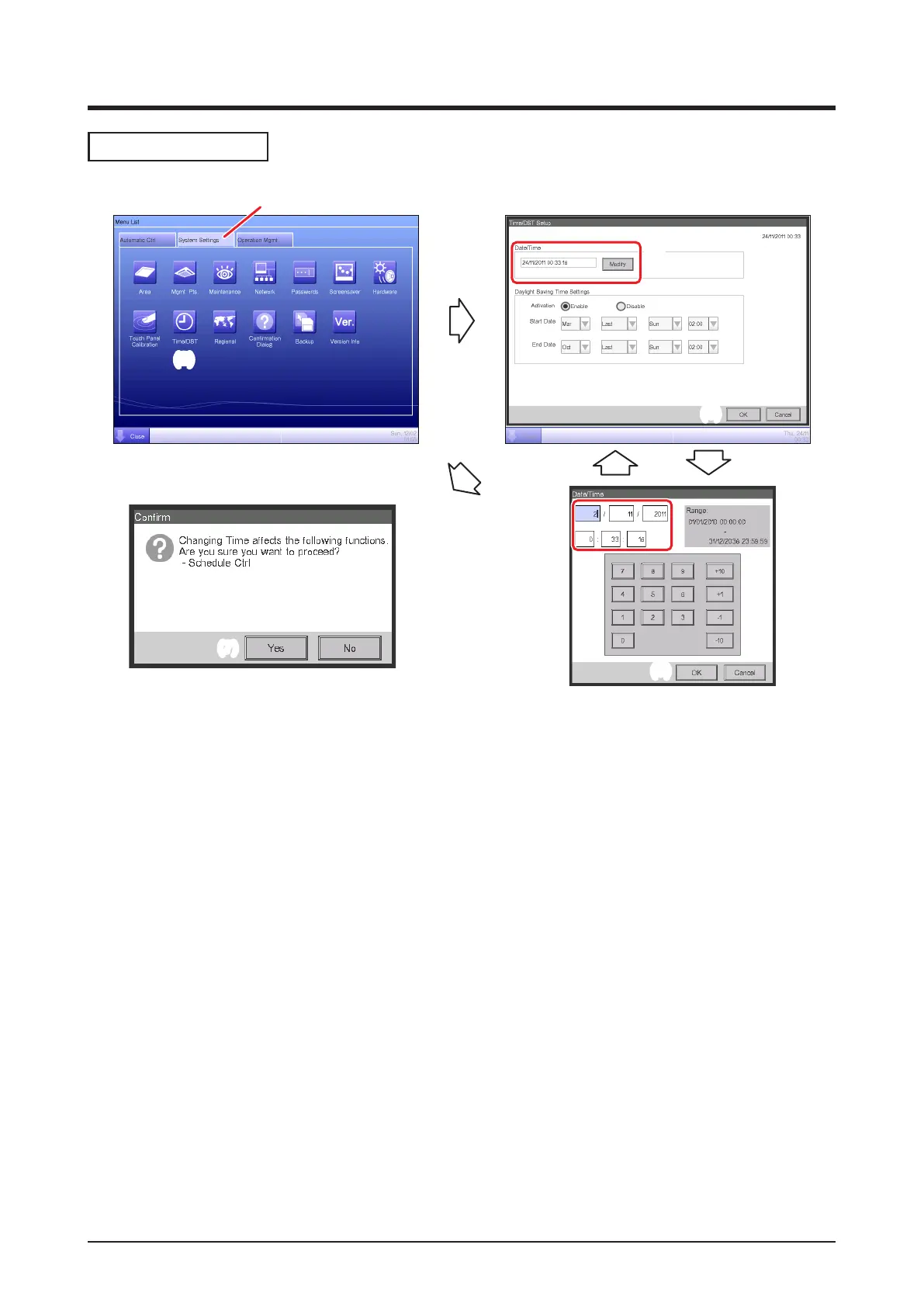
(1) Select the System Settings tab on the Menu List screen.
(2) Touch the Time/DST button and display the Time/DST Setup screen.
(3) On the screen, the current time is displayed. To change, touch the Modify button.
(4) Enter the time in the Time Setup dialog that appears.
(5) Touch the OK button.
(6) Touch the OK button on the Time Setup dialog.
(7) Touch the Yes button on the Conrm dialog that appears and close the screen.
(For detailed operation, such as setting the daylight saving time, see “6-6 Setting up the Time”.)



 To Next Page