User’s Manual EM11A015B
intelligent Touch Manager
273
Energy Data/Management Point Data
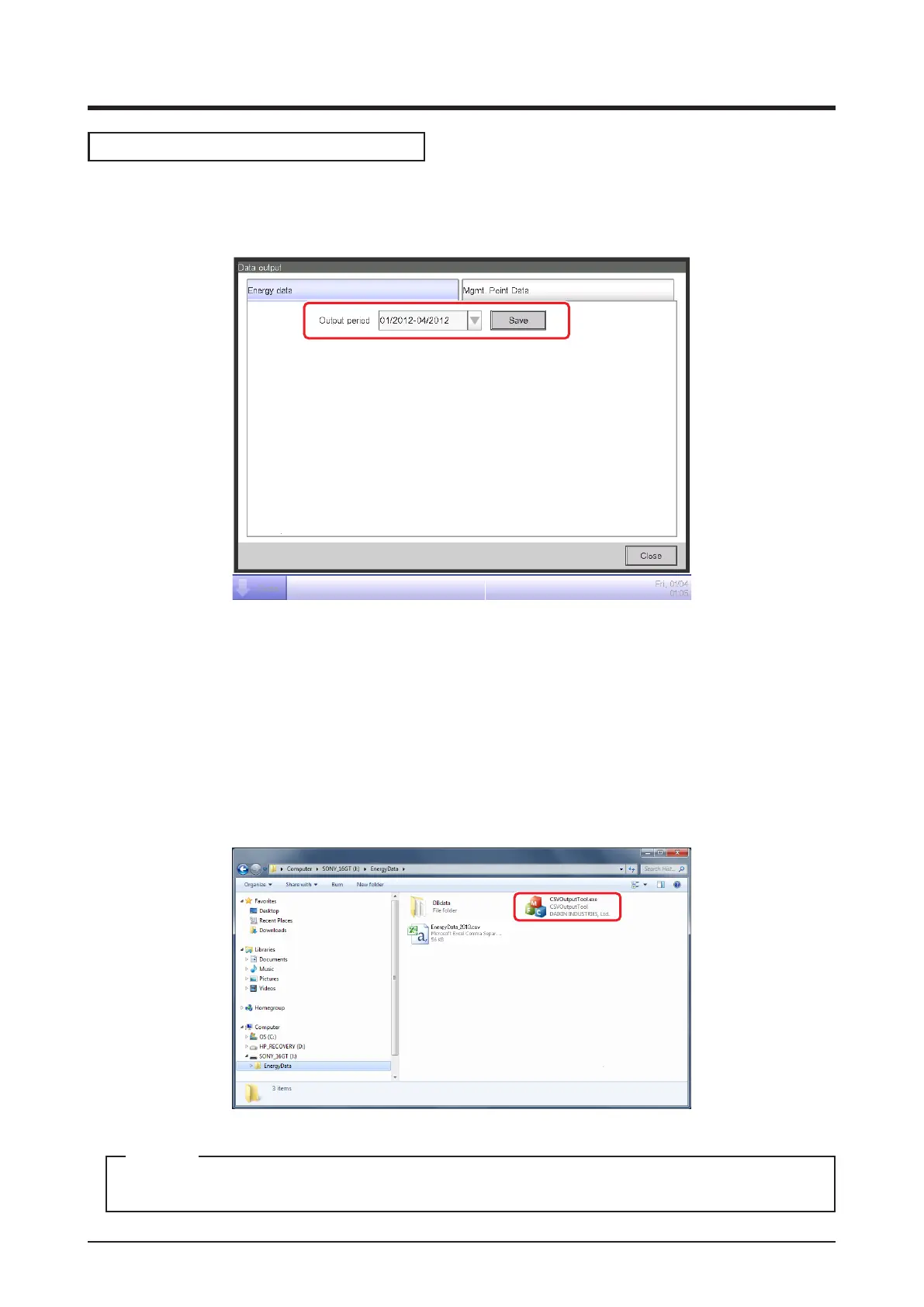
• Energy data Tab (Data output Screen)
Outputs energy budget/actual management information.
(2)
In the Output period combo box (2), select the desired data output period between this year and
the last year.
Connect a USB memory to the iTM unit and touch the Save button. In the conrmation dialog
that appears, touch the Yes button to start outputting data.
When save is complete, a dialog appears. Touch “Close” button to close the screen.
The data is saved in “EnergyData” folder.
Open the folder saved in the USB memory and execute “CSV Output Tool” to create the CSV le.
For information on the CSV le format, see “Appendix 7. Energy Navigator CSV File Format”.
NOTE



 To Next Page