User’s Manual EM11A015B
intelligent Touch Manager
45
Detailed Setup Screen
The Detailed Setup screen appears when you touch the Setting button (18) (see “4-2 Standard
View (Icon) Screen” and “4-3 Standard View (List) Screen”) on the Standard View screen.
Necessary tab is displayed in accordance with the selected management points/areas. Set up the
Common, R/C Prohibition, Ventilator, Dio. Ao. Mo, and HW Supply tabs as required. To change the
settings on each tab, select the relevant check boxes. To commit the settings, touch the OK button.
For items for which manual setup is prohibited, you can only reset the lter sign.
Setting items of functions not available for the management point being set up do not display.
NOTE
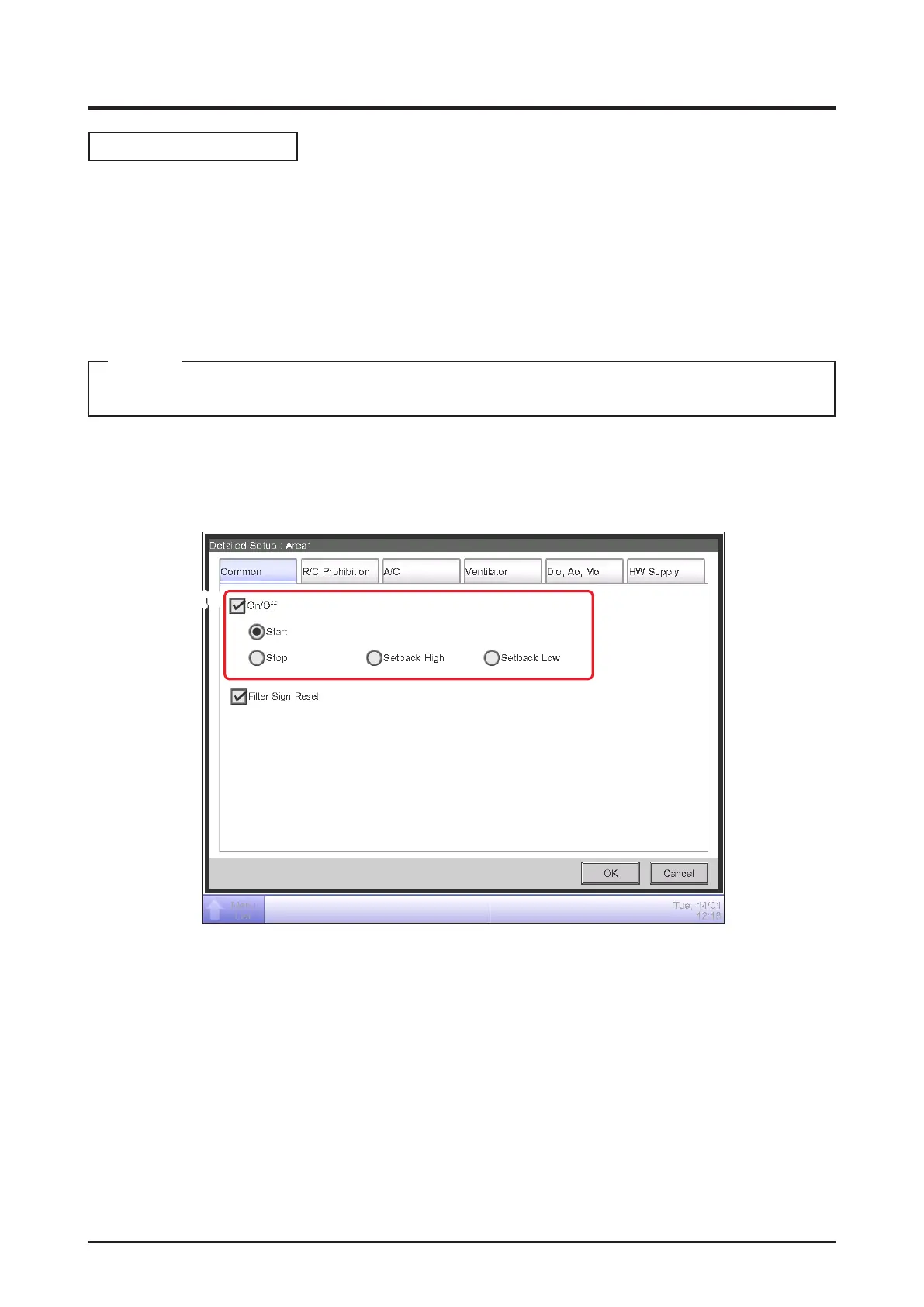
• Common Tab
Sets up items common to the indoor unit, Ventilator, Dio, Chiller and area.
Change settings by selecting the relevant check boxes.
(1)
(2)
(1) On/Off
Starts/Stops the area or management point.
In the case of the system with Hydrobox, this is only valid to operate the air conditioners. To start/
stop the water heater, operate from the HW Supply Tab.
Furthermore, when the optional Setback function is enabled, you can set it up to High or Low.
(2) Filter Sign Reset
Resets the lter sign for the indoor unit and Ventilator.
Displayed only when there are lter signs.



 To Next Page