User’s Manual EM11A015B
intelligent Touch Manager
126
Naming and setting up the detailed information of an area
(12)
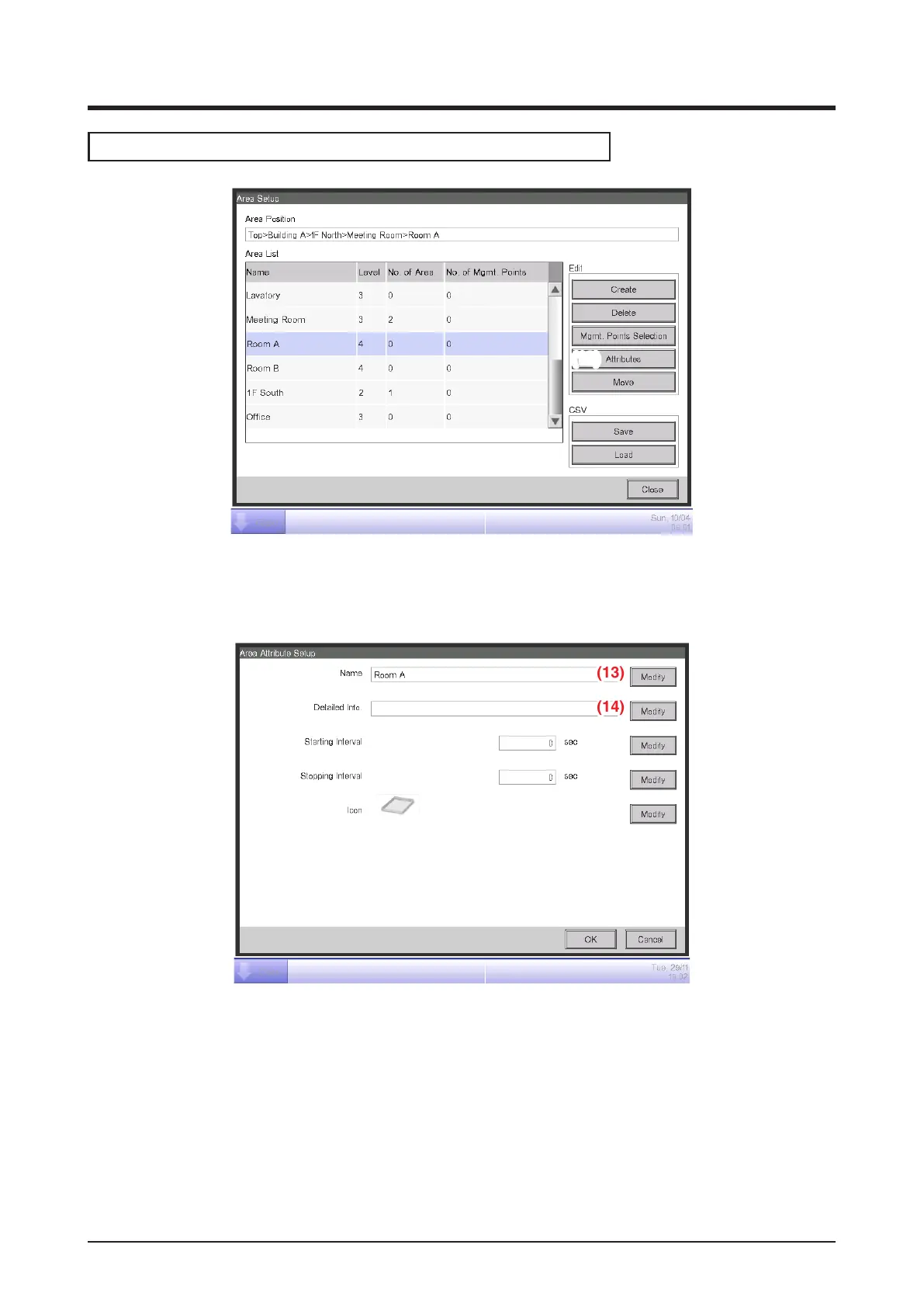
1. Select the area to name and set up the detailed information from the Area Setup screen and
touch the Attributes button (12) to display the Area Attribute Setup screen.
2. Touch the Modify buttons (13) and (14). Set up the name and detailed information in the Text
Input dialog box that appears.



 To Next Page