User’s Manual EM11A015B
intelligent Touch Manager
213
The following describes how to create users and operate.
Registering Web users
Register Web users that can access the Web. There are two types of Web users: managers and
users, and the operations permitted to users can be limited by settings. You can register is up to 4
managers and up to 60 users. It is allowed to access up to 4 managers and 16 users
simultaneously.
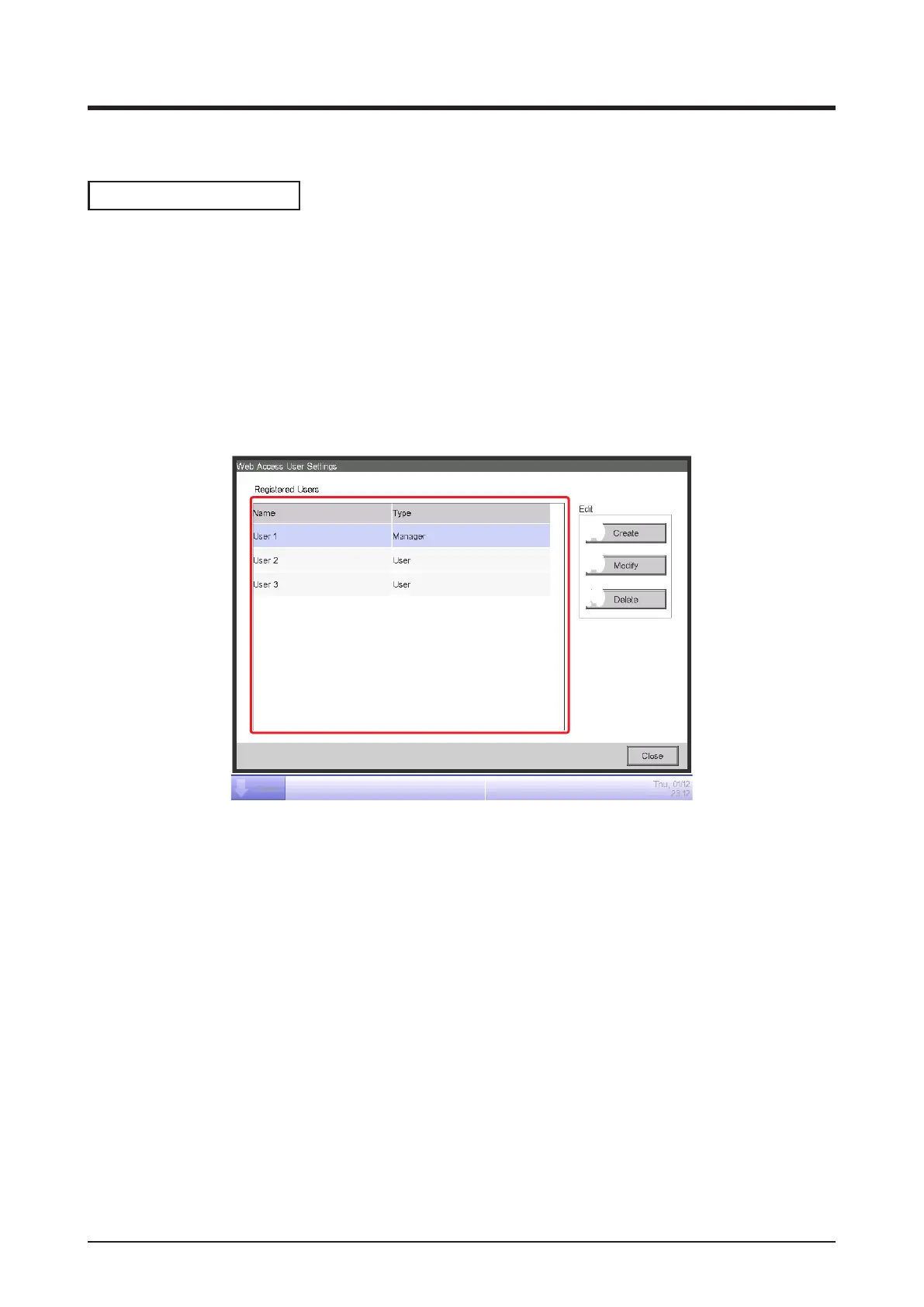
1. Touch the Web Access Users button on the System Settings tab of the Menu List screen and
display the Web Access Users Settings screen (see “4-5 Menu List screen: System Settings
Tab”).
(1)
(2)
(3)
(4)
(1) is the list of registered Web users.
The Create button (2) allows you to create new users.
The Modify button (3) allows you to edit the settings of the selected user.
The Delete button (4) allows you to delete the selected user.
2. Touch the Create button (2) or Modify button (3) and display the User Setup screen.



 To Next Page