User’s Manual EM11A015B
intelligent Touch Manager
214
(7)
(5)
(6)
(8)
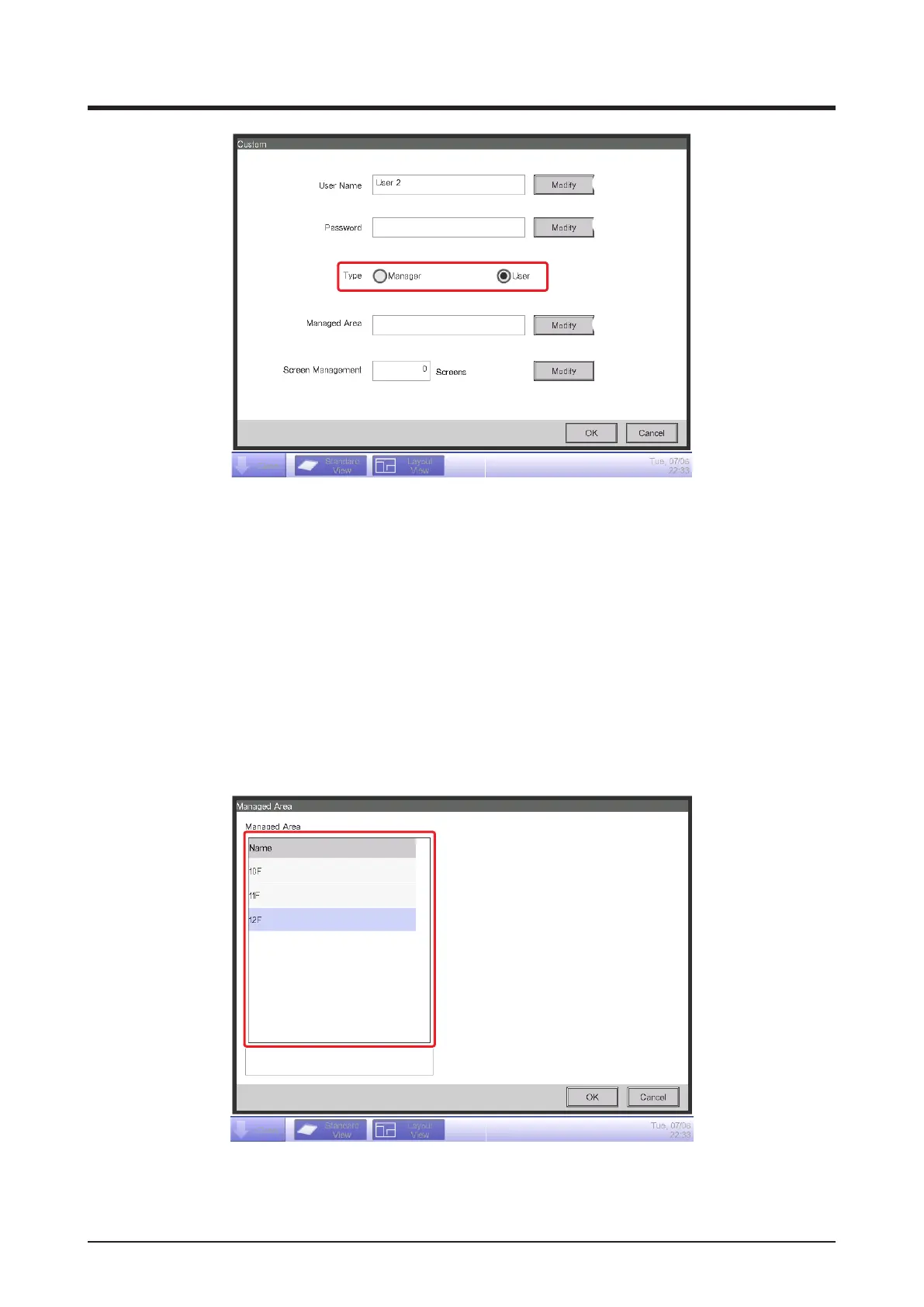
To enter the user name, touch the Modify button (5) and display the Text Input dialog. Specify a
name using 1 to 15 characters, irrespective of single or double byte.
To set the login password, touch the Modify button (6) and display the Password Input dialog.
Enter the same password twice for conrmation. Set a password using 0 to 15 alphanumeric
characters.
Select the type of user in (7).
In the case of a user, set up the Managed Area and Screen Management (number of Layout
View screens) settings to register the target the user can manage.
3. Touch the Modify button (8) and display the Managed Area screen.
(9)
(9) is the list of areas that can be registered. Select one area and touch the OK button to save
the settings and return to the User Setup screen.



 To Next Page