User’s Manual EM11A015B
intelligent Touch Manager
215
(10)
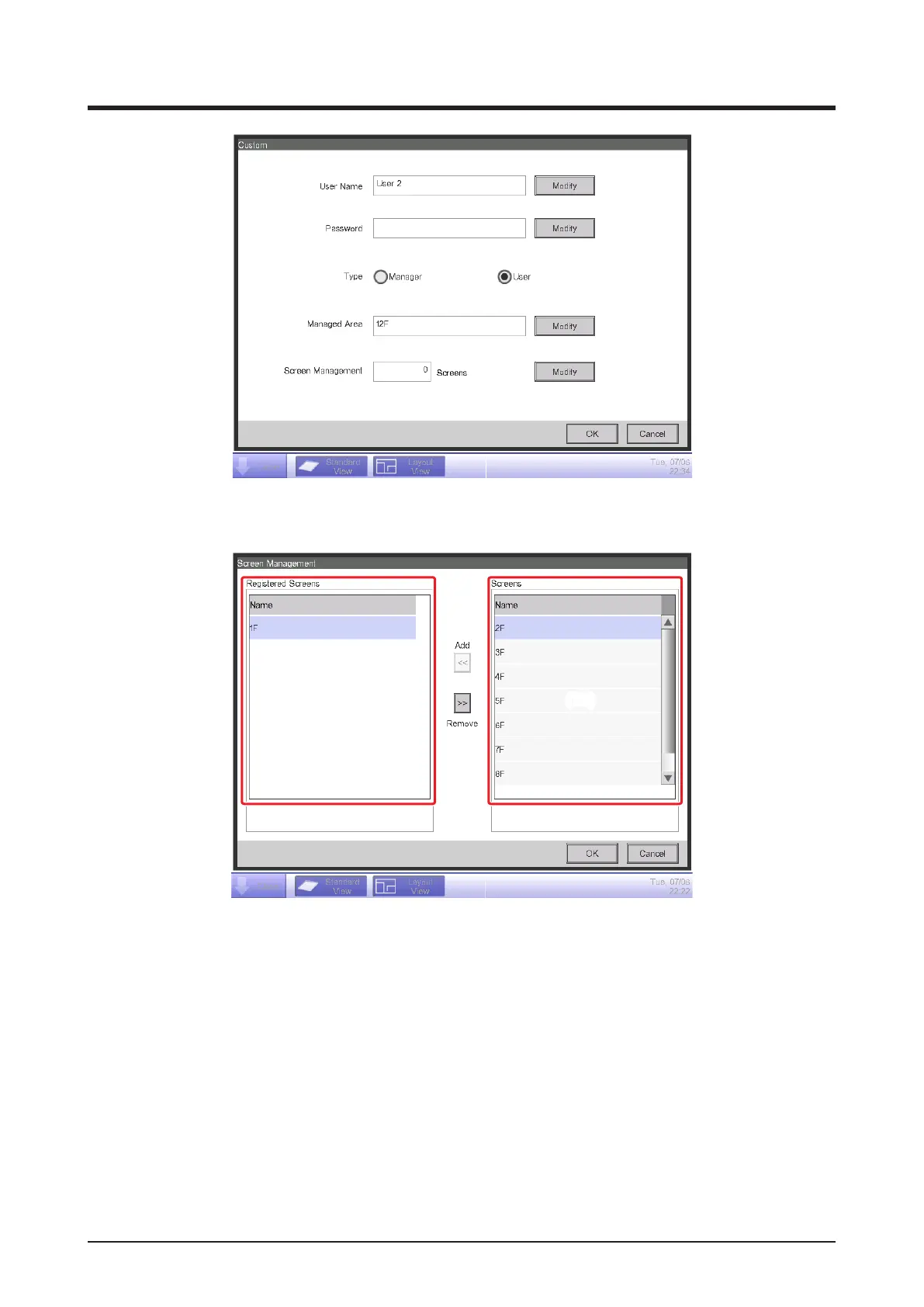
4. Touch the Modify button (10) and display the Screen Management screen.
(11) (12)
(11) is the list of registered target screens while (12) is the list of Layout View screens that can
be registered.
Select a screen from (12) and touch the Add button to register it as the target Layout View
screen. You can only register one Layout View.
Select a registered screen from (11) and touch the Remove button to remove it from the
Registered Screens list.
When nished, touch the OK button to return to the Custom screen.
Touching the OK button on the Custom screen saves the settings and registers the Web user.



 To Next Page