User’s Manual EM11A015B
intelligent Touch Manager
192
8-3 Setting up the Emergency Stop
The iTM includes the Emergency Stop as standard function (see 5-4 Checking an Emergency
Stop).
The Emergency Stop is a control function envisioned primarily as a measure against re. Based on
the emergency stop program, this function stops the management points set up as output when the
input signal set up as the emergency stop signal is received.
The Default program stops all DIII units registered as management points when an emergency stop
signal is received.
The Default program cannot be edited, except from toggling enable and disable.
If the optional Emergency Stop function is enabled, you can create your own emergency stop
program.
The following describes how to create and set up an emergency stop program.
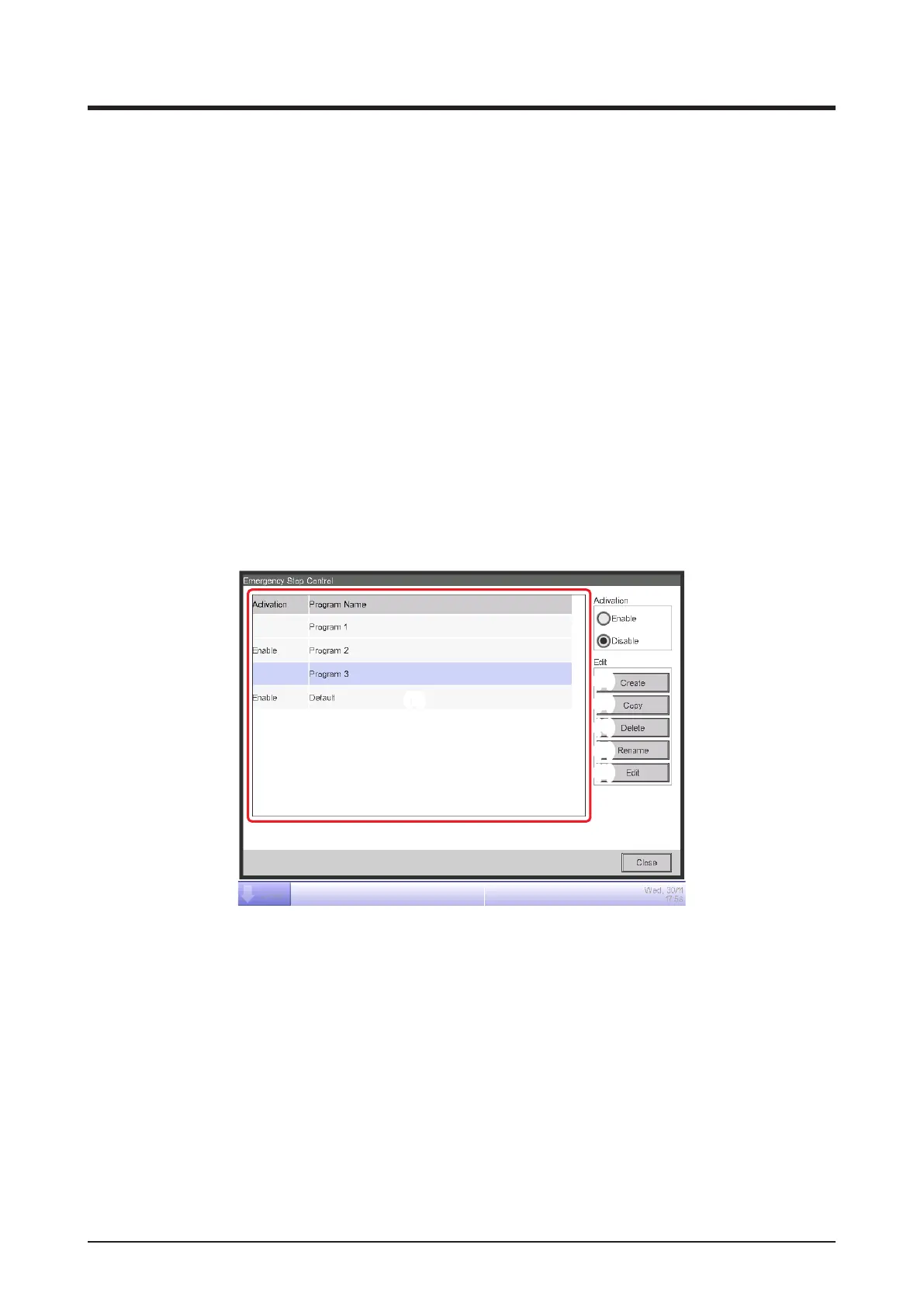
1. Touch the Emergency Stop button on the Automatic Ctrl. tab of the Menu List screen and display
the Emergency Stop Control screen (see “4-5 Menu List Screen: Automatic Ctrl. Tab”).
(2)
(1)
(3)
(4)
(5)
(6)
2. (1) is the list of emergency stop programs. Perform the intended operation by touching the
relevant button on the right.
(2) Create button
Creates a new program. You can create up to 32 emergency stop programs (including the
Default program).
(3) Copy button
Copies the selected program.
(4) Delete button
Deletes the selected program.



 To Next Page