User’s Manual EM11A015B
intelligent Touch Manager
163
Setting up an interlocking program
The following describes how to program and set up an interlocking program based on the model
case below.
• Turn On the Ventilator when any of the indoor units for Ofce B goes On.
• Turn Off the Ventilator when all indoor units for Ofce B go Off.
Interlocking program name: Ventilator control program
Target: Ofce B (area consisting of indoor unit “a”, indoor unit “b”, and Ventilator “c”)
Control program: (Output1)
When either indoor unit “a” or indoor unit “b” goes on, turn on Ventilator “c”.
The required duration is “10 minutes”.
(Output2)
When both indoor unit “a” and indoor unit “b” go off, turn off Ventilator “c”.
• Creating the Interlocking Program
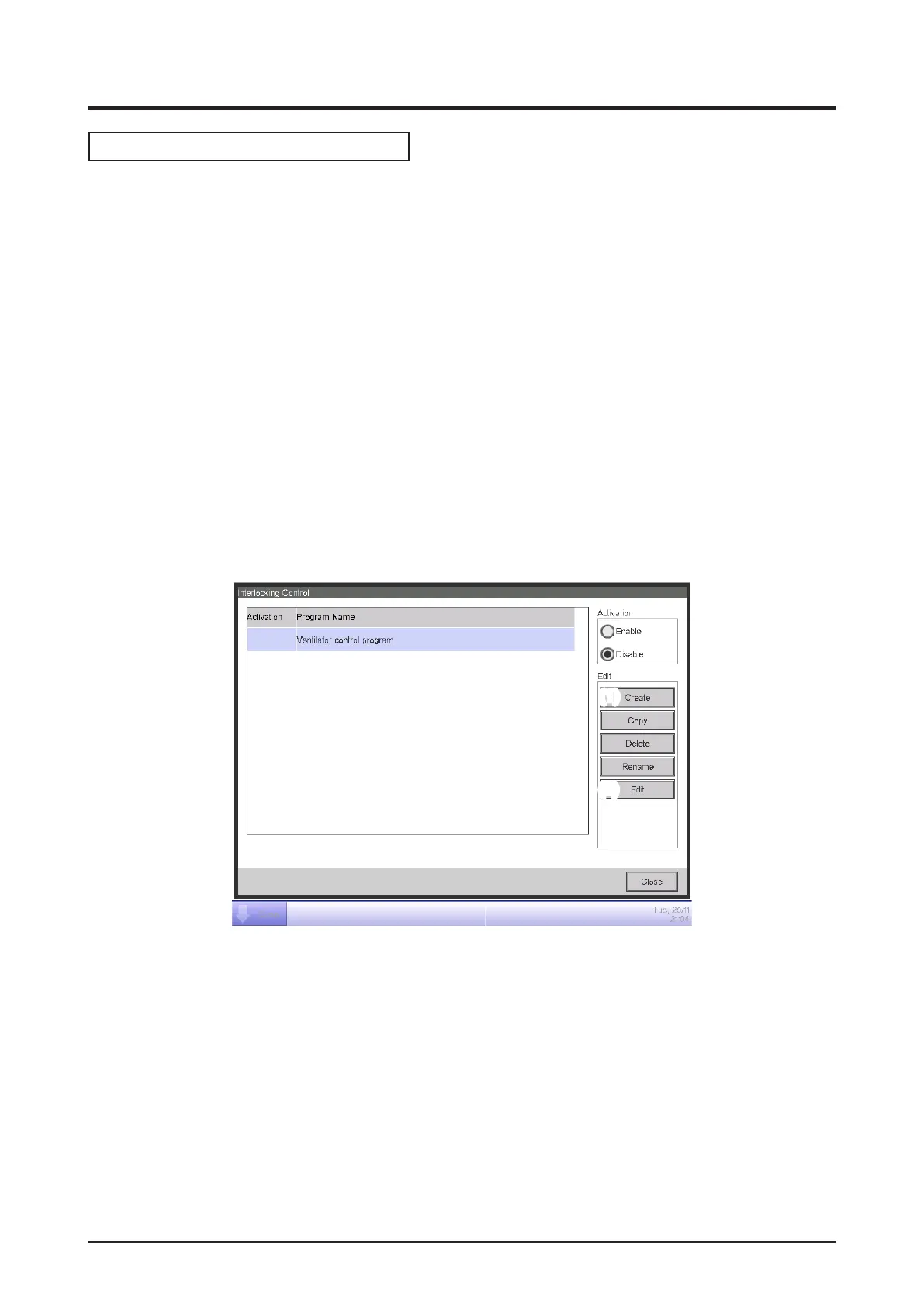
Touch the Interlocking Control button on the Automatic Ctrl. tab of the Menu List screen and
display the main Interlocking Control screen (see “4-5 Menu List Screen: Automatic Ctrl. Tab”).
(1)
(2)
1. Setting up the interlocking program name
Touch the Create button (1) and enter the program name in the Name Input dialog that appears.
Enter “Ventilator control program”.
Select the “Ventilator control program” registered in the list and touch the Edit button (2) to
display the Interlock Program Setup screen.



 To Next Page