User’s Manual EM11A015B
intelligent Touch Manager
164
(3)
2. Setting up the condition to detect
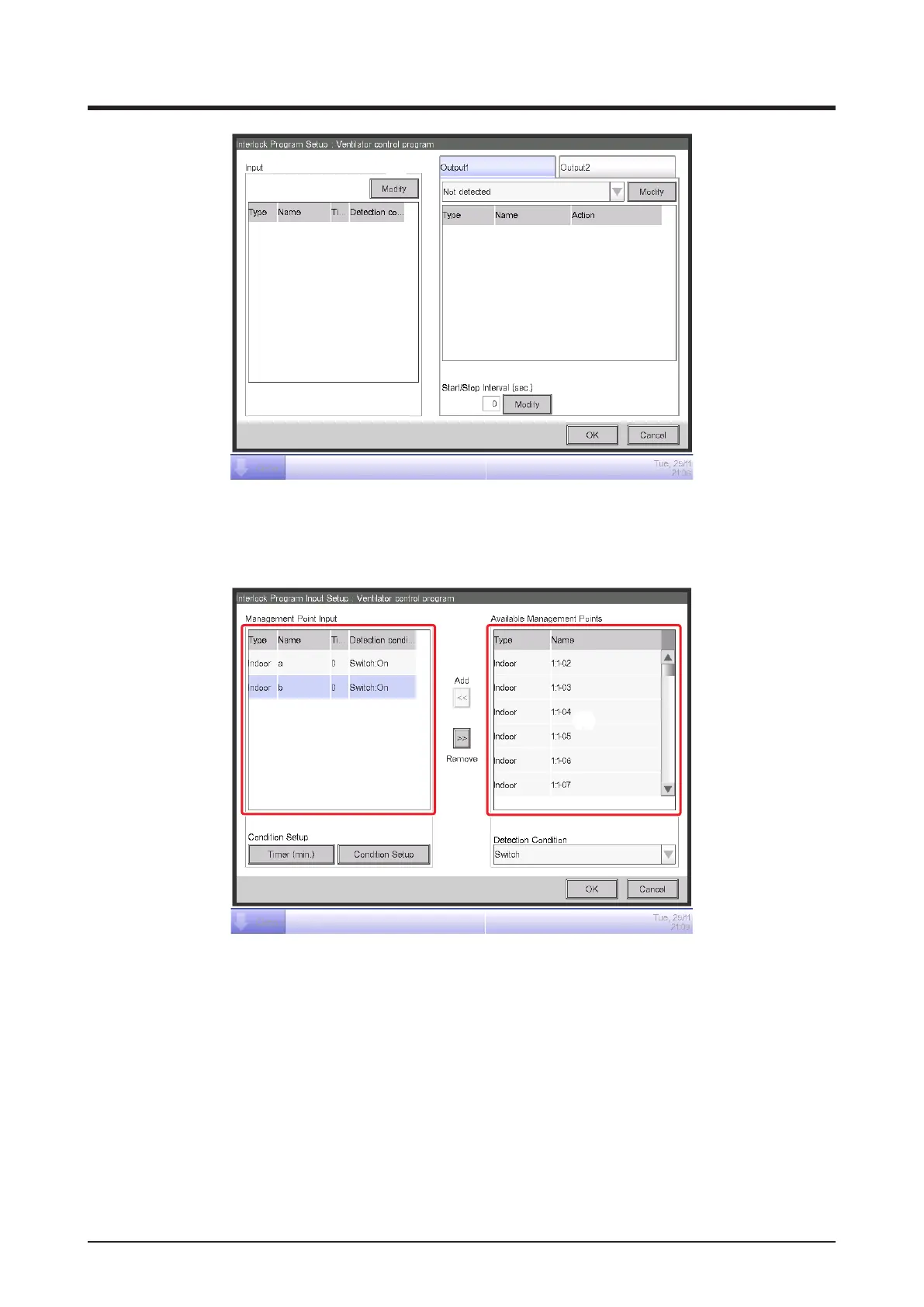
Touch the Modify button (3) and display the Interlock Program Input screen.
(6) (5)
(4)
(7)
Selecting “Switch” in the Detection Condition combo box (4) displays a list of management
points (5) for which On/Off can be registered as the condition to be detected.
Selecting the indoor unit “a” and touching the Add button registers it in (6).
Similarly, register the indoor unit “b”.
3. Setting up the required conditions
Select the indoor unit “a” from the list (6) and touch the Condition Setup button (7) to display
the Condition Setup screen.



 To Next Page