User’s Manual EM11A015B
intelligent Touch Manager
67
5. Setting up the Automatic Control
5-1 Setting up a Schedule
The schedule control function in iTM allows you to operate designated management points and
areas according to a schedule program. There are two types of schedule: a weekly schedule where
settings are by day of the week, and an annual schedule where you can specify special days. You
can also specify a validity period for a schedule and make it valid only for a certain period of time.
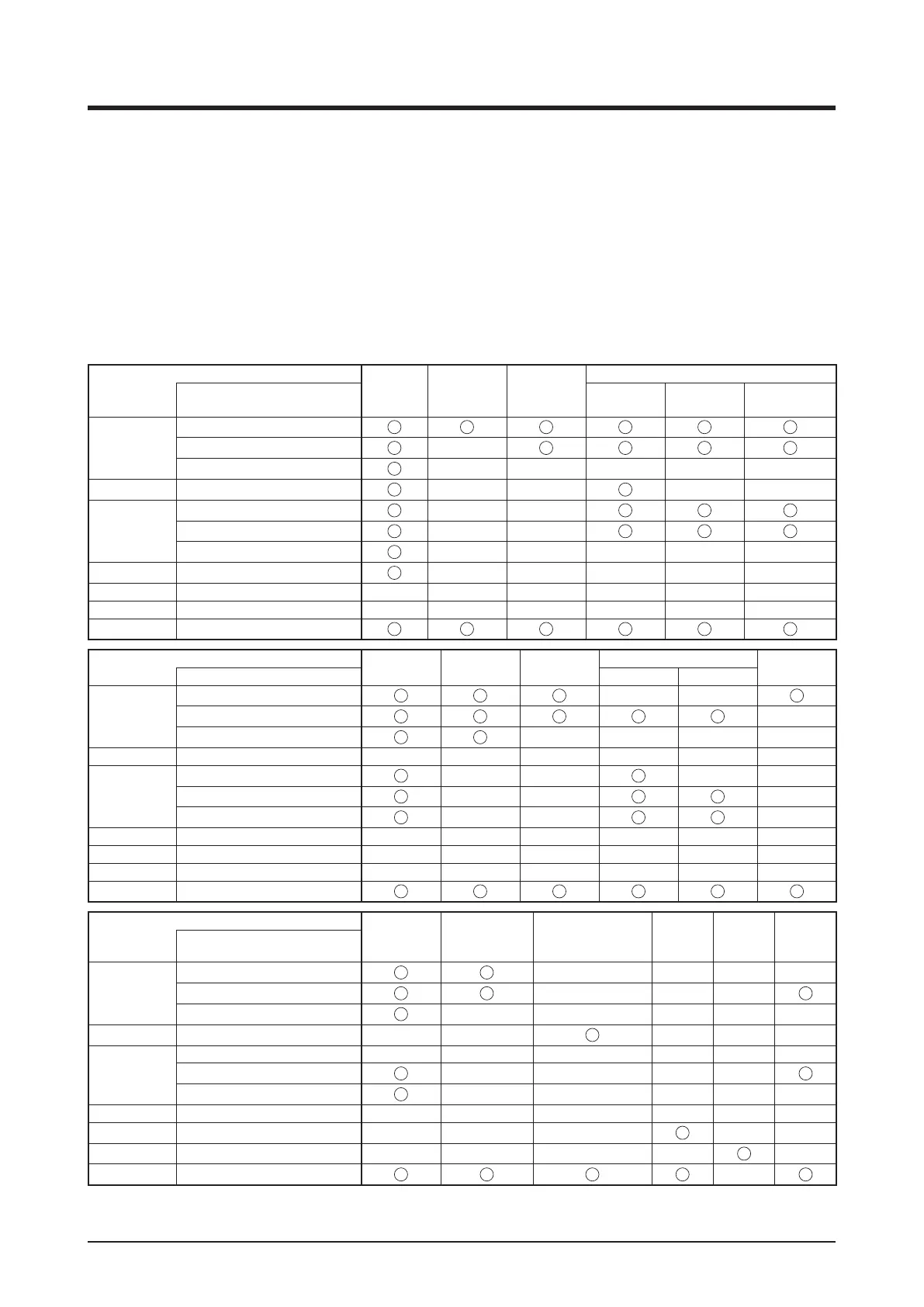
The following tables show items you can control using this function.
Target (management point type)
On/Off
On/Off
(Pre-cool/
Pre-heat)
On/Off
(Setback)
Remote Controller Enable/Disable
Target management point Start/Stop Setpoint
Operation
mode setup
Indoor unit
Indoor
Hydrobox ×
AHU × × × × ×
Ventilator Ventilator
× × × ×
Chiller
D3Chiller
× ×
Inv.Chiller × ×
Chiller × × × × ×
Dio
D3Dio, External Dio, BACnet Dio*
× × × × ×
Analog (Ao)
External Ao, BACnet Ao* × × × × × ×
MultiState (Mo)
BACnet Mo* × × × × × ×
Area All
Target (management point type)
Operation
Mode
Setpoint
Setpoint
shift
Leaving Water Setpoint
Fan Speed
Target management point Cool Heat
Indoor unit
Indoor
× ×
Hydrobox ×
AHU
× × × ×
Ventilator Ventilator × × × × × ×
Chiller
D3Chiller
× × × ×
Inv.Chiller
× × ×
Chiller
× × ×
Dio
D3Dio, External Dio, BACnet Dio*
× × × × × ×
Analog (Ao)
External Ao, BACnet Ao* × × × × × ×
MultiState (Mo)
BACnet Mo* × × × × × ×
Area All
Target (management point type)
Timer
Extension
Setpoint range
restriction
Ventilation amount/
Ventilation mode
Analog
value
Multi
State
Value
Low
Noise
Target management point
Indoor unit
Indoor
× × × ×
Hydrobox
× × ×
AHU × × × × ×
Ventilator Ventilator × ×
× × ×
Chiller
D3Chiller × × × × × ×
Inv.Chiller
× × × ×
Chiller × × × × ×
Dio
D3Dio, External Dio, BACnet Dio*
× × × × × ×
Analog (Ao)
External Ao, BACnet Ao* × × × × ×
MultiState (Mo)
BACnet Mo* × × × × ×
Area All
×
* BACnetDio, BACnetAo and BACnetMo are optional.
Using Standard Functions



 To Next Page