User’s Manual EM11A015B
intelligent Touch Manager
31
(6)
(7)
(5)
(4)
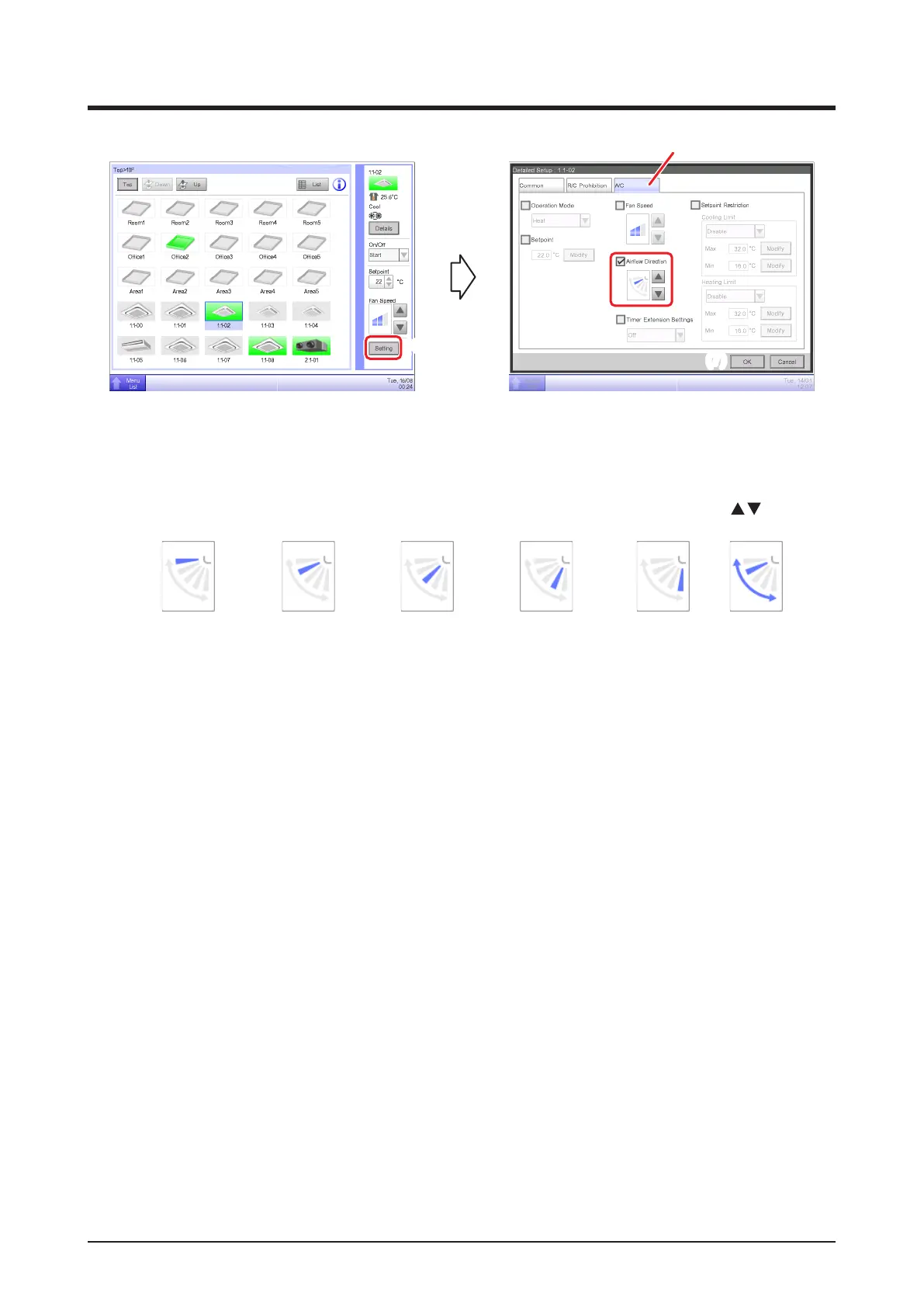
(4) To set up the airow direction, touch the Setting button and display the Detailed Setup screen.
(5) Select the A/C tab.
(6) Select the Airow Direction check box and set up the Airow Direction using the
buttons.
<
Airflow direction 0
> <
Airflow direction 1
> <
Airflow direction 2
> <
Airflow direction 3
> <
Airflow direction 4
> <Swing>
(7) Touch the OK button to commit and close the screen. (For detailed operation, see “4-2 Detailed
Setup Screen : A/C Tab”.)



 To Next Page