User’s Manual EM11A015B
intelligent Touch Manager
136
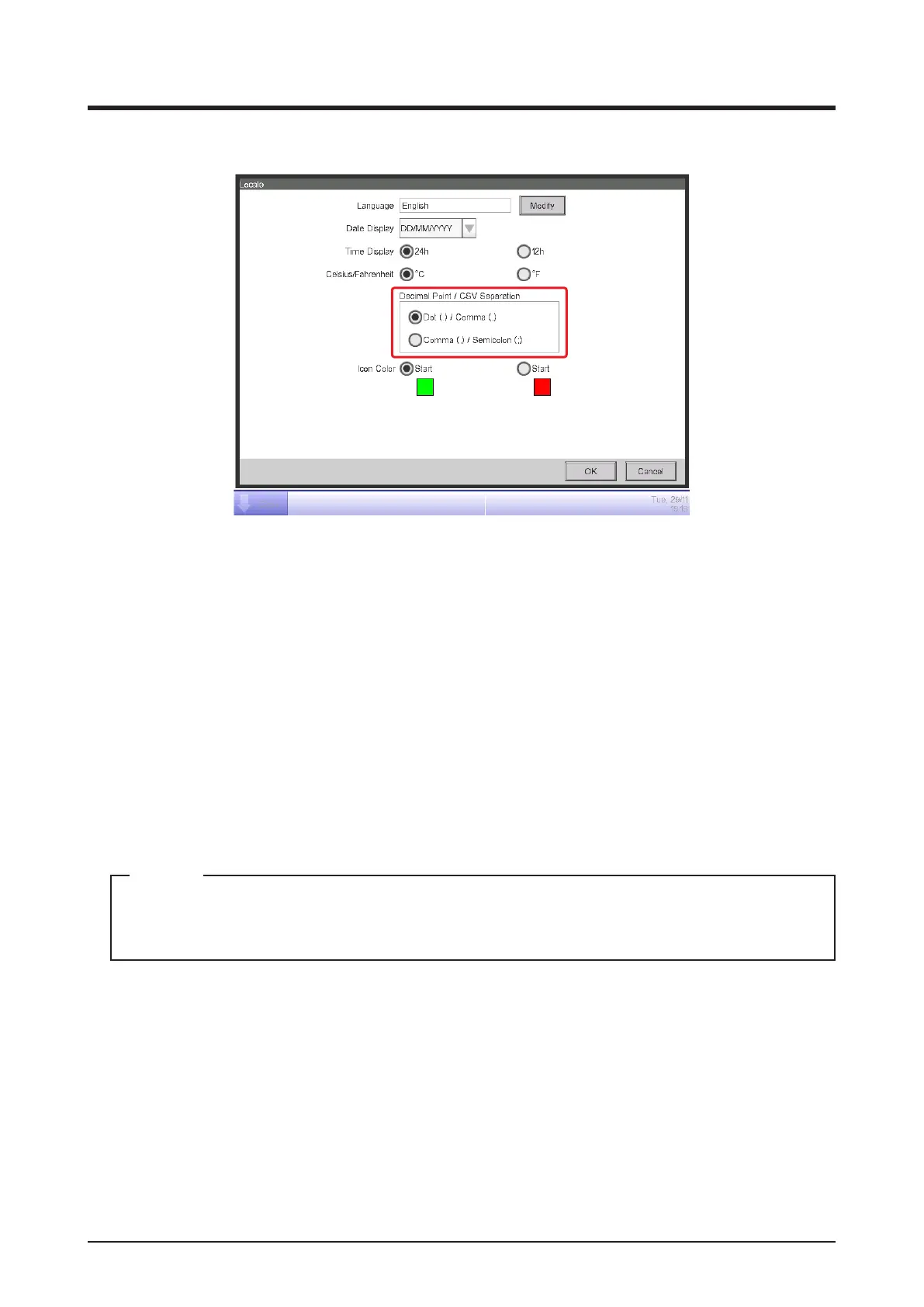
4. Set up the display format and unit.
(3)
(4)
(5)
(7)
(6)
Set up the date display format using the Date Display combo box (3).
You can select from DD/MM/YYYY, MM/DD/YYYY, and YYYY/MM/DD.
Select the time display format using the Time Display radio button (4).
Select the temperature unit from Fahrenheit and Celsius using the Celsius/Fahrenheit radio
button (5).
Select the decimal point/CSV file separator style using the Decimal Point/CSV Separation
radio buttons (6).
Select the icon color for operating management points using the Icon Color radio button (7).
When nished, touch the OK button to close the screen.
When the unit of temperature is changed between Celsius and Fahrenheit, the change
should be followed by a restart by the Restart switch.
NOTE



 To Next Page