User’s Manual EM11A015B
intelligent Touch Manager
145
Furthermore, touch the < button to display the history records of the previous day, and touch the
> button to display the history records of the next day.
Touching the Show Updates button (5) displays in (1) the latest 100 history records of the type
specied in (3) as well as the date specied in (4).
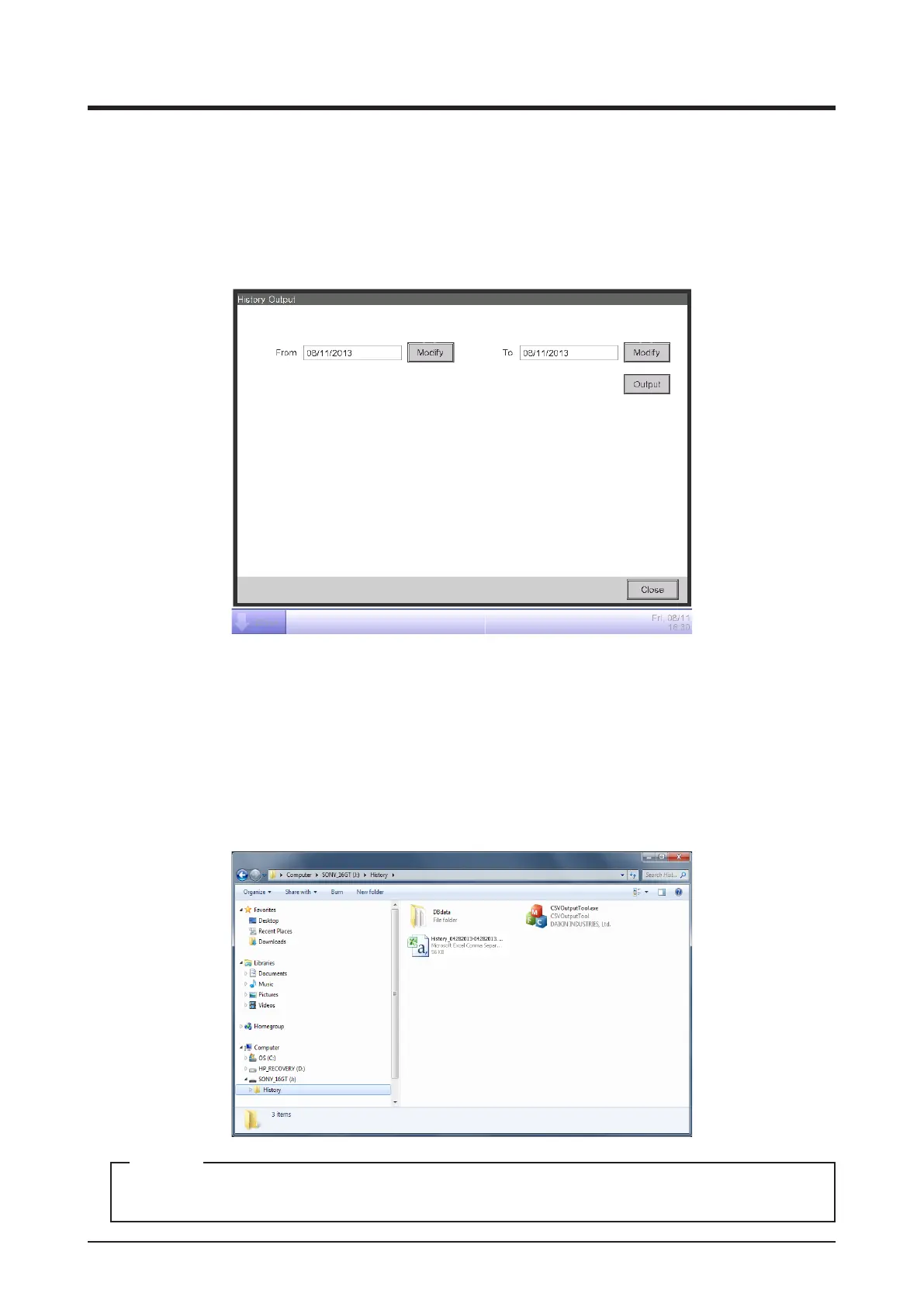
3. Touch the CSV Output button (6) to display the History Output screen.
(7)
(8)
(7)
4. Touch the Modify button (7) and display the Data Input dialog to specify the output period of the
CSV le. Touching the Output button (8) displays a conrmation dialog. Connect a USB memory
to the iTM unit and Touch Yes button.
Output is complete when the message “File has been saved.” appears.
Touch the Close button to close the screen.
5. Open History folder in USB memory and execute “CSV Output Tool” to create a CSV le of the data.
For information on the history data items, see “Appendix 4. Historical Data Item List”.
NOTE



 To Next Page