User’s Manual EM11A015B
intelligent Touch Manager
168
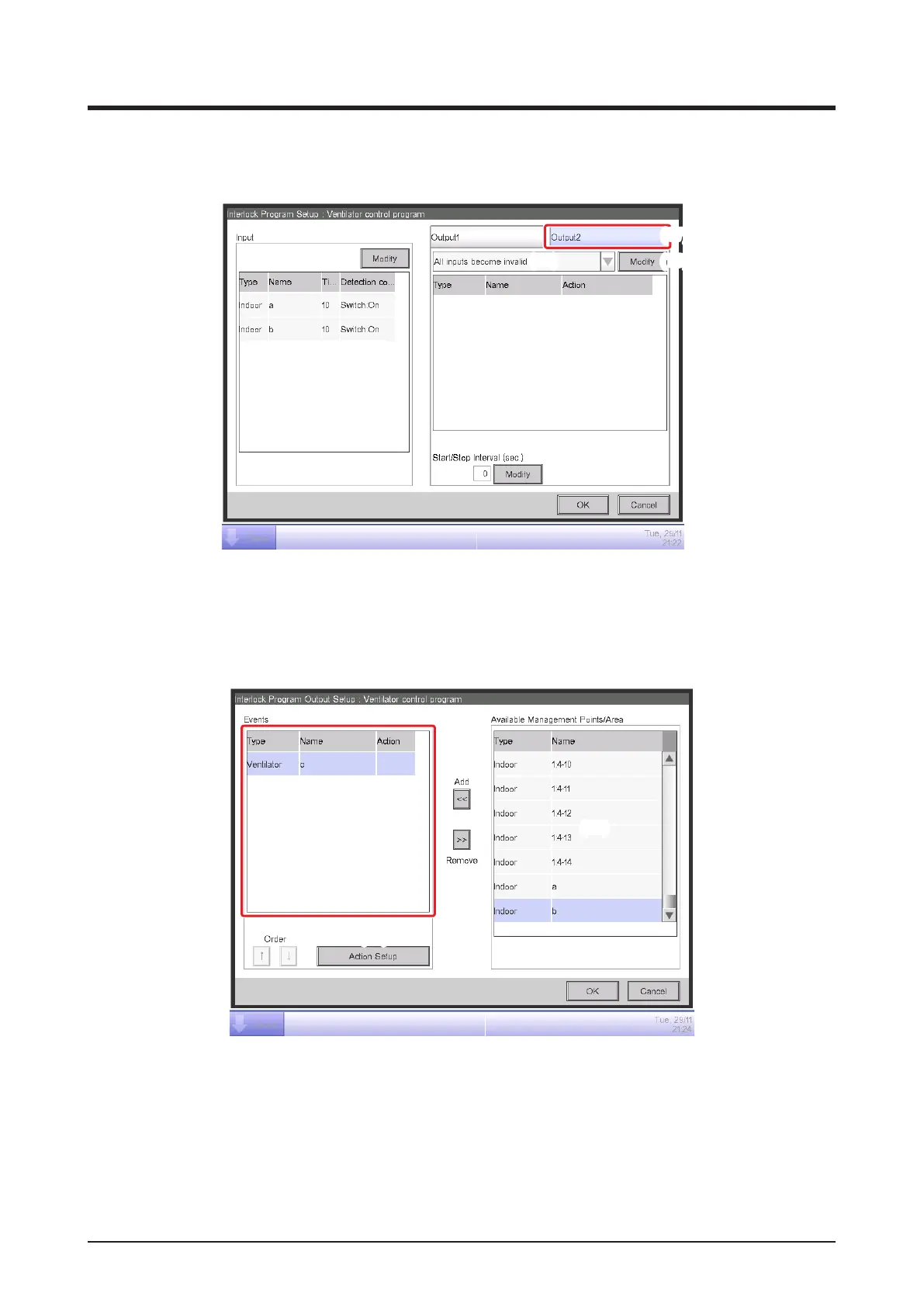
• Setting up Output2
Set up a different output action for the same condition to detect and target.
(18)
(19)
(17)
Select the Output2 tab (17) and then, “All inputs become invalid” in the Input condition
combo box (18).
Touch the Modify button (19) and display the Interlock Program Output Setup screen.
(21)
(22)
(20)
Select Ventilator “c” from
(20)
and touch the Add button to register it as target of the output event in
(21)
.
Select the Ventilator “c” registered in (21) and touch the Action Setup button (22) to display the
Action Setup screen.



 To Next Page