User’s Manual EM11A015B
intelligent Touch Manager
185
• Action Setup Screen
This screen is displayed when you touch the Action Setup button on the Interlock Program
Output Setup screen.
Sets the actions that will be performed by an output event of the interlocking program.
This screen consists of six tabs: Common, R/C Prohibition, A/C, Ventilator, Ao. Mo, and HW
Supply, each outputting different event actions. The screen opens on the tab that corresponds to
the type of the selected management point/area.
Setting items of functions not available for the management point being registered do not
display.
NOTE
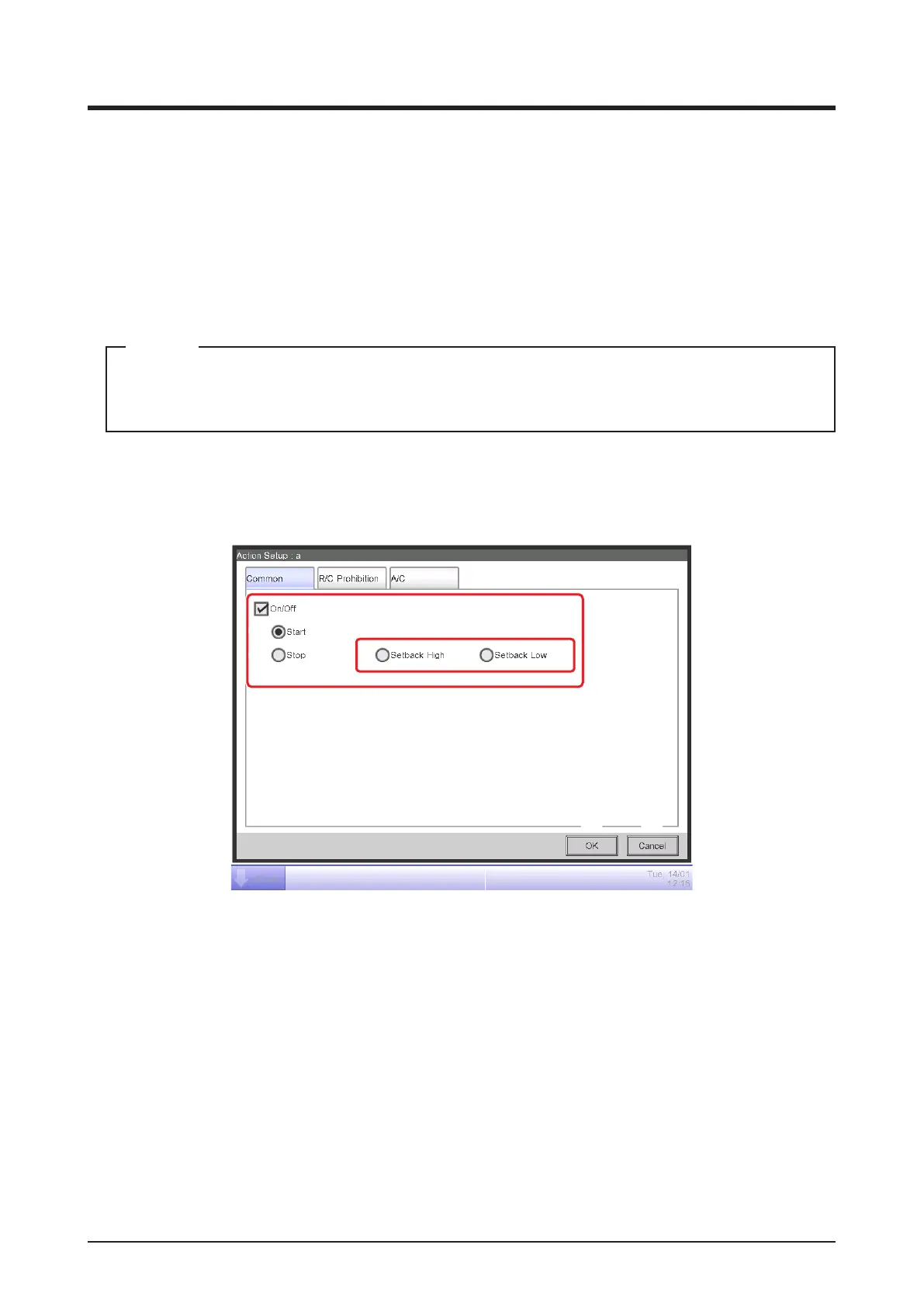
• Common Tab (Action Setup Screen)
This screen is displayed when you touch the Common tab on the Action Setup screen.
Sets up actions for common items.
(1)
(2)
(3)
(4)
(5) (6)
(1) On/Off
Select the On/Off check box to start/stop the target.
In the case of the system with Hydrobox, the button (2), (3) and (4) are able to control the air
conditioners only, but they are unable to control the water heater.
(2) Start radio button
Select to start the target.
(3) Stop radio button
Select to stop the target.
(4) Setback High, Setback Low radio buttons
Select either of the two radio buttons when using the Setback function.
These radio buttons are displayed only when the optional Setback function is enabled.



 To Next Page