User’s Manual EM11A015B
intelligent Touch Manager
194
To add a management point, select one from (10) and touch the Add button. To remove a
management point, select one from (9) and touch the Remove button.
You can register up to 6 management points to monitor.
When nished, touch the OK button to return to the Emergency Stop Program Settings screen.
(11)
(12)
(13) (14)
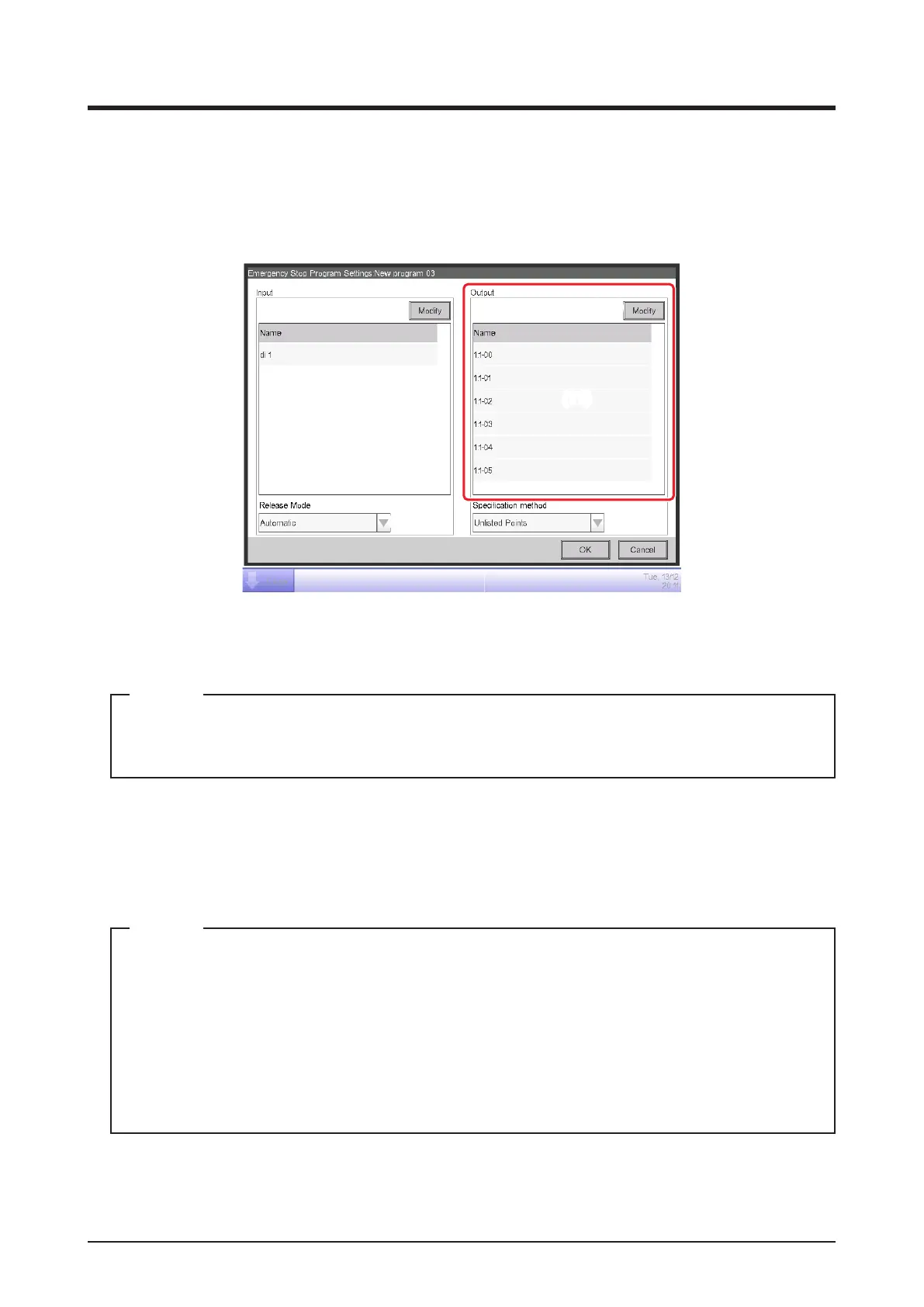
6. (11) is the list of management points target of the Emergency Stop. Touch the Modify button (12)
and register management points, as in step 5.
In the case of the system with Hydrobox, this function controls the air conditioners only, but
unable to control the water heater operation.
NOTE
7. Using the Release Mode combo box (13), select the method of releasing the emergency stop
program from Automatic and Manual.
Using the Specication method combo box (14), select whether the Output list (11) is the list
of emergency stop targets or the list of those excluded.
The management points, which was newly registered after creating the emergency stop
program, can be used as follows.
• On the program which uses the list (11) as the list of emergency stop targets, it cannot be
stopped emergently.
• On the program which uses the list (11) as the list of those excluded, it can be stopped
emergently.
NOTE
When nished, touch the OK button to return to the Emergency Stop Control screen.



 To Next Page