User’s Manual EM11A015B
intelligent Touch Manager
202
The following describes how to set this up.
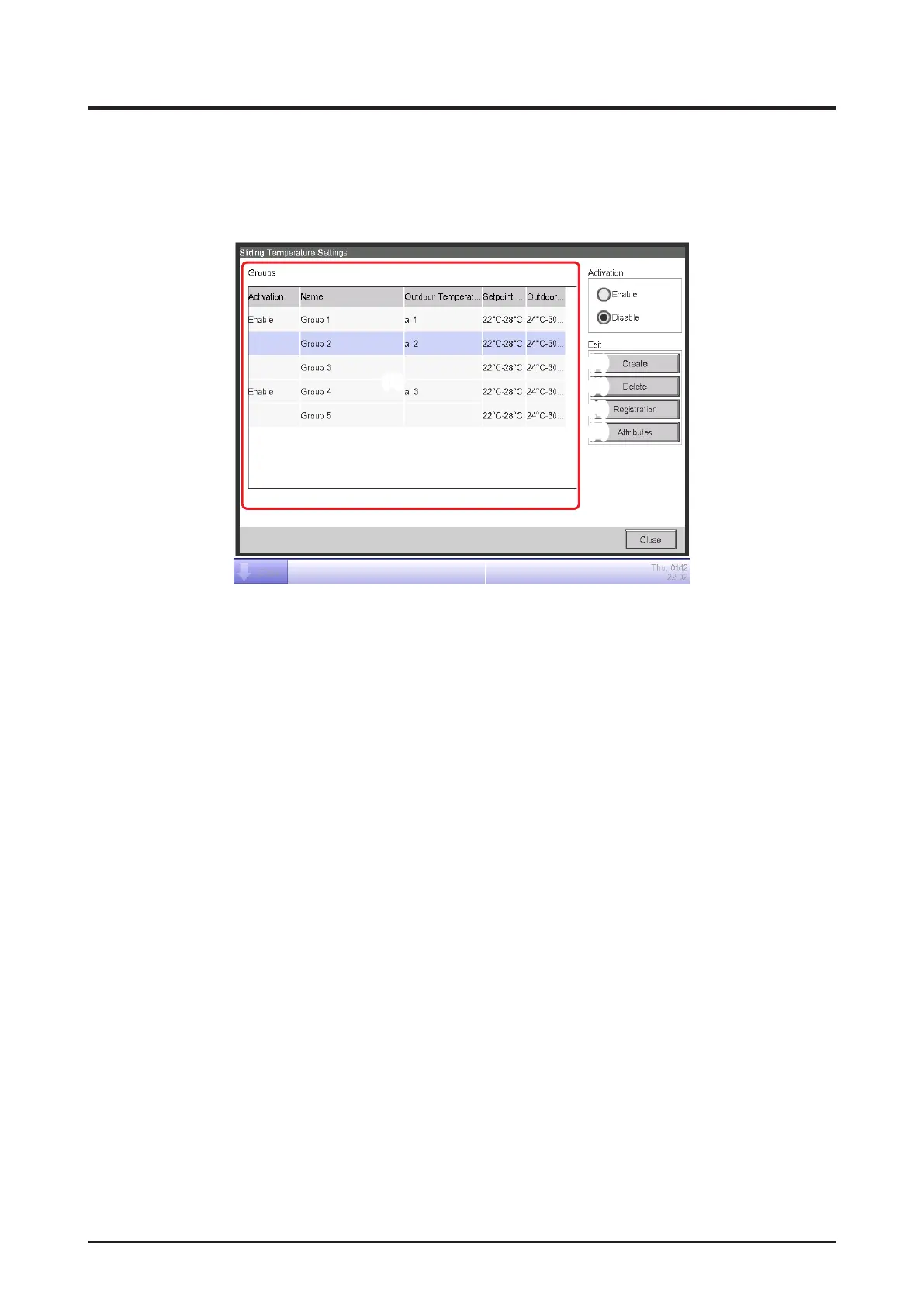
1. Touch the Sliding Temp. button on the Automatic Ctrl. tab of the Menu List screen and display
the Sliding Temperature Settings screen (see “4-5 Menu List screen: Automatic Ctrl. Tab”).
(1)
(2)
(3)
(4)
(5)
2. (1) is the list of Sliding Temperature groups. Perform the intended operation by touching the
relevant button on the right.
(2) Create button
Creates a new group and displays the Name Setup dialog that allows you to enter the name.
Duplicate names are not permitted. You can create up to 8 Sliding Temperature groups. Touch
the OK button and close the screen. The created group is added to the list.
(3) Delete button
Deletes the selected group.
(4) Registration button
Displays the Registration screen that allows you to register/delete group members.
(5) Attributes button
Displays the Attribute screen that allows you to rename the selected group, set up the upper
limit/lower limit outdoor temperatures and/or setpoints, etc.



 To Next Page