User’s Manual EM11A015B
intelligent Touch Manager
208
The following describes how to set this up.
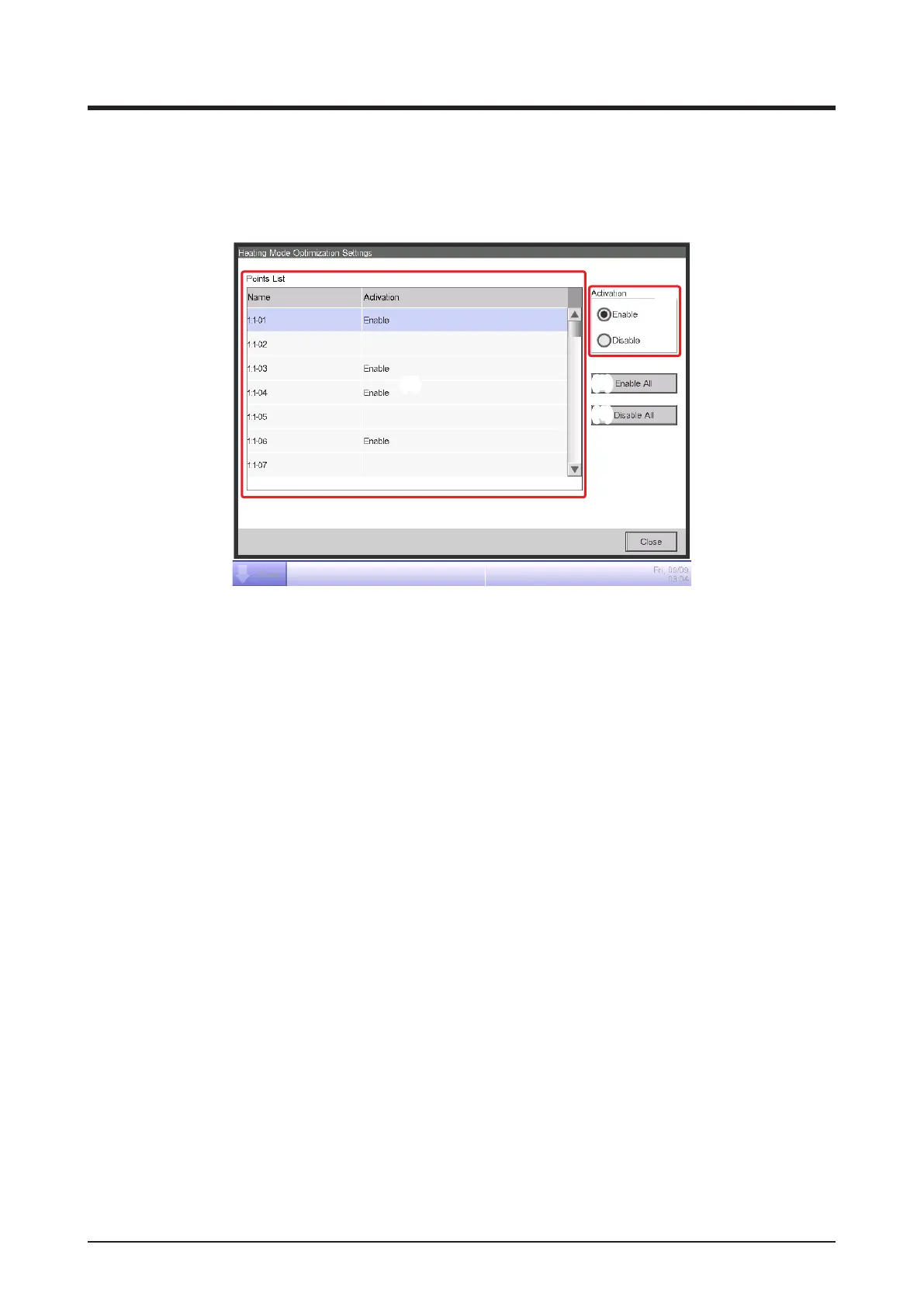
1. Touch the HMO button on the Automatic Ctrl. tab of the Menu List screen and display the
Heating Mode Optimization Settings screen (see “4-5 Menu List screen: Automatic Ctrl. Tab”).
(1)
(2)
(3)
(4)
2. Select an indoor unit from list (1) displaying the names of indoor units and whether this function
is enabled or disabled, and then select Enable or Disable in (2).
Touching the Enable All button (3) enables all listed indoor units.
Touching the Disable All button (4) disables all listed indoor units.
When nished, touch the Close button and close the screen.
Cautions when Using Simultaneously with Other Control Functions
1. Start/stop of indoor units by this function becomes the input condition for the Interlocking Control
function.
2. Since indoor units stopped by this function are recognized as operating by the iTM, they are also
not recognized as “stopped” by other functions such as Central Monitoring, Timer Extension,
History, etc.
3. When an indoor unit stopped by this function is started by remote controller, it is stop at the next
room temperature assessment if the room temperature exceeds the setpoint in 1°C or more.
4. Indoor units stopped by this function are treated as Stopped for Power Proportional Distribution
and the current consumed while stopped, calculated as Idle Power.
5. This function cannot stop indoor units in operation by the Temperature Limit function.



 To Next Page