User’s Manual EM11A015B
intelligent Touch Manager
231
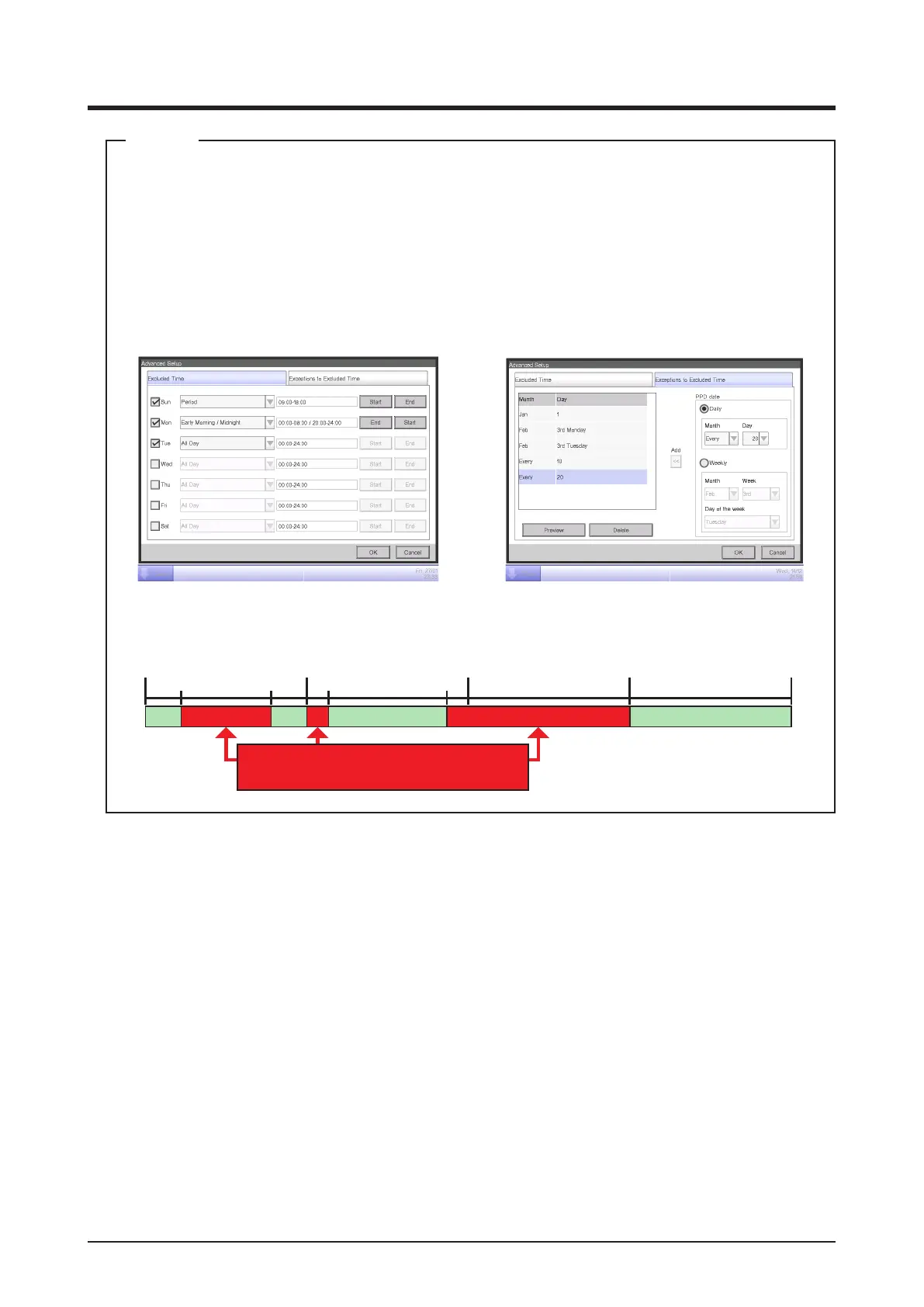
Touching the Excluded Time + Exceptions button (2) on the Power Proportional Distribution
screen displays the Advanced Setup screen.
In this screen, you can set times to be excluded from the data collection period. Data for
proportional distribution are not collected during excluded times.
This setting is normally unnecessary. Set this up only when necessary and after a
thorough check.
Excluded Time will be as indicted in the gure below when the information in the left screen
above is set.
Sunday
(24:00)
09:00 18:00 08:00 20:00
(24:00)
00:00 00:00
(24:00)
00:00
(24:00)
24:00
(24:00)
00:00
Monday Tuesday Wednesday to
Saturday
PPD
Excluded time = Time
without data collection
PPD PPD PPD
NOTE



 To Next Page