User’s Manual EM11A015B
intelligent Touch Manager
233
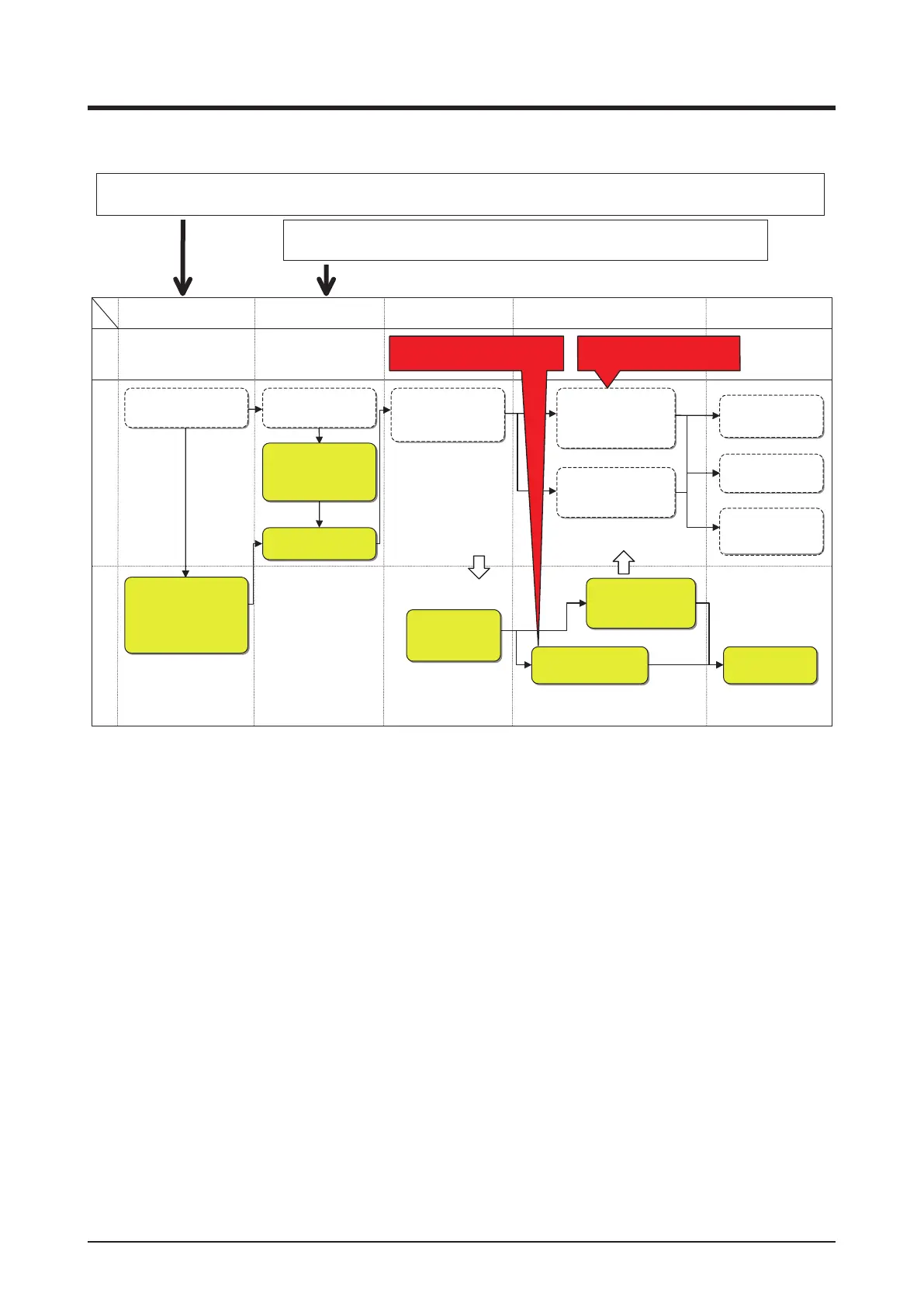
<To know the operational status of air conditioning for a building easily>
Plan Check ActionDo
Create the equipment
operation plan.
Check for gaps from the
equipment operation plan.
Change the equipment
operation plan.
Study equipment and
structure renewal.
Study the equipment
operation plan for the
next year.
I want to know the gap with
the equipment operation plan.
I want to know the progress
of the energy saving plan.
Check Action
Start position for a user who wants to manage the equipment operation
immediately after iTM implementation.
Start position for a user who wants to check the actual energy consumption and operational status
of the equipment in the iTM implementation year, and start managing the equipment operation the next year.
Check the actual opera-
tion for creating the
operation plan. (The
user performs a simple
hypothesis testing on
operational statuses.)
Create the energy
consumption plan.
(Ledger-based man-
agement)
Yearly PDCA cycleWeekly PDCA cycle Needs
Check with the detailed
statement the energy
consumption.
Check with the detailed
statement the energy
consumption of last year.
Operate the equip-
ment based on the
energy consumption
reduction plan.
Operate the equip-
ment based on the
equipment opera-
tion plan.
Check with the detailed
statement the progress
against the energy
consumption plan for
the current year.
Check with the detailed
statement the reduction
effect due to equipment
and structure renewal.
Look for operational
improvement points
based on detailed
equipment data.
Study the energy
consumption plan
for the next year.



 To Next Page