User’s Manual EM11A015B
intelligent Touch Manager
241
(17) Copy button
Creates a new Energy Group by copying the selected group.
Enter a name in the Name Input dialog that appears. Touch the OK button to register the name
in (15).
You can name the Energy Group using up to 16 characters.
(18) Delete button
Deletes the selected Energy Group.
(19) Rename button
Renames the selected Energy Group.
Enter a name in the Name Input dialog that appears. Touch the OK button to change the name.
You can name the Energy Group using up to 16 characters.
(20) Edit button
Displays the Group screen that allows you to set up the selected group.
(21)
(22)
(23)
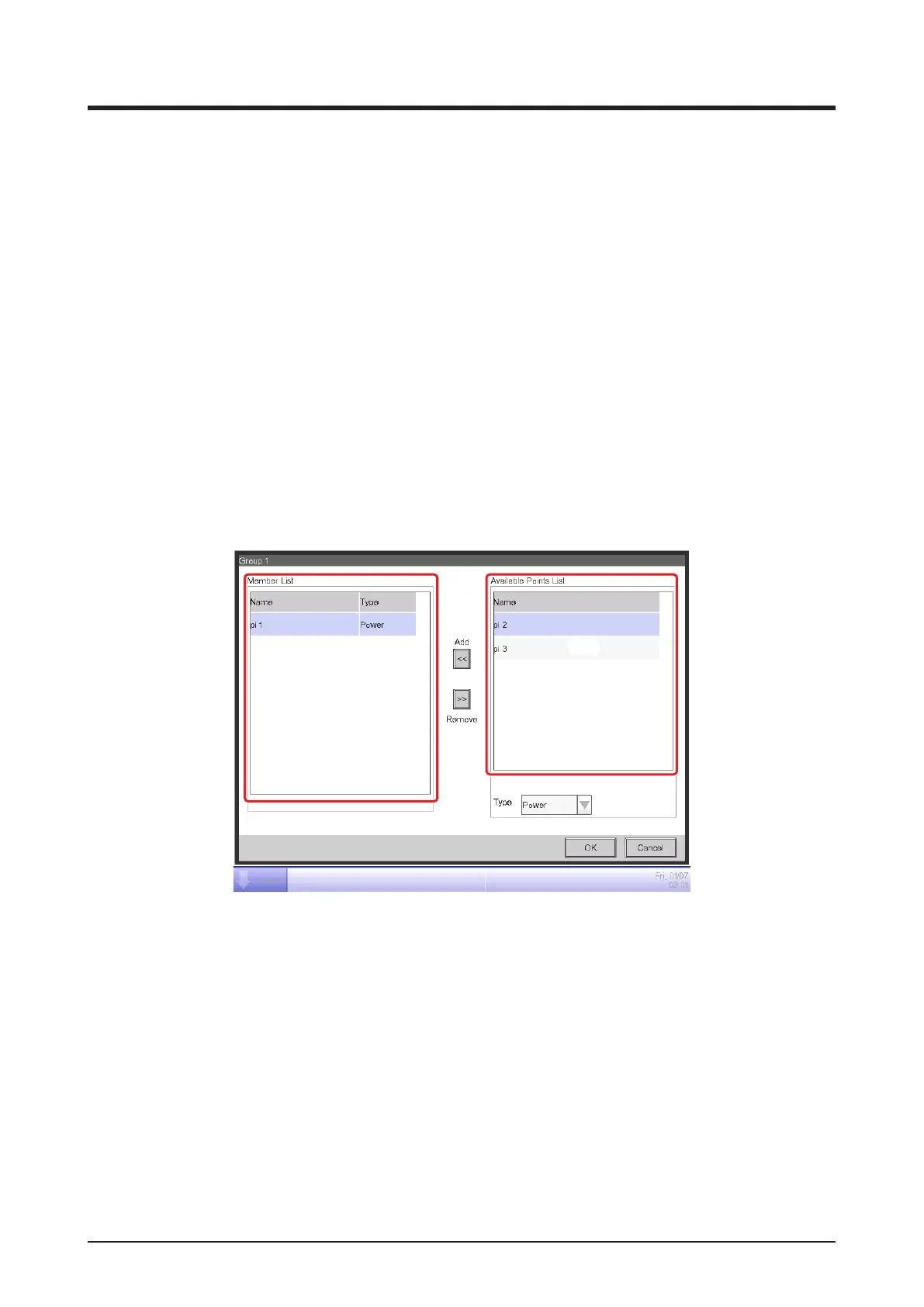
Set the management point from which to acquire the data to be used in energy budget/actual
management.
In an Energy Group, you can only register Pi management points. You can register up to 100 per
group. Furthermore, you can register Pi management points including multiple energy types.
You can also register multiple Pi management points in one Energy Group.
(21) is the list of registered management points.
Select a management point from the list of available management points (22) and, in the Type
combo box (23), select its type from Power, Gas, and Water. You can select an energy type
registered in the Energy Type screen.
Touch the Add button to register in (21).
Selecting an energy type from (21) and touching the Remove button cancels its registration.



 To Next Page