User’s Manual EM11A015B
intelligent Touch Manager
245
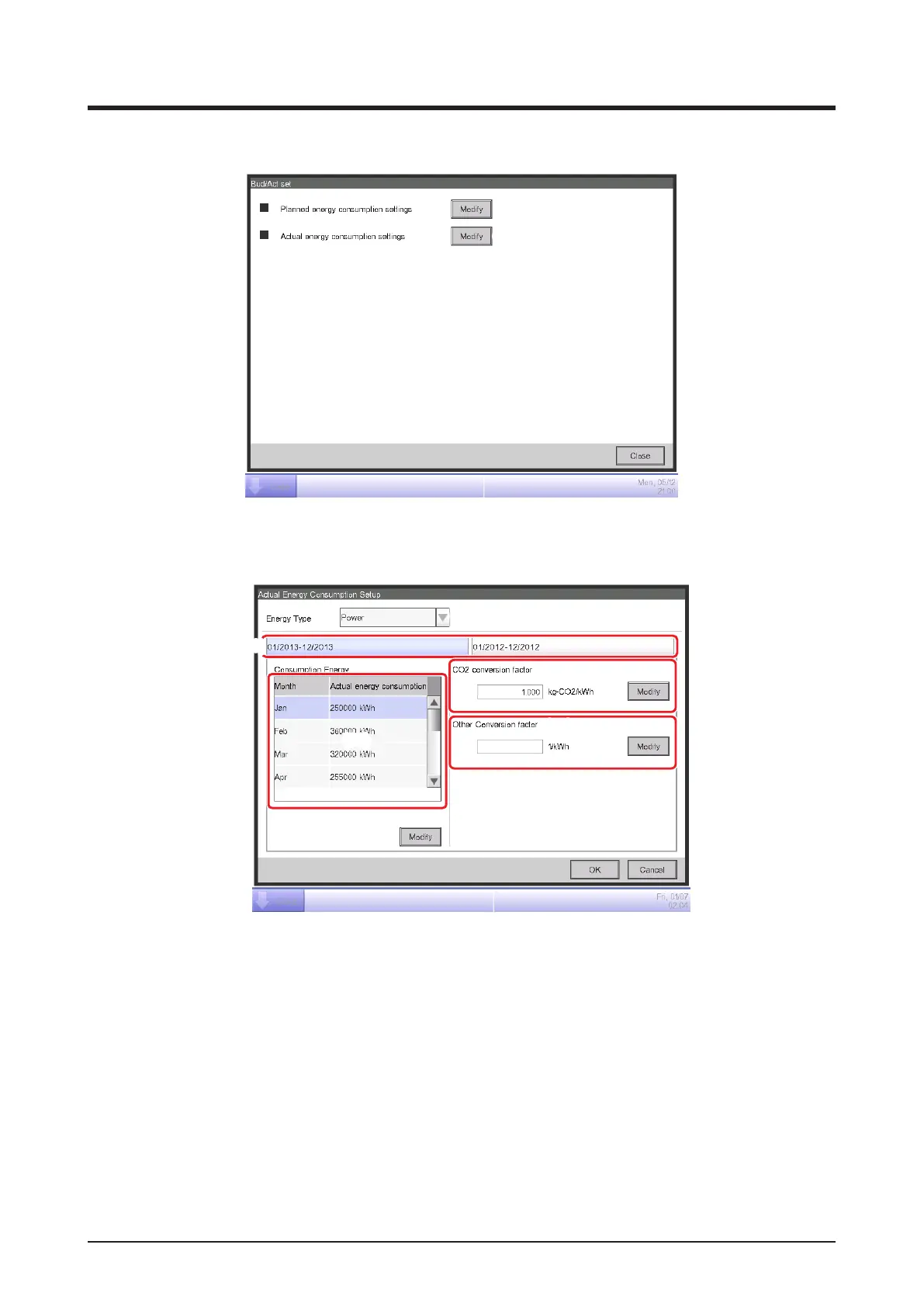
• Setting up the Actual Energy Consumption
(34)
To set up the actual energy consumption, touch the Modify button (34) to display the Actual
Energy Consumption Setup screen.
(35)
(37)
(38)
(36)
(39)
(40)
Register the actual energy consumption for the Energy Group selected in the Energy budget/
actual management screen.
In the Energy Type combo box (35), select the energy type for which to enter the actual energy
consumption from Power, Gas and Water. You can select from the energy types included in the
selected Energy Group.
By switching this year and last year with the Year tab (36), enter the actual values for each year.
This year is the period between the collection start month that includes the present and the end
month of that year, while last year is the previous year.
A list for setting the actual value for the 12 months from the collection start month appears in
(37).



 To Next Page