User’s Manual EM11A015B
intelligent Touch Manager
261
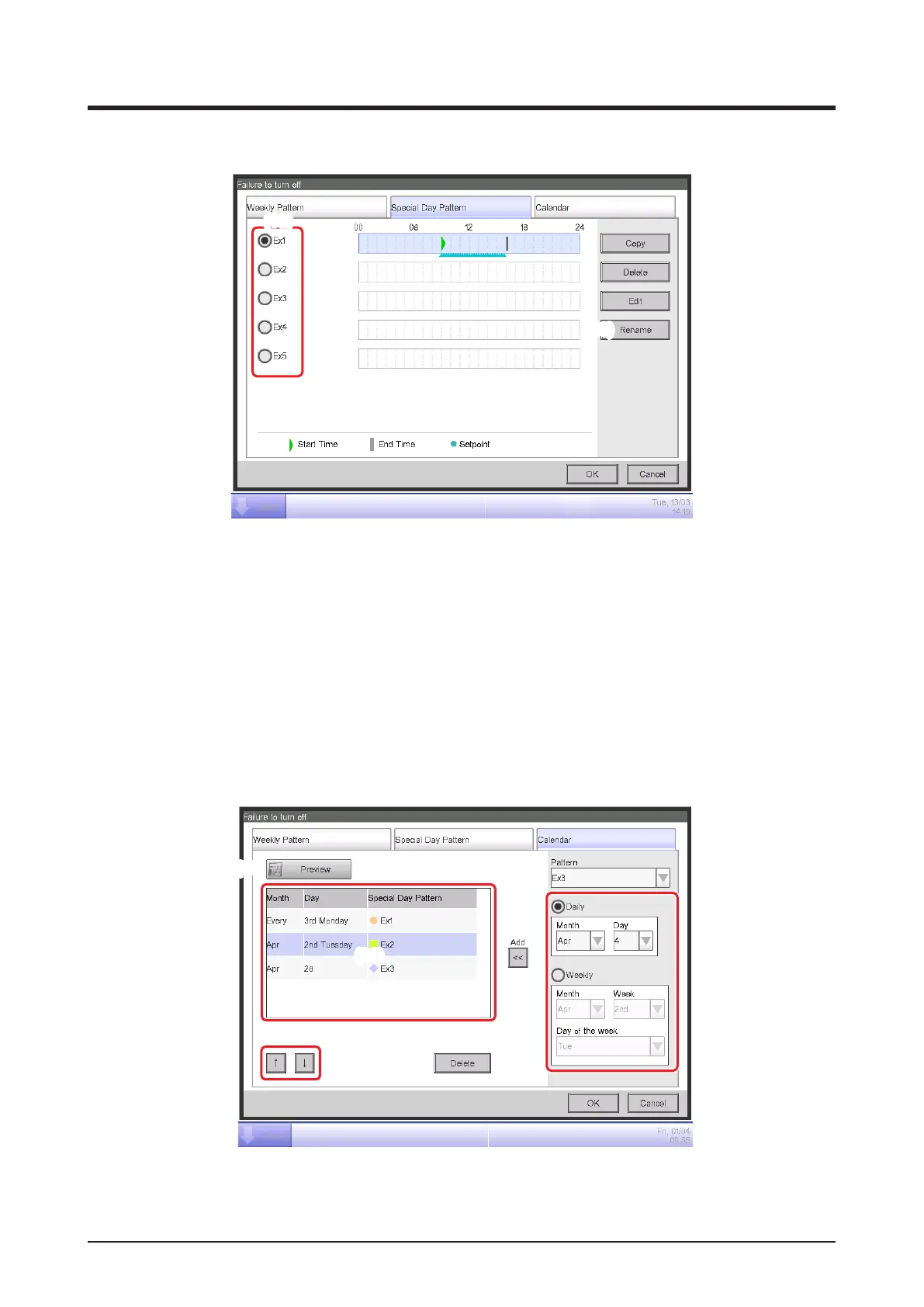
Special Day Pattern Tab (Operation Rule setup Screen)
(19)
(20)
Sets up operation rules for special days, apart from the weekly operation rule. You can set up to
5 types of special day patterns.
Select the special day to edit in (19).
The subsequent steps and screen interpretation are the same as for the Weekly Pattern. Set up
the operation rule using the same steps.
Touch the Rename button (20) to display the Name Input dialog where you can change the name
of the selected special day.
Calendar Tab (Operation Rule Setup Screen)
(25)
(24)
(22)
(23)
(26)
(21)



 To Next Page