SCALE ALIBI STORAGE INTRODUCTION
PRODUCT REFERENCE GUIDE
98
Step 2
Step 2 requires you to define the communication with the scale. You do this by setting
up a message using the Protocol Index
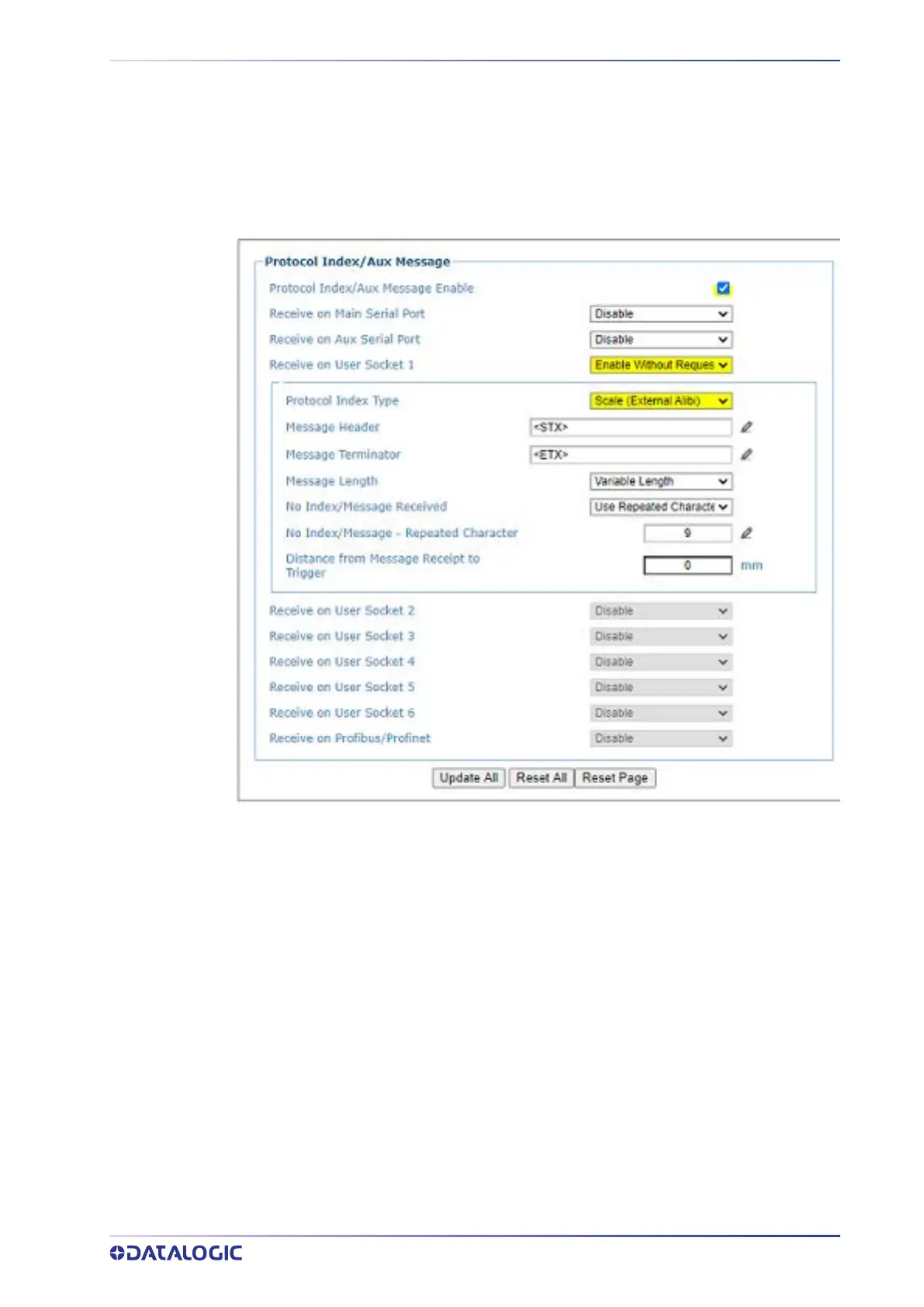
To Edit Protocol Index Settings:
1. In the menu under Modify Settings / Controller Settings / Messaging, select
Protocol Index. The Protocol Index window opens.
2. Click the check-box
Protocol Index/Aux Message Enable.
3. Click the drop-down and change
Receive on User Socket N option to “Enable
Without Request”
. The Socket number must be the same as the socket added in
Step 1.
4. Click the drop-down to change the Protocol Index Type to Scale (External Alibi).
5. Enter the appropriate Message Header and Terminator. They must match the
Scale Message of the scale you are communicating with.



 To Next Page