CONNECTING AN SC5100 CONTROLLER
PRODUCT REFERENCE GUIDE
26
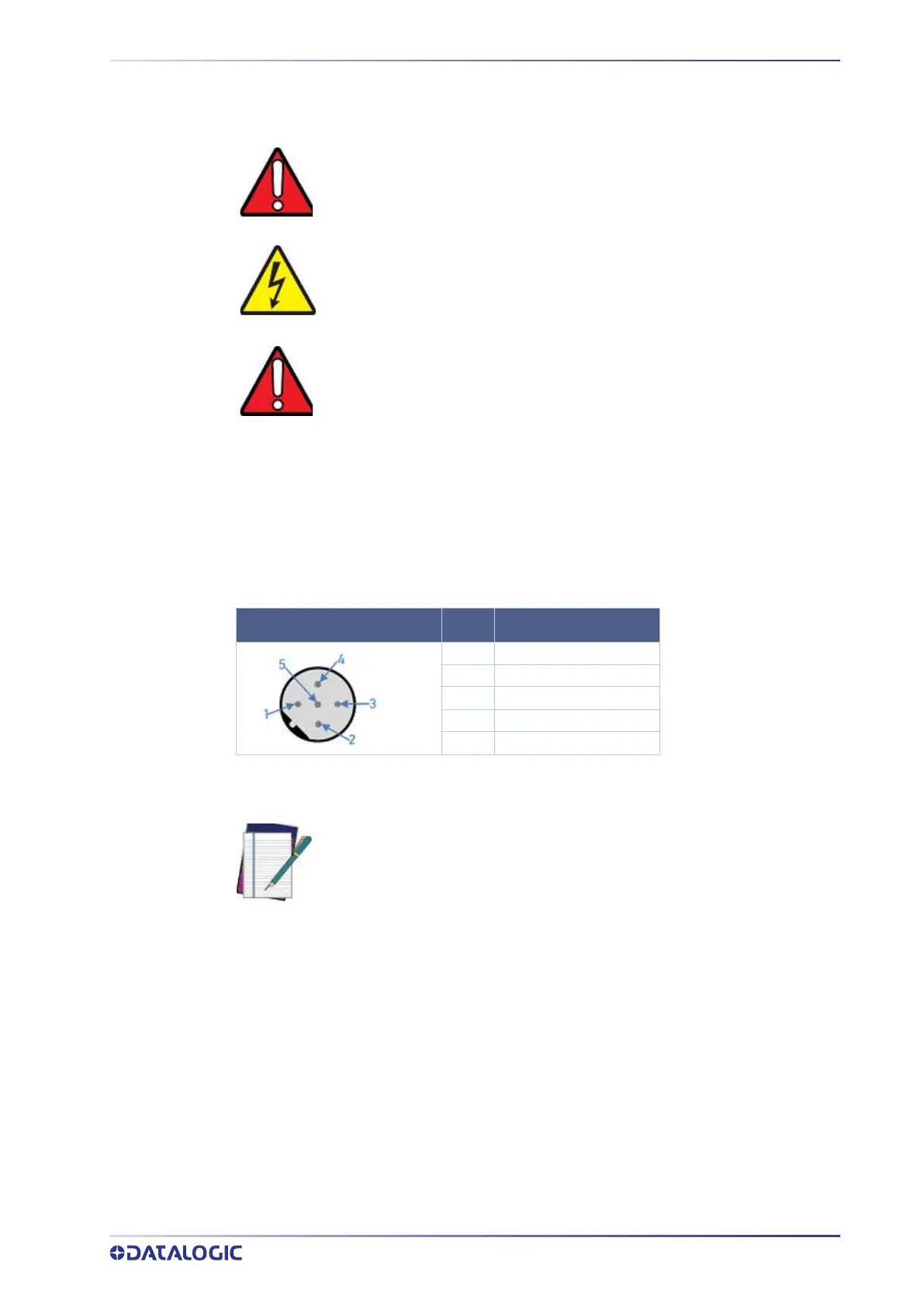
Power Connector Pin-Out Table
A CBX connection box provides flexible connectivity to a range of I/O devices and serial
hosting. The SC5100 connects to two CBX boxes via I/O ports using 25-pin DSUB male to
25-pin female cables.
The recommended power supply and cabling is available with the SC5100 Controller.
However, if your installation requires custom power supply wiring, the pin-outs of the
unit power connector are provided below for your convenience.
Power Connector Pinout
Sync In/Sync Out
One Sync In and one Sync Out port can be used to connect multiple scanners and cam-
eras together. Common applications may connect multiple cameras in a SyncNet loop.
See
“Accessories” on page 15 for syncnet cabling.
WARNING: When planning your installation wiring, remember all power
connections must be quick-disconnect.
HIGH VOLTAGE: While performing the following wiring connection proce-
dure, be sure to follow all safety regarding high voltage as outlined in the
introduction to this manual. No power should be applied to any device until
all wiring is completed and checked for accuracy.
WARNING: The socket-outlet must be installed near the controller. It must
be a readily available disconnect device.
M12 5P MALE
PIN FUNCTION
1 +24VDC
2 +24VDC
3 DC Return
4 DC Return
5 Earth Ground
NOTE: If a CBX510 connection box is connected to the SC5100 controller, it
obtains power directly from the SC5100 controller through the 25-pin to
25-pin cable.
In cases where the AS-I cabling is not used, the alternative CAB-LP-05
cable can be used to connect the power supply to the controller. Connect
the Brown/White pair to +24 Vdc and the Blue/Black pair to 0 V- (GND).



 To Next Page