78
SC5100 CONTROLLER
CHAPTER 6
MAINTENANCE
BACKUP AND AUTOMATIC REPLACEMENT PROCEDURE
Once the system configuration has been completed using e-Genius. perform backup by
one of the following methods:
Backing Up the System Using e-Genius
You can also back up the system through e-Genius. See section Backup or Restore.
Replacing an SC5100
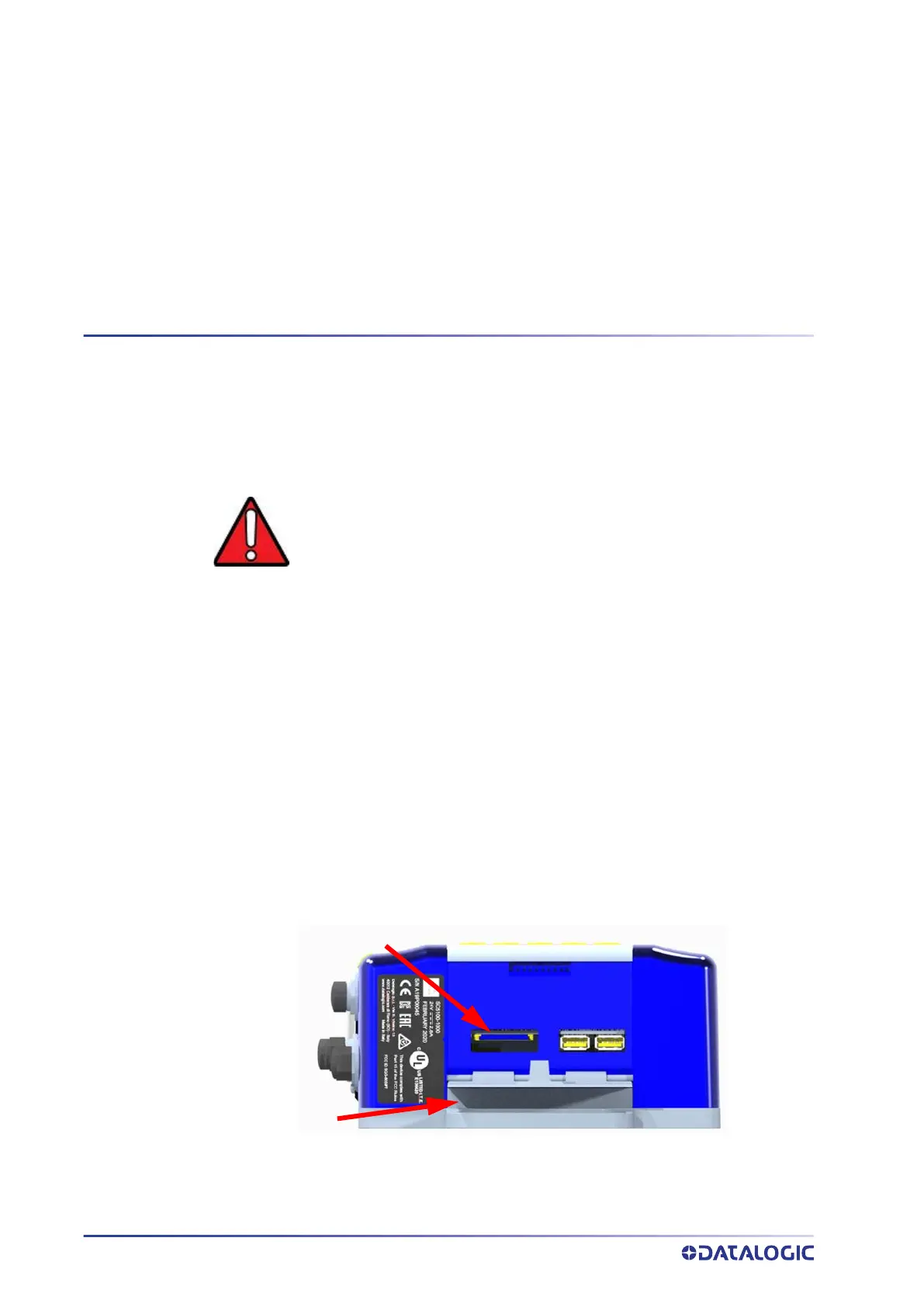
The SC5100 stores the system configuration and software on the externally accessible
SD card. When replacing an SC5100 this card can just be moved to the new unit. In case
of SC5100 failure, proceed as follows:
1. Disconnect power from the device.
2. Use a screw driver to remove the access panel to the SD Card and USB connectors.
WARNING: Before removing the SD card, disconnect power from the
SC5100 Controller.
SD Card
Access
Panel



 To Next Page