REDUNDANT AND BIDIRECTONAL SYSTEMS
77
SC5100 CONTROLLER
Direction Message Interval
Enter a value in seconds that specifies how frequently the direction is sent.
Forward Direction Message
Enter a text string using Enter Text Using the Text Entry Tool to be sent when the conveyor is
going in the forward direction.
Reverse Direction Message
Enter a text string Enter Text Using the Text Entry Tool to be sent when the conveyor is going in
the reverse direction.
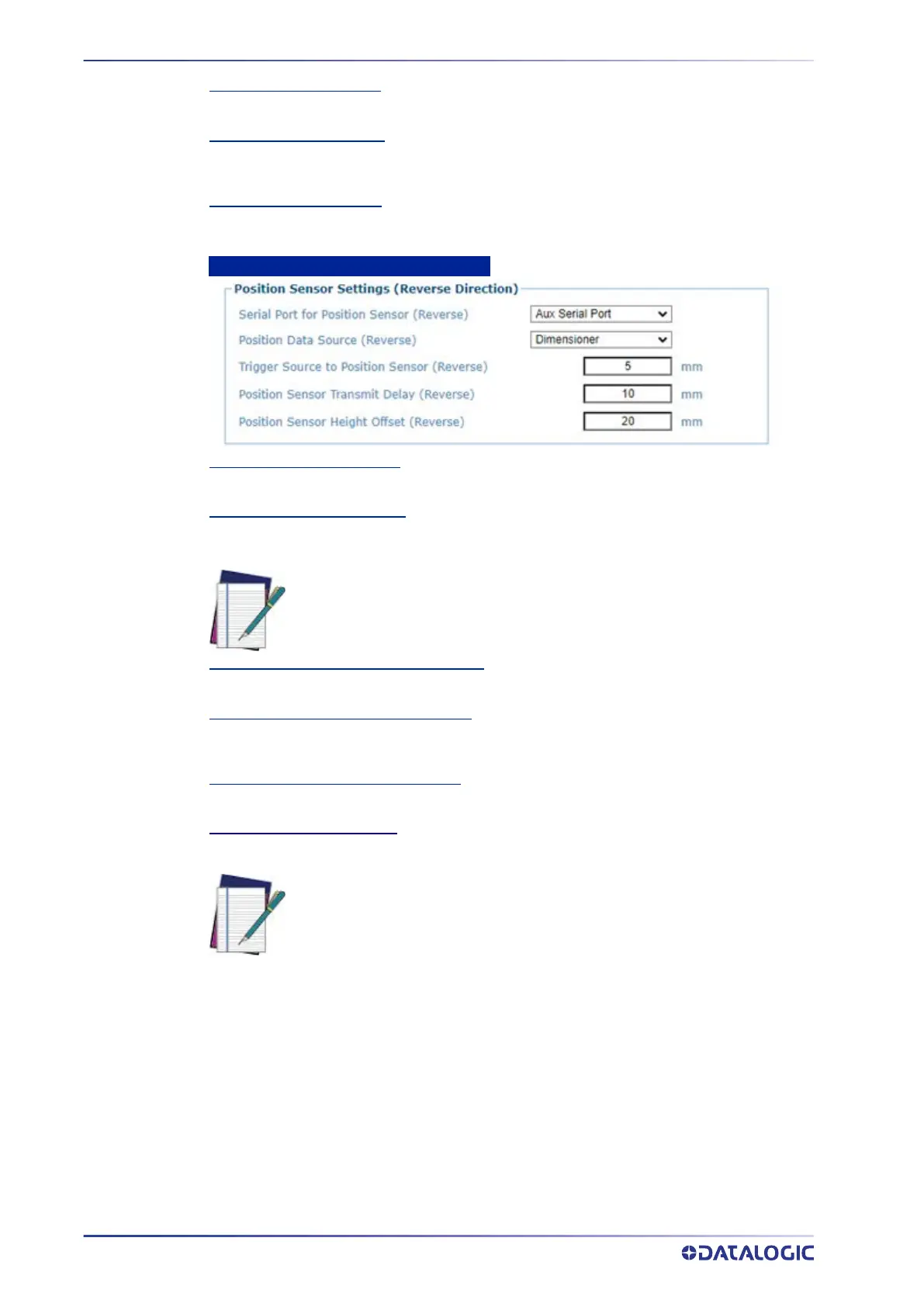
Position Sensor Settings (Reverse Direction)
Serial Port for Position Sensor
Enter the width of the conveyor, which is needed to interpret the dimensioner data.
Position Data Source (Reverse)
Click the drop-down to select the data source for your position. Options are; Dimensioner, S85,
Light Curtain.
Trigger Source to Position Sensor (Reverse)
Distance from the ‘trigger source’ (such as a photoeye) to the position sensor.
Position Sensor Transmit Delay (Reverse)
The amount of delay (if any) built into the position sensor. For a DC3000/DM3610 this is
controller by a parameter in the dimensioner software.
Position Sensor Height Offset (Reverse)
An offset applied to the height.
Position Sensor Height Offset
An offset applied to the height.
1. When you have finished making changes, click Update All to save all pending
changes, click
Reset All to revert to all previously saved values, and click Reset
Page
to revert to previous saved values on the current page.
NOTE: These S85 settings function the same as the AV Cameras and should
be set to the same values.
NOTE: Trigger Source to Position Sensor and Position Sensor Transmit
Delay should have the same values as the AV7000.



 To Next Page