BIDIRECTIONAL SETUP
PRODUCT REFERENCE GUIDE
76
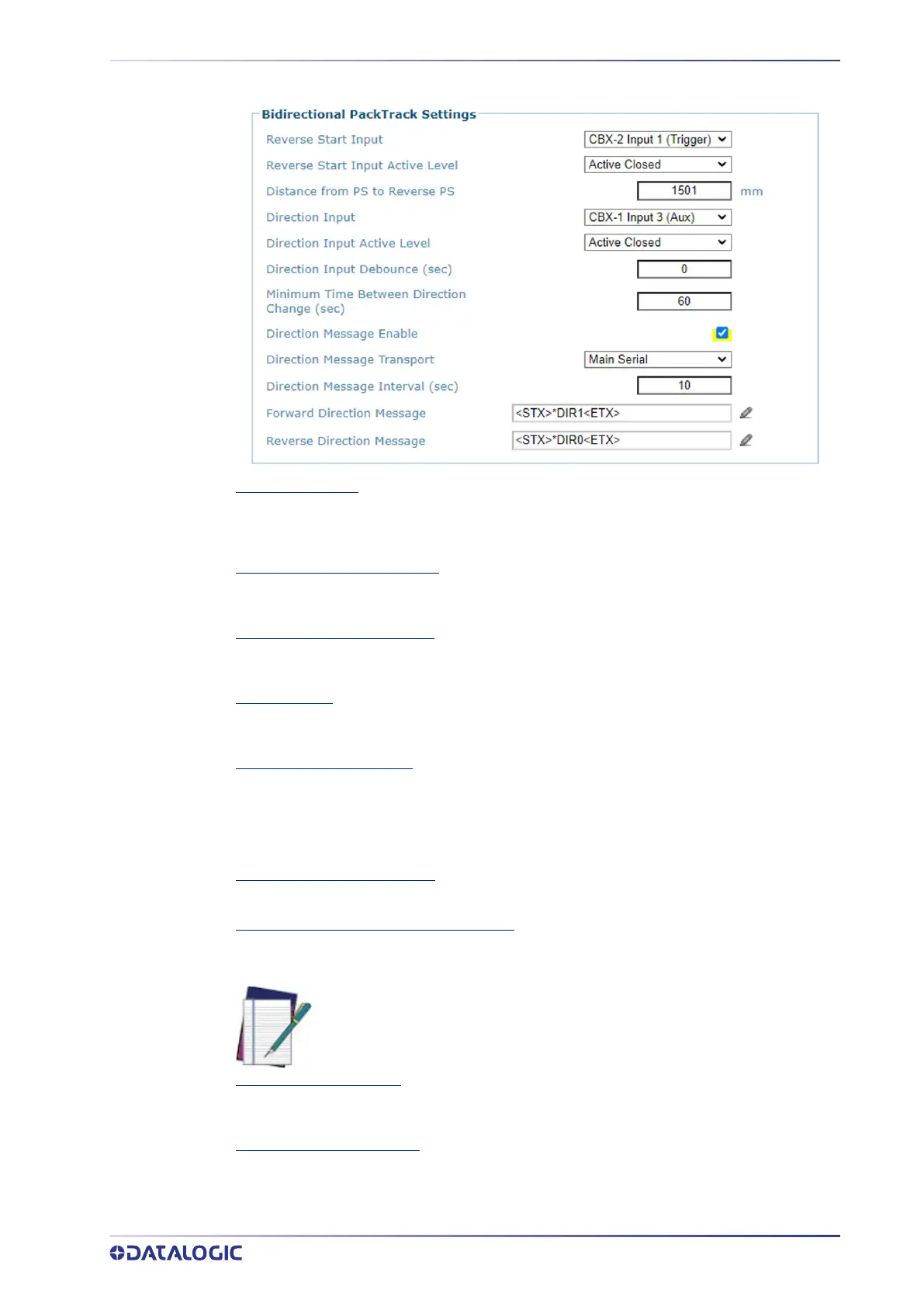
Reverse Start Input
Select Trigger (Input 1), Aux (Input 3), or I/O 4 (Input 4) from the drop-down list. This defines
the number of the input to be used as presence sensor when the conveyor has a reverse
direction.
Reverse Start Input Active Level
Select Active Closed or Active Open from the drop-down list. This defines the logical level of
the input indicating the reverse direction of the conveyor.
Distance from PS to Reverse PS
Enter a value to define the distance (mm [in]) between the PS (conveyor with forward
direction) and the Reverse PS (conveyor with reverse direction).
Direction Input
Select Trigger (Input 1), Aux (Input 3), or I/O 4 (Input 4) from the drop-down list. This defines
the number of the input transmitting information about the conveyor current direction.
Direction Input Active Level
Select Active Closed or Active Open from the drop-down list. This defines the active state of
the Reverse Presence Sensor Input.
•Active Closed: The input is active when there is no current flowing through IN pins
•Active Open: The input is active when current flows through IN pins
Direction Input Debounce (sec)
Enter a value in seconds that specifies the debounce time of the direction input signal.
Minimum Time Between Direction Changes
Enter a value to specify the amount of time after a direction change, before another direction
change is allowed.
Direction Message Enable
Select the check-box to enable the sending of a direction message. If Direction Message is
Enabled, the following options appear.
Direction Message Transport
Select from the drop-down on which port the Direction message will be sent.
NOTE: While the direction change is “locked out” the SC5100 display and
Monitor page show the direction with {*} appended to it.



 To Next Page