TRIGGER AND FOCUSING DEVICE WIRING
PRODUCT REFERENCE GUIDE
46
CBX100
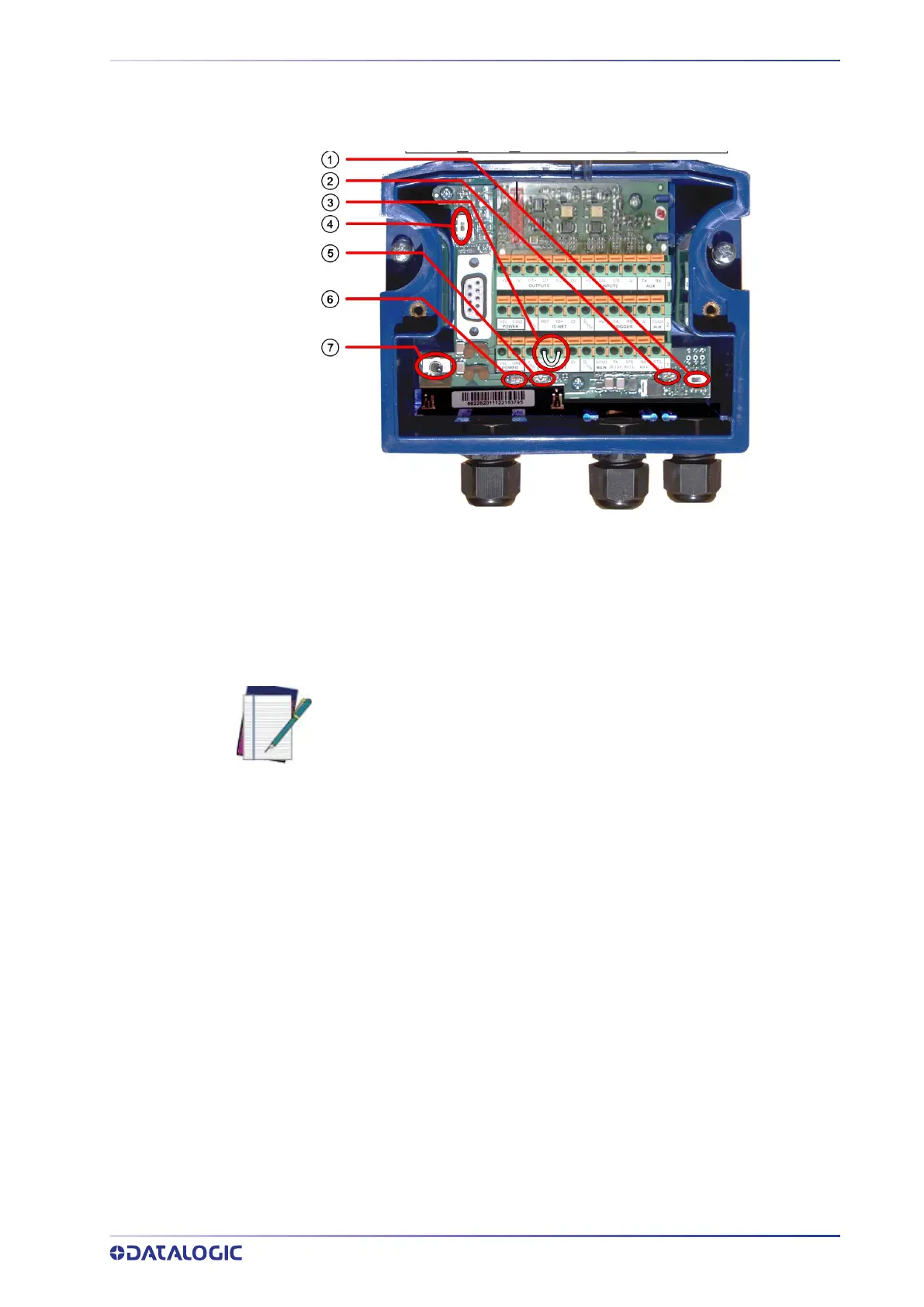
Please verify that the CBX100 connection box is configured for the SC5100 application
as follows:
Reference the image and diagram above:
1. Set RS422HD TERM switch to OFF.
2. Set POWER SUPPLY jumper to FROM DEVICE.
3. Insert jumper wire in pin block from REF to ID+ (one jumper in either block is suffi-
cient).
4. Set ID-NET TERM switch to OFF.
5. Set Shield jumper to FILTERED Earth.
6. Set DEVICE CHASSIS GROUNDING to Earth.
7. Set POWER Switch to ON.
NOTE: The SC5100 will not provide power to the CBX100 unless the jumper
(item number 3 in the image above) is present.



 To Next Page