INTRODUCTION
7
SC5100 CONTROLLER
DASHBOARD
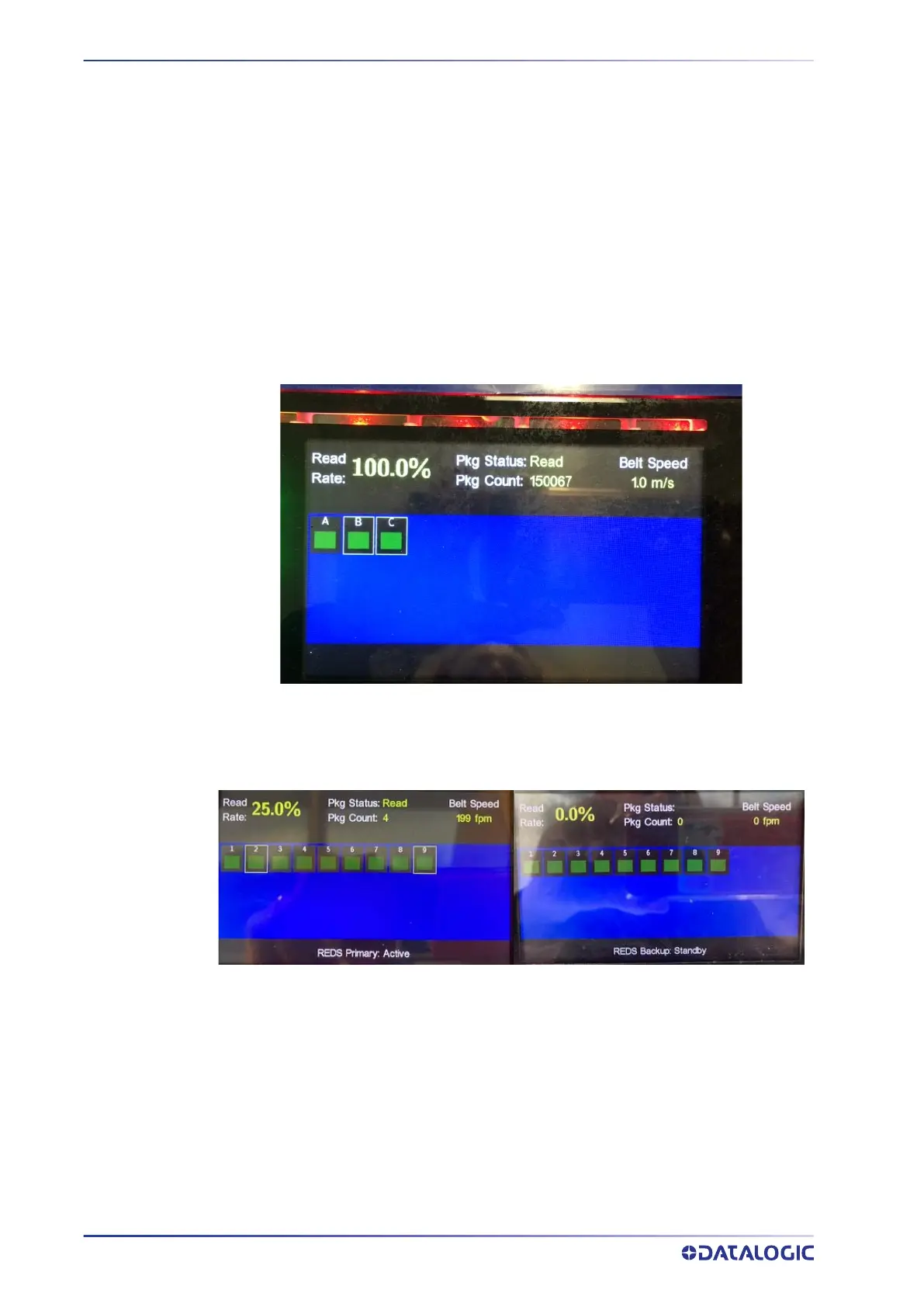
Dashboard provides an overview of the system status, including the overall read-rate.
Read Rate – Displays the system read rate since the last reset.
Pkg Status: This indicates whether the last package was a read/no-read/partial or multi-
ple.
Belt Speed: Speed of conveyor in either feet per minutes or meters per second.
Device Status Indicators: These indicate the status of every device in the system. The
LED can be “green” (okay), “red” (error) or “gray” (device not present).
The box around a device will turn green to indicate if that device read a barcode on the
most recent package.
By pressing Up/Down, an indicator box allows the selection of a “device” in order to see
the device name.
Below are Dashboards of a Redundant System showing the Primary Active and Backup
Standby controllers.



 To Next Page