Setup
437
Delay Start
Set whether or not to use a delayed start transmission.
If the machine's system clock is set to the 24-hour display, [AM] and [PM] do not appear. For
information on the system clock, refer to "Time" (P.314).
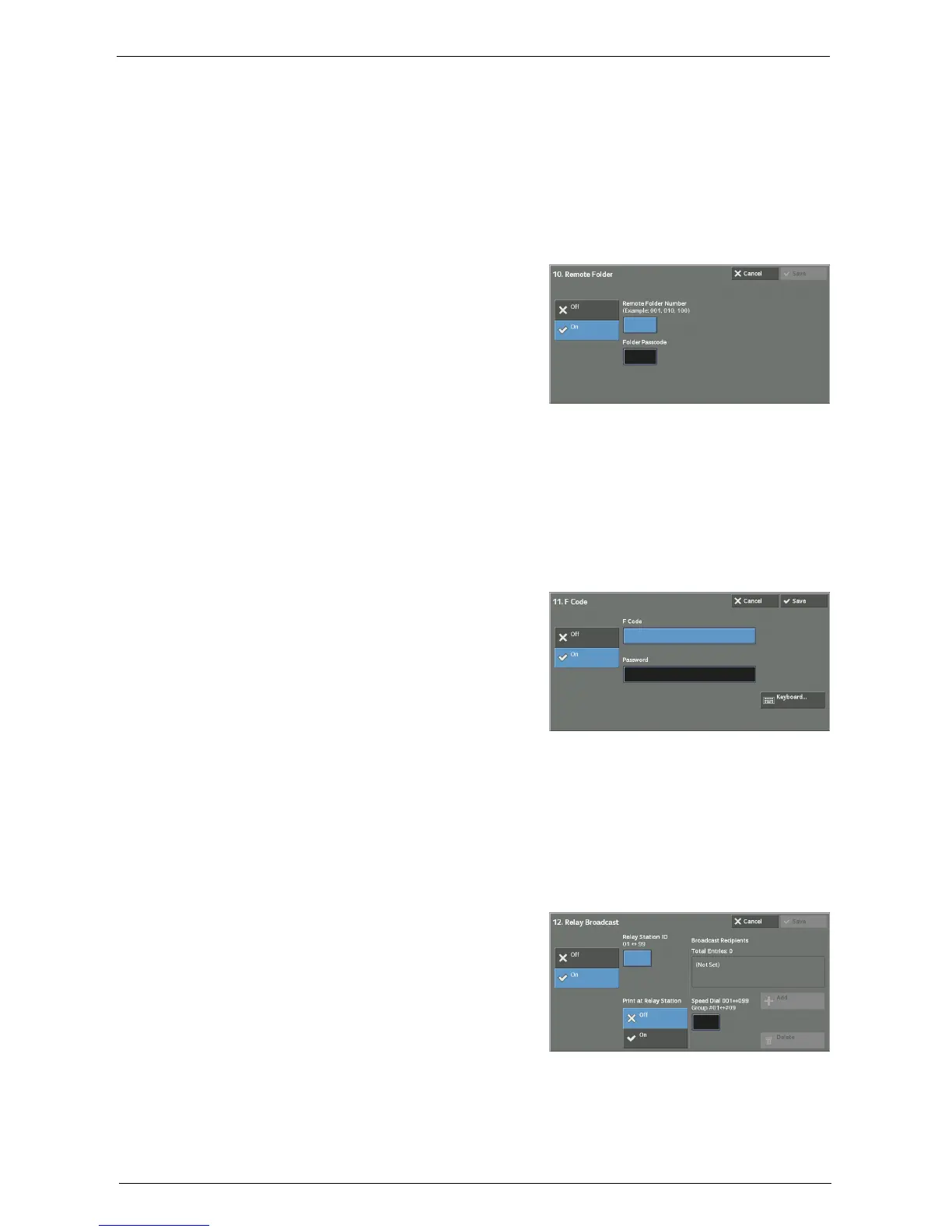
Remote Folder
Select whether or not to send a fax or an Internet fax to a recipient's folder. To use folder
communications, you must obtain the recipient's folder number and passcode in advance.
1
Select [On].
2
Enter a recipient's folder number with the
numeric keypad.
3
If a passcode is set, enter the passcode with the
numeric keypad.
Note • If no passcode is set, leave the text boxes
blank and select [Save].
F Code
Select whether or not to use F code communications.
F Code is the transmission procedure set by the Communications and Information Network
Association of Japan and is the T.30 (communication protocol) method for using sub-
addresses that are standardized by the ITU-T.
For F code (sub address) and password, you can use up to 20 digits 0 to 9, *, and #.
1
Select [On].
2
Enter the F code with the numeric keypad.
Note • The F code consists of "0" + folder number. For
example, if the folder number is 123, the F
code will be "0123".
3
Enter the password as required with the
numeric keypad, and then select [Save].
Note • You can enter up to 20 digits for the password.
Relay Broadcast
Set the instruction given to a relay station, which is used when the machine is a base station
and the registered speed dial is a relay station for relay broadcast.
When selecting [On], set [Relay Station ID], [Print at Relay Station], and [Broadcast
Recipients].
1
Select [On].
2
Enter a 2-digit relay station ID with the
numeric keypad.
Note • The relay station ID is the address number for
the base station (the machine) already
registered on the relay station.
3
Select [Speed Dial 001<->099].
4
Enter a speed dial number of broadcast destination (001 to 099) or group number (#01 to
#09) registered on the relay station with the numeric keypad, and then select [Add].
Note • If there are more than one broadcast destinations, repeat step 4.














 To Next Page