28 Using Shortcut Menu
760
2
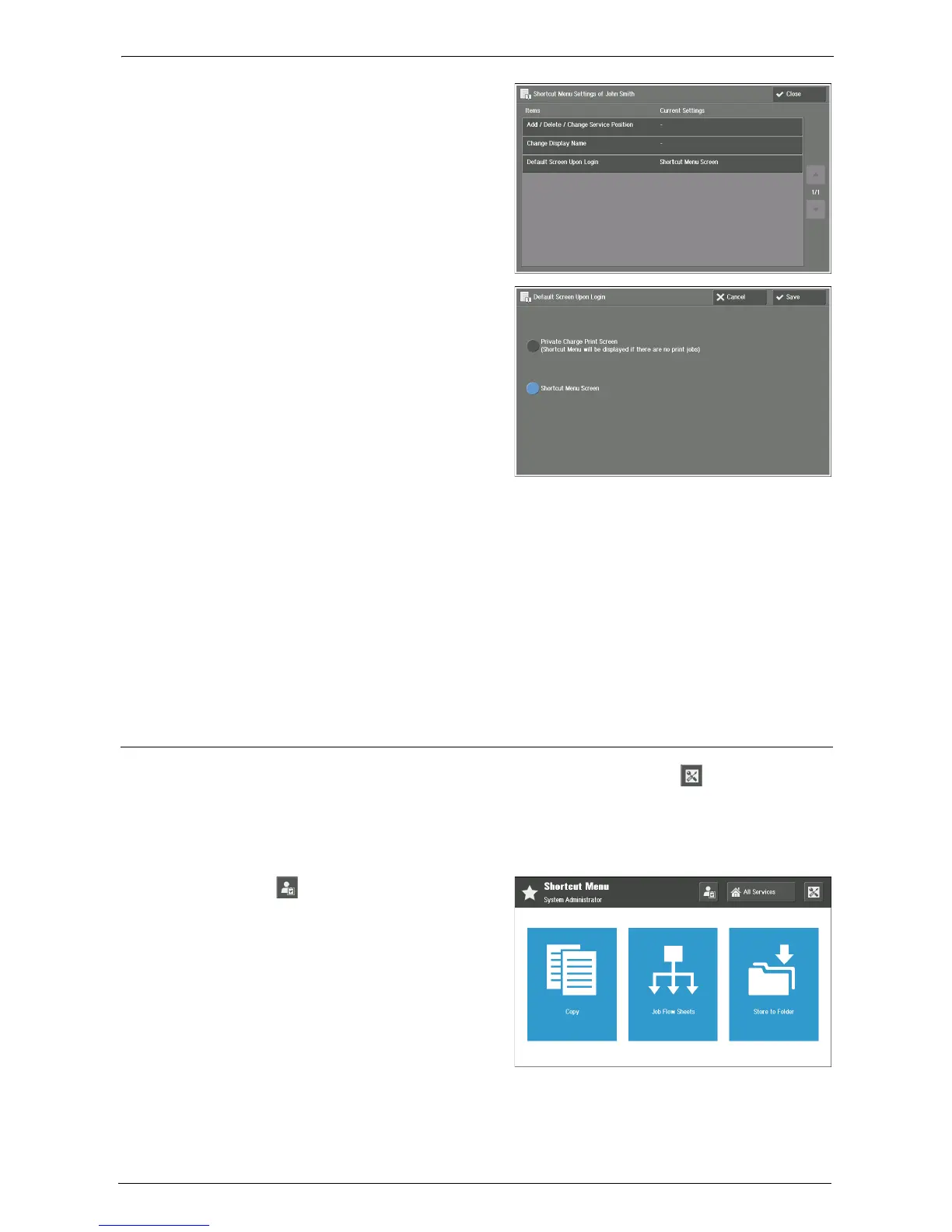
Select [Default Screen Upon Login].
3
Choose a screen type to show as default
screen after authentication.
Private Charge Print Screen (Shortcut Menu
will be displayed if there are no print jobs)
With any Private Charge Print job, shows
the [Private Charge Print] screen.
Note • Choosing this option automatically
adds the [Private Charge Print] button
on your Shortcut Menu screen. You
can delete this button, but we
recommend that you show it on your Shortcut Menu screen for Private Charge Print function use.
Deleting this button is available from your Shortcut Menu screen by [Add / Delete / Change Service
Position] under your Shortcut Menu Settings.
Shortcut Menu Screen
With or without any ongoing job, shows the Shortcut Menu screen.
4
Select [Save].
5
Select [Close].
System Administrator Settings
System administrator can configure the buttons, [All Services] and [ ] (Shortcut Menu
Settings), to appear on the Shortcut Menu screen for local users.
Note • For system administrator, both buttons always appear after authentication.
1
Login as system administrator.
2
Select [ ] (System Administrator
Settings).














 To Next Page