13 Maintenance
260
Cleaning the Machine
This section describes how to clean the machine such as the machine exterior, document
cover, document feeder, and document glass.
Cleaning the Exterior
The following describes how to clean the exterior of the machine.
Note • Do not use benzene, paint thinner, or other volatile liquids or spray insect repellent on the machine as
they might discolor, deform, or crack covers.
• Cleaning the machine with an excessive amount of water may cause the machine to malfunction or
damage documents during copying.
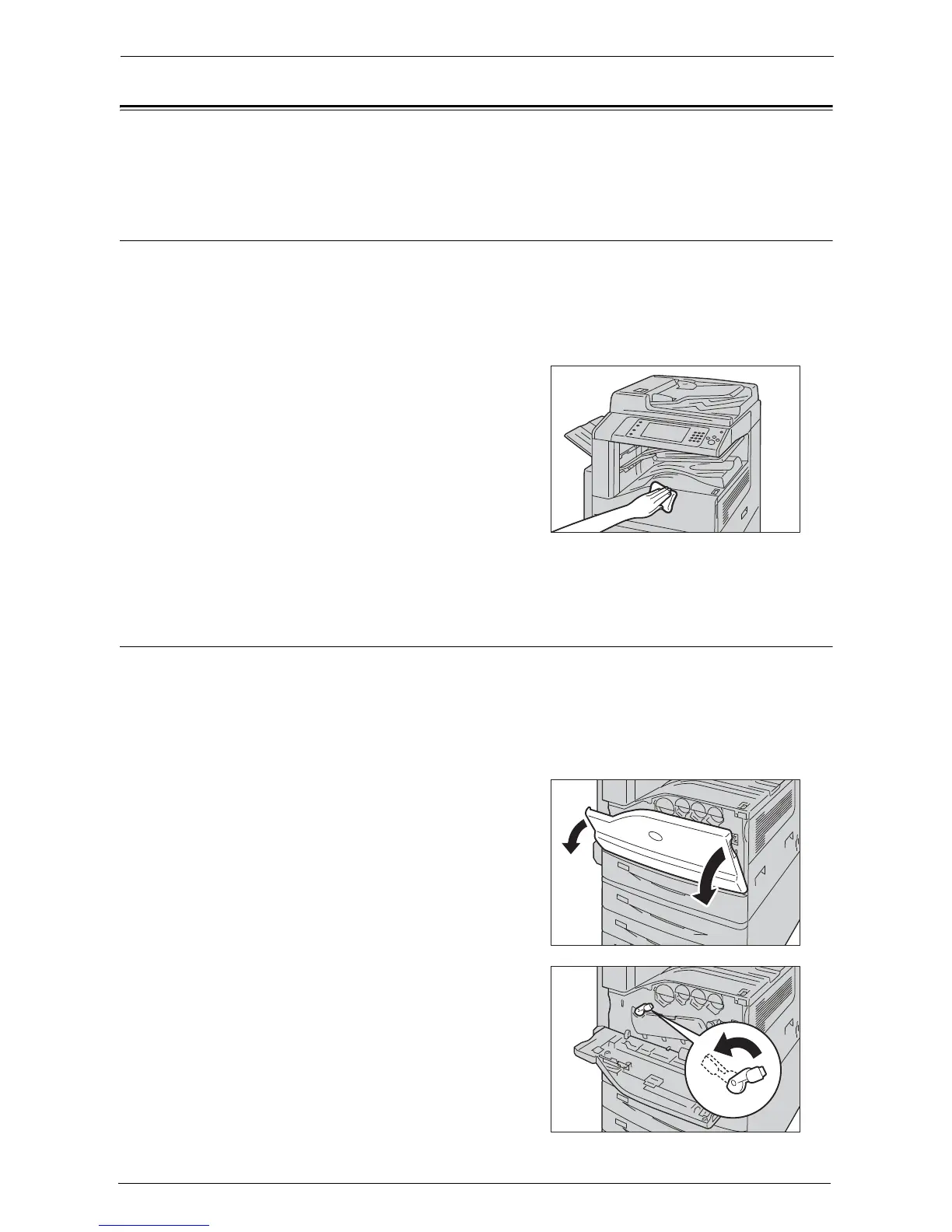
1
Wipe the exterior with a firmly wrung soft cloth
moistened with water.
Note • Do not use cleaning agents other than water
or neutral detergent.
• If you cannot remove the dirt easily, gently
wipe the machine with a soft cloth moistened
with a small amount of neutral detergent.
2
Wipe off any excess water with a soft cloth.
Cleaning the Interior (LED Printheads)
The following describes how to clean the interior (LED printheads) of the machine.
Normally, clean the LED printheads when you replace the waste toner container. However,
if you have image quality problems such as white or colored stripes appear on copied or
printed outputs, clean the LED printheads.
Note • Clean the LED printheads periodically when you replace the waste toner container.
1
Make sure that the machine is not operating,
and open the front cover.
2
Rotate the release lever of the drum cartridge
cover counterclockwise.














 To Next Page