Before Installation
699
6
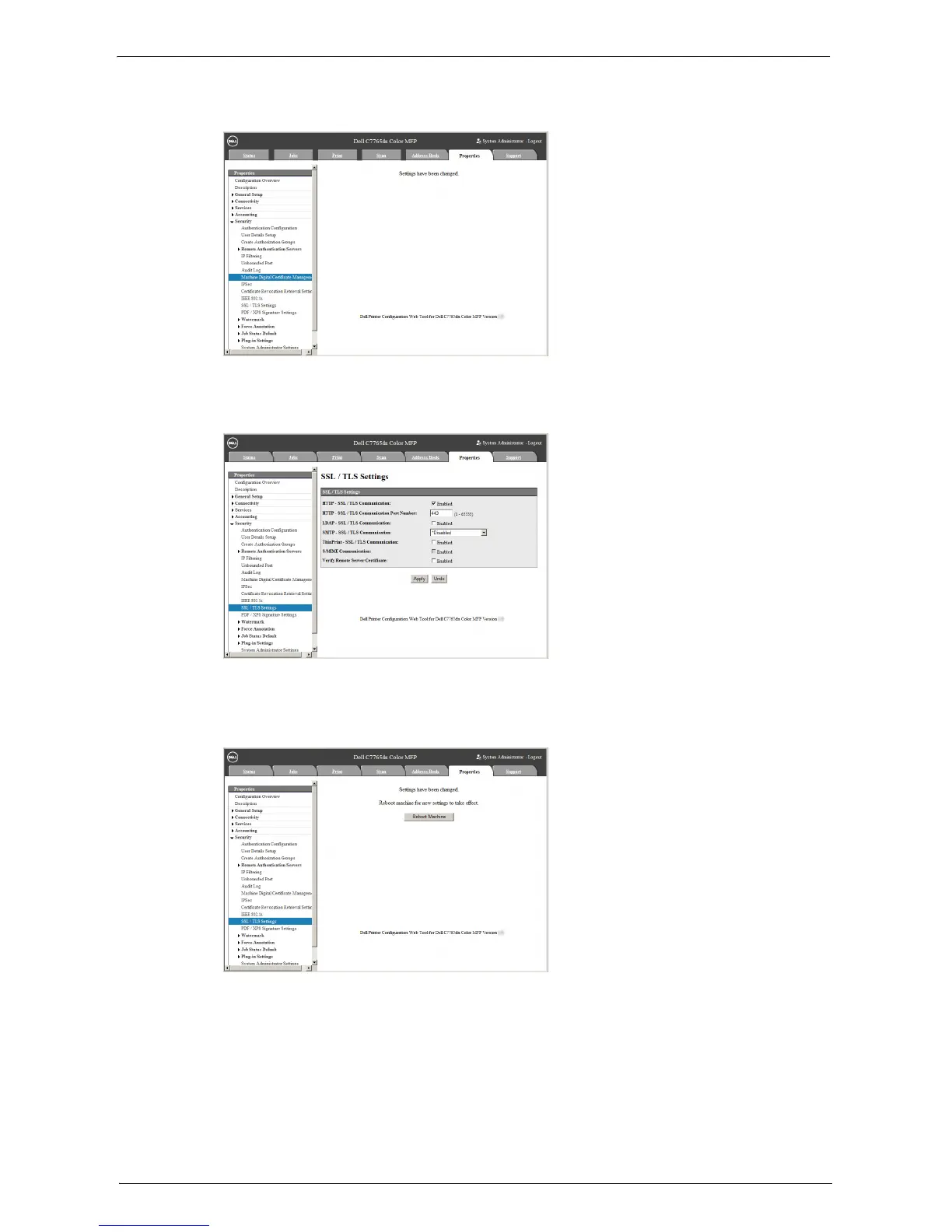
When the settings are updated and the following screen is displayed, refresh the web
browser.
7
Select the [Properties] tab to click [Security] > [SSL / TLS Settings], and then select the
[Enabled] check box for [HTTP - SSL / TLS Communication].
8
Click [Apply].
9
When the web browser shows the machine reboot message, click [Reboot Machine].
10
Click [OK] on the confirmation pop-up.
The machine reboots and the settings are enabled.














 To Next Page