28 Using Shortcut Menu
756
• Fax Receiving Mode
• Activity Report
•Language
•Setup
•Print Mode
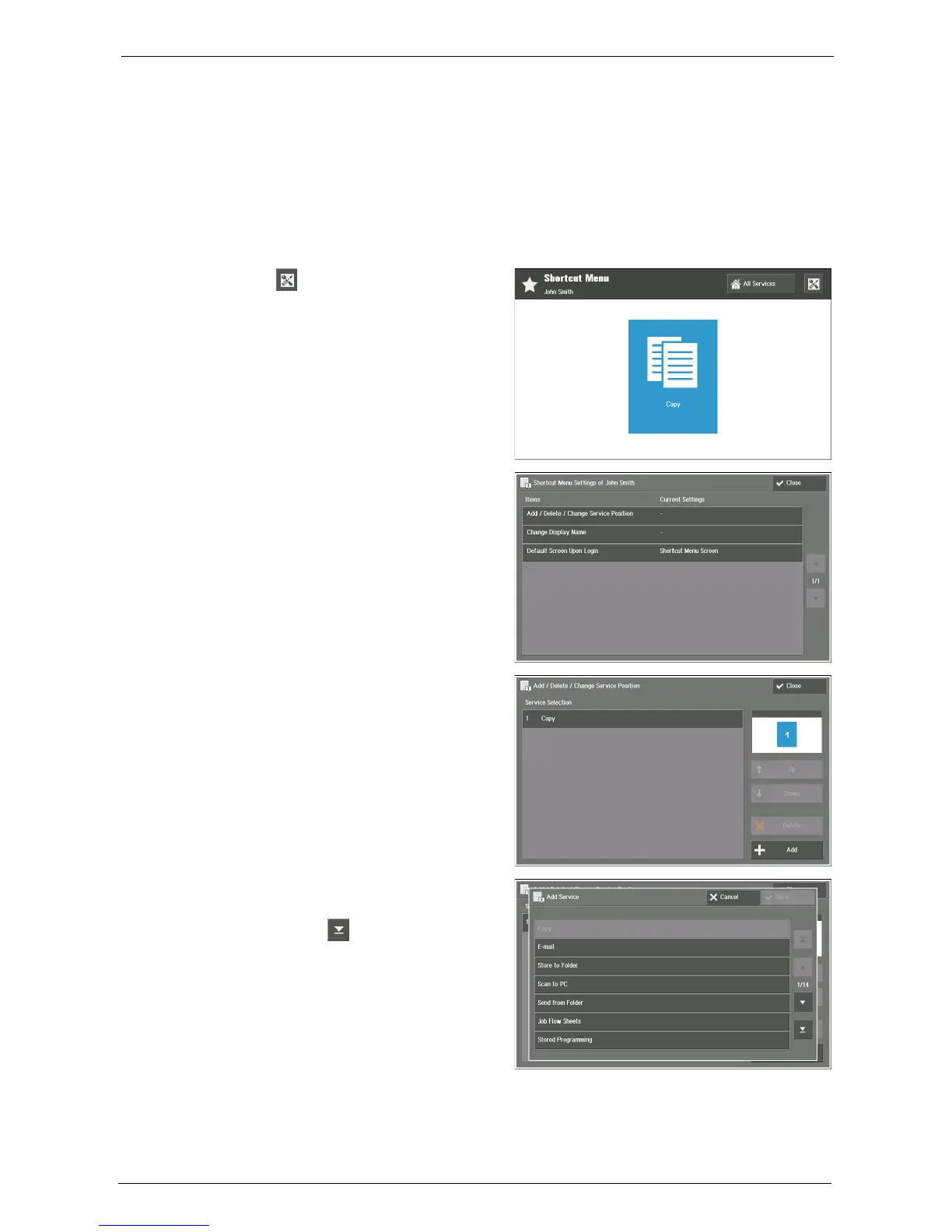
Adding Function Buttons
1
Select [ ] (Shortcut Menu Settings) on
your Shortcut Menu screen.
2
Select [Add / Delete / Change Service
Position].
3
Select [Add].
4
Choose the function to add and select
[Save].
Note • Use [ ] to show latter items of the
list, such as [Fax Receiving Mode],
[Activity Report], [Language], [Setup],
and [Print Mode].














 To Next Page