29 Using Access Google Drive™
784
Allowing to Store Authentication Details
1
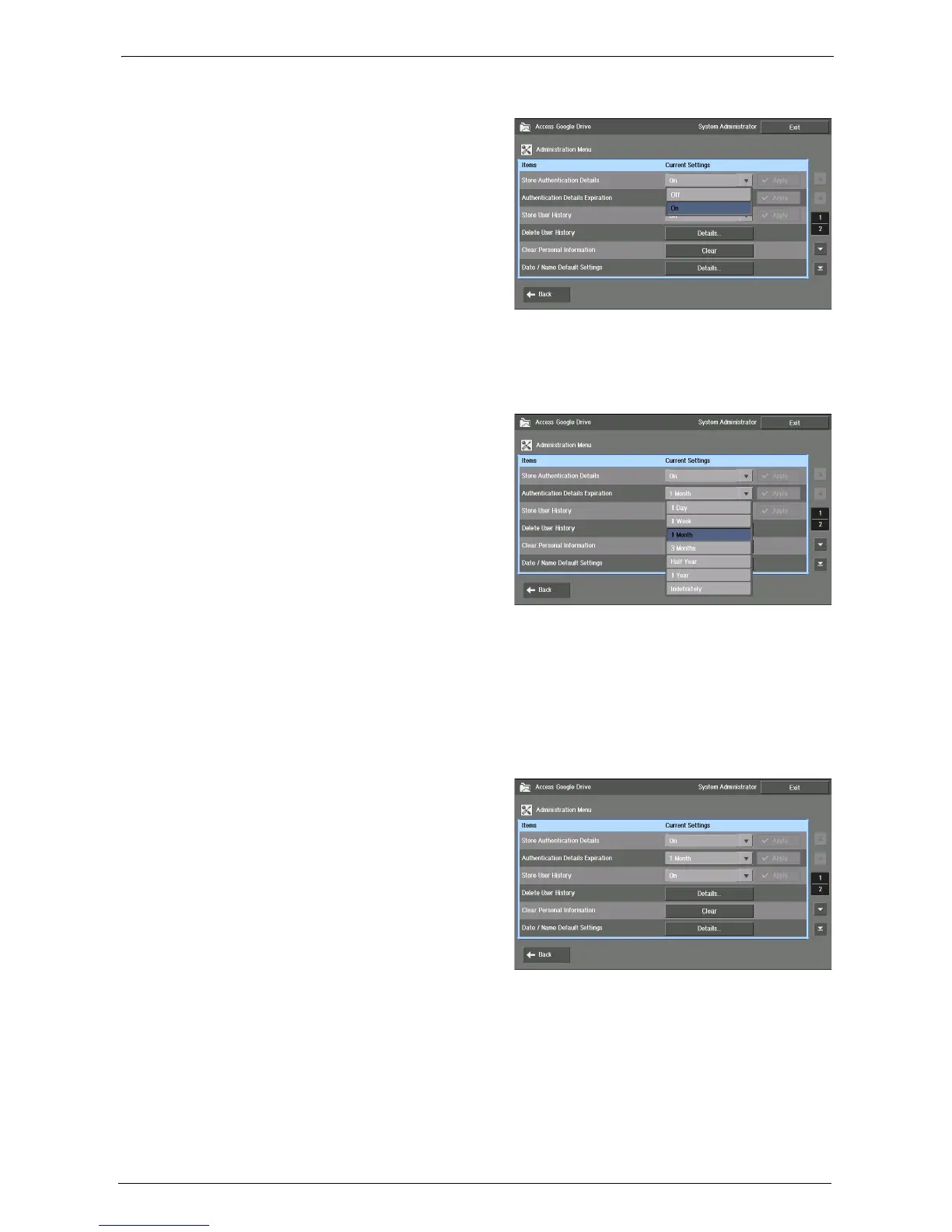
Select [On] for [Store Authentication
Details], and select [Apply].
Note • The [Apply] button is available only when you change the setting.
• When this item is changed from [On] to [Off], a message is displayed to ask if all the authentication
details currently stored should be deleted.
If you do not delete the data, it will be stored in the machine, and could be used when this item is
changed to [On] again.
2
From [Authentication Details
Expiration], select a time period for the
machine to store the authentication
information, and select [Apply].
Note • The [Apply] button is available only when you change the setting.
• When the set time passes since the last login of a user, authentication information of that user is
deleted.
• Depending on the change, a confirmation screen may pop up. Confirm the setting, and select [Yes].
Deleting the Stored Authentication Information
This section describes how to delete all of the stored authentication information.
1
Select [Clear] for [Clear Personal
Information].














 To Next Page