120
Operator Panel
Moving, Adding or Deleting the Tiles
To Move the Tiles
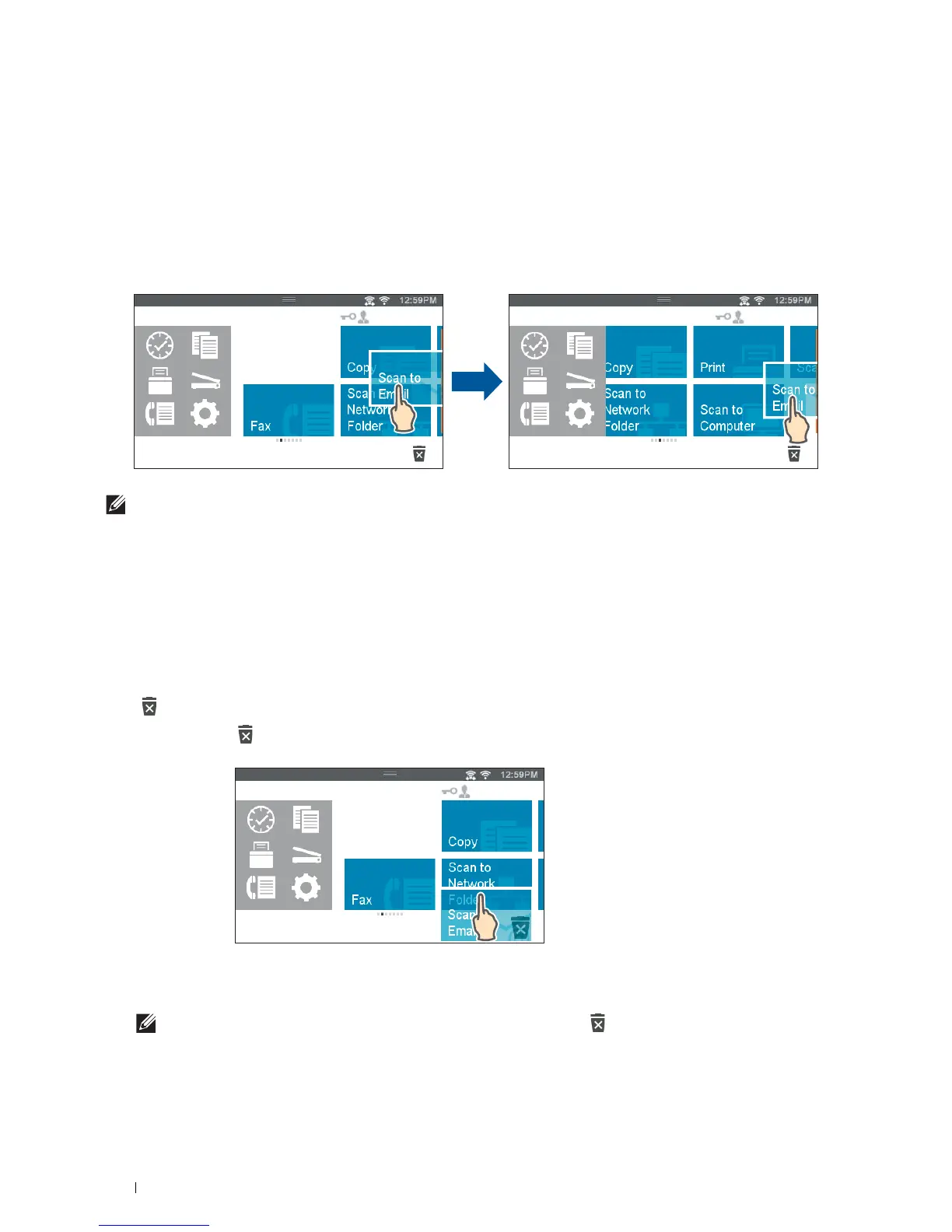
Tap and hold the tile you want to move, and drag it to the desired place.
The short orange bar appears between the tiles to show the nearest drop point when you are dragging the tile.
You can move the tile between pages as well.
NOTE:
You cannot move the tiles in the Recent group screen of the Dock Menu.
To Add the Tiles
Find the Add App tile in the last page of the Home screen or each group screen, and tap it.
The Apps List screen appears.
Tap the tile you want to add to the Home screen.
To Delete the Tiles
1
Tap and hold the tile you want to delete.
appears.
2
Drag the tile to .
The confirmation screen is displayed.
3
Ta p
OK
to delete the tile.
NOTE:
To delete all tiles in the Recent group screen of the Dock Menu, tap in the Recent group screen, and then tap
OK.
Home
Guest
Home
Guest













 To Next Page