Connecting and Setting Up Your Printer
65
Connecting to a Computer or a Network
NOTE:
The Software and Documentation disc also contains video instructions. In the main menu window of Dell Printer Easy
Install, click Installation Video.
NOTE:
Before making connections, be sure to turn off the printer.
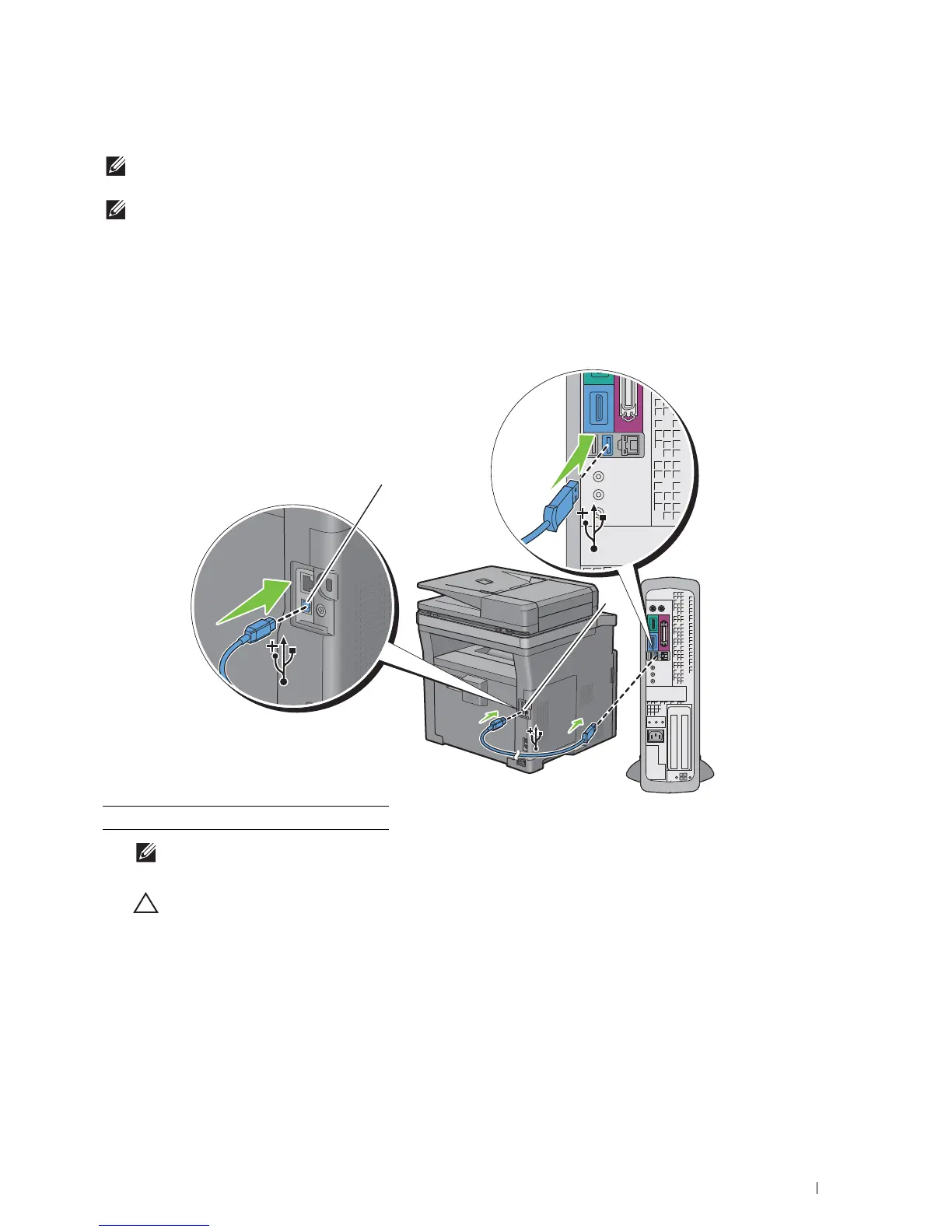
Connecting to a Computer Using the USB Cable (Direct Connection)
A local printer is a printer which is directly connected to your computer using the USB cable. If your printer is
connected to a network instead of your computer, skip this section and go to "Connecting to a Network Using the
Ethernet Cable."
1
Connect the smaller USB connector into the USB port at the rear of the printer.
NOTE:
Ensure that you match the USB symbol on the cable to the USB symbol on the printer.
2
Connect the other end of the cable into a USB port of the computer.
CAUTION:
Do not connect the printer USB cable to a USB port located on the keyboard.
1 USB port













 To Next Page