88
Installing Printer Drivers on Windows
®
Computers
For Windows
®
8, Windows
®
8.1, Windows Server
®
2012, and Windows Server
®
2012 R2
Point to the top or bottom right corner of the screen, and then click
Search
Ty p e
Run
in the search box, click
Apps
(for
Windows
®
8 and Windows Server
®
2012 only), and then click
Run
Type
D:\setup.exe
(where D is the drive
letter of the optical drive), and then click
OK
.
For Windows
®
10
Right-click the Start button, and then click
Run
Ty p e
D:\setup.exe
(where D is the drive letter of the optical
drive), and then click
OK
.
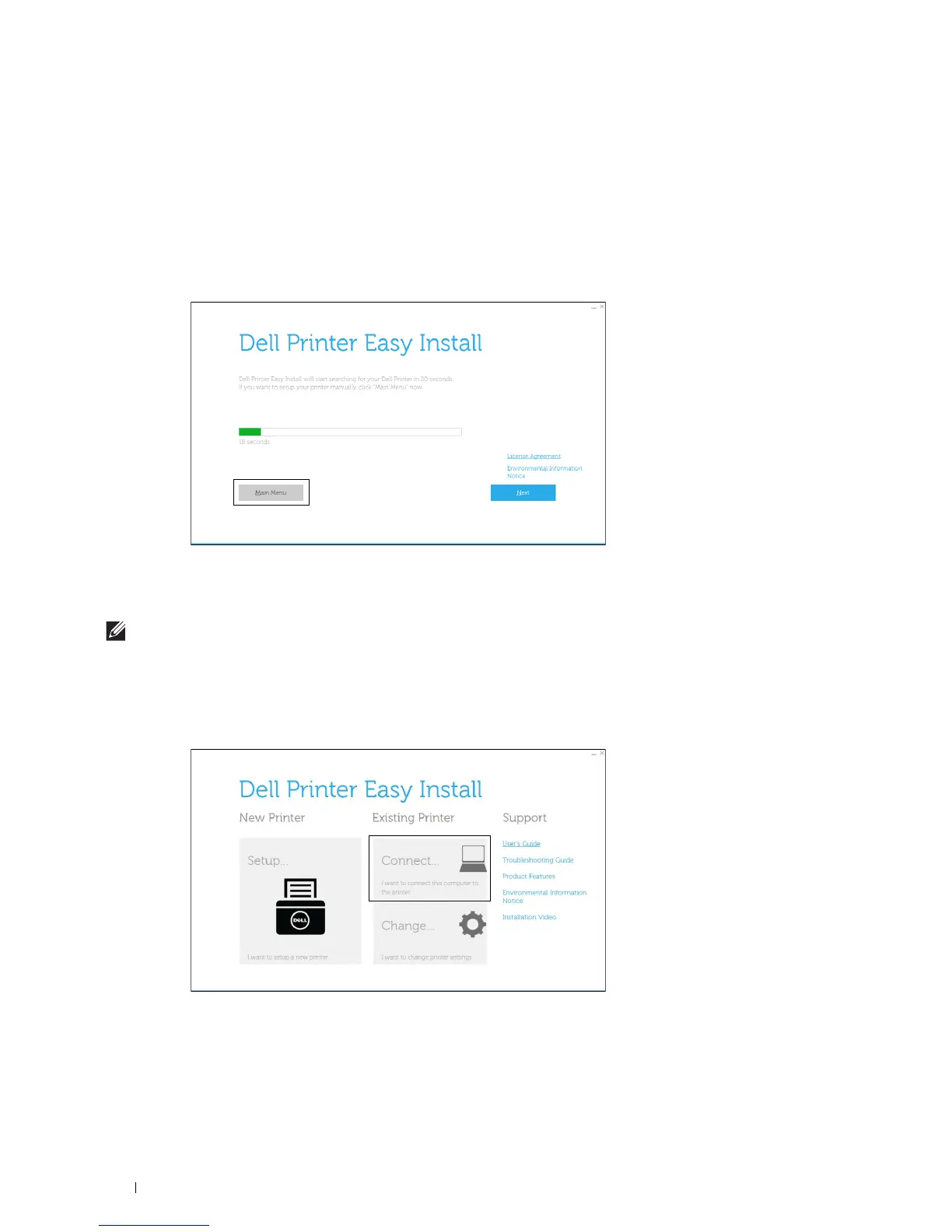
2
Click
Main Menu
.
The main menu window appears.
USB Cable Connection Setup
NOTE:
If you are connecting the printer to a network, see "Network Connection Setup."
For installing PCL, PS and Fax printer driver
1
Start the
Dell Printer Easy Install
program, following the procedures shown in "Starting Dell Printer Easy Install."
2
In the main menu window of
Dell Printer Easy Install
, click
Connect
.













 To Next Page