About the Printer
39
4
About the Printer
This chapter provides an overview of your printer.
NOTE:
The images used in this manual are those of the Dell™ Cloud Multifunction Printer | H815dw unless otherwise mentioned.
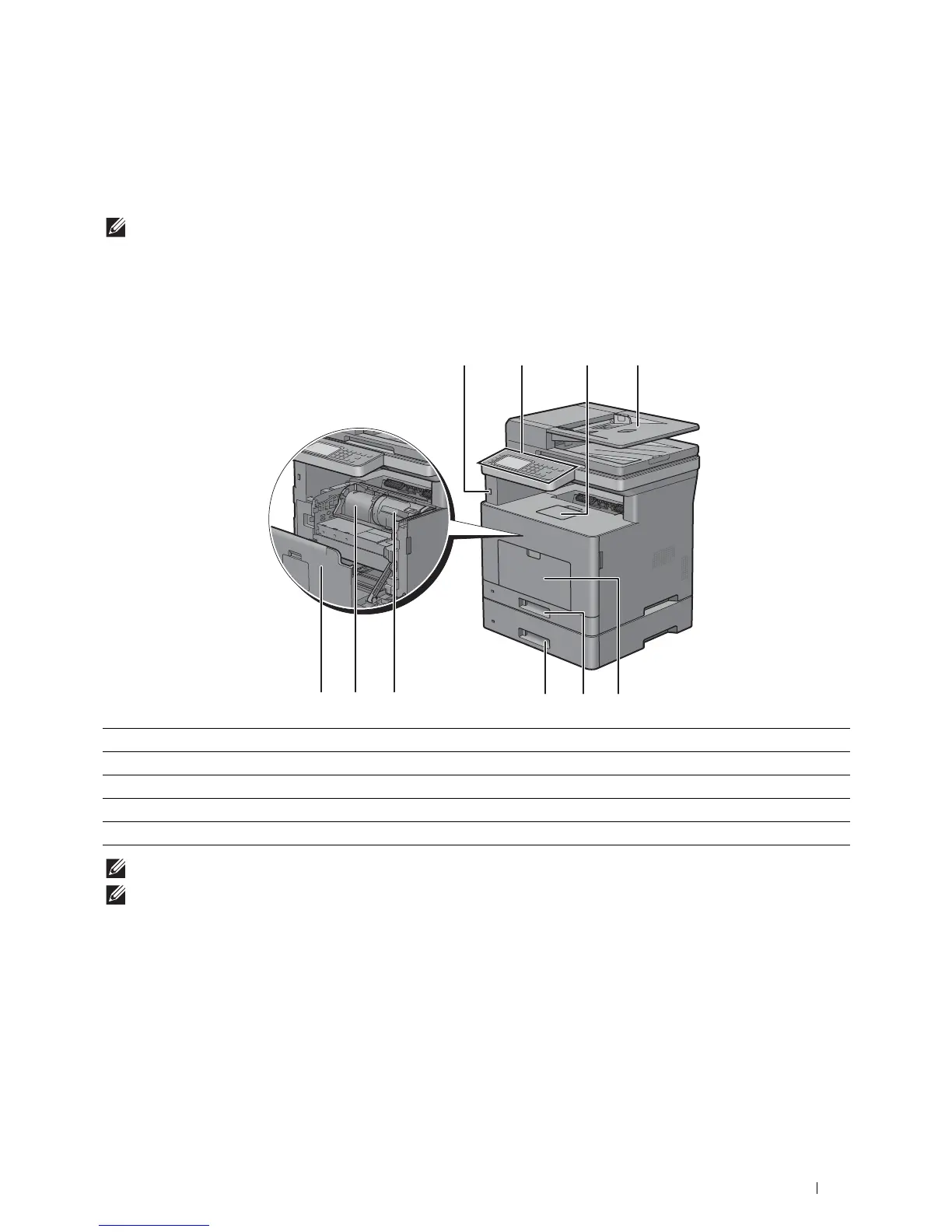
Front and Rear Views
Front View
NOTE:
Extend the output tray extension to prevent the printed paper from falling off the printer.
NOTE:
The operator panel can be flipped up until it clicks to make it easier to take out the printed paper or the drum cartridge.
1 Duplex Automatic Document Feeder (DADF) 6 Drum Cartridge
2 Multipurpose Feeder (MPF) 7 Front Cover
3 Tra y 1 8 Front USB Port
4 Optional 550-Sheet Feeder (Tray2) 9 Operator Panel
5 Toner Cartridge 10 Output Tray Extension













 To Next Page