456
Maintaining Your Printer
2
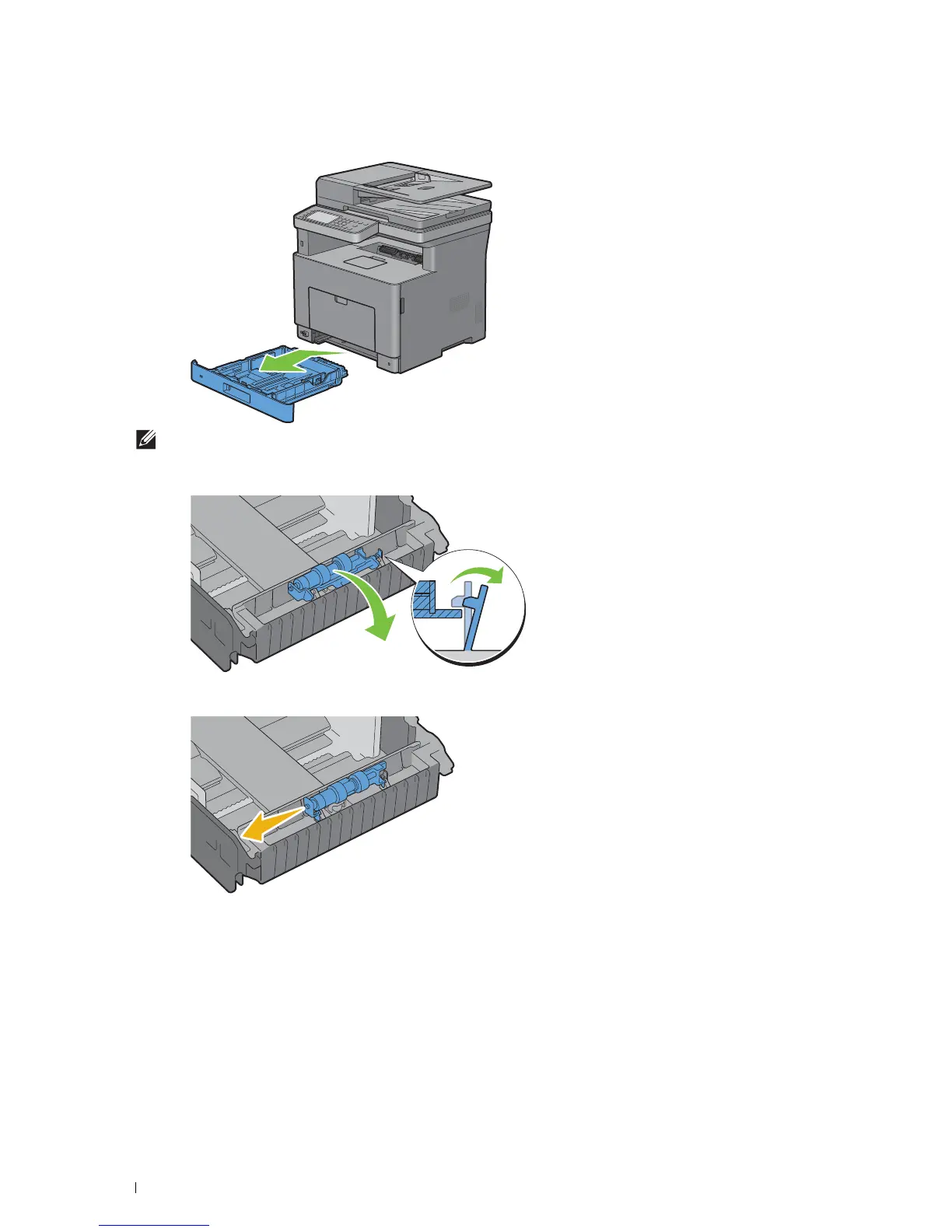
Hold tray1 with both hands, and remove it from the printer.
NOTE:
Be sure to remove all the paper from tray1 before removing the retard roller.
3
Slightly pressing down the lock lever on tray1 to the right with one hand, raise the retard roller with the other hand.
4
Slide the retard roller to the left to remove it from tray1.
Installing a Retard Roller in Tray1
1
Unpack a new retard roller.













 To Next Page