80
Setting the IP Address
3
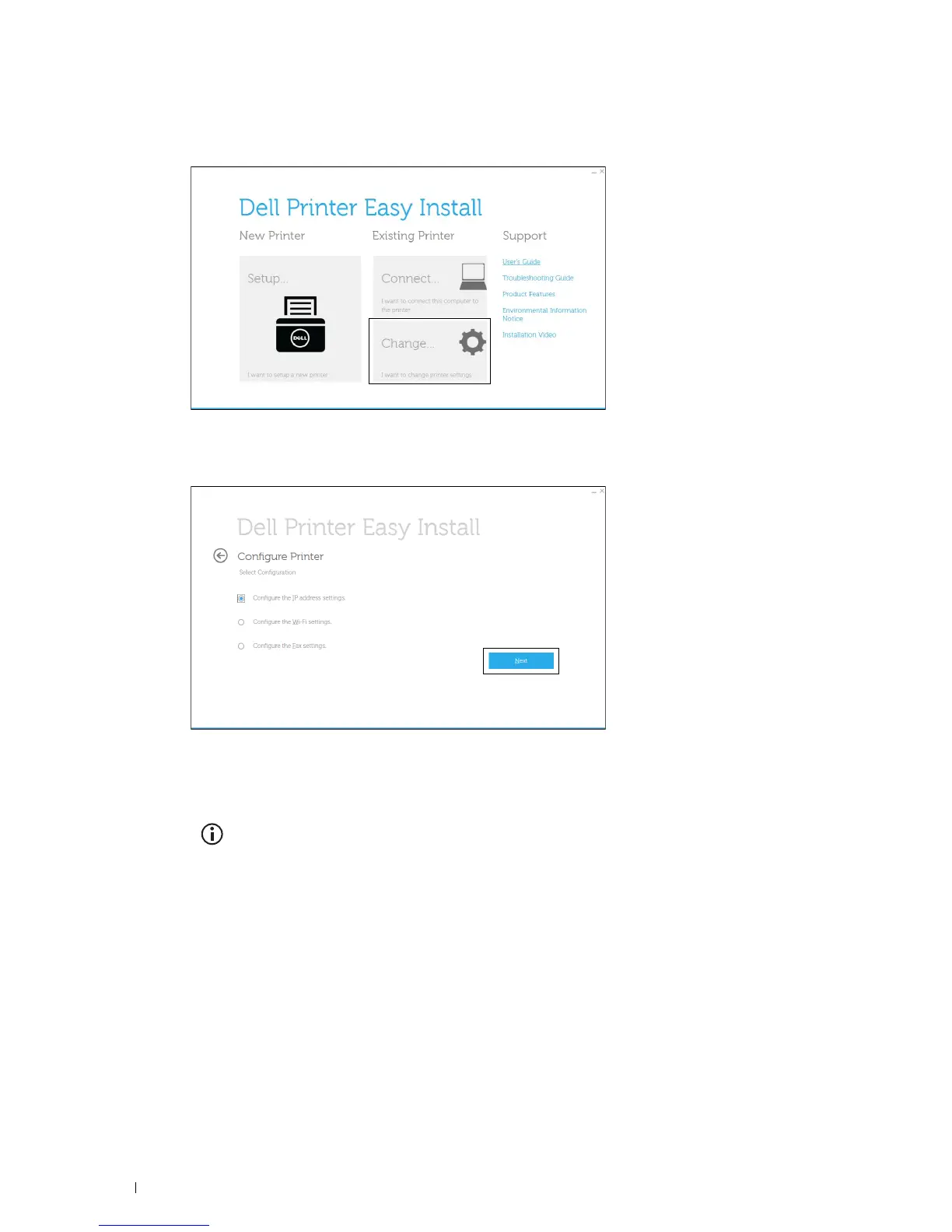
Click
Change
.
The
Configure Printer
window appears.
4
Select
Configure the IP address settings
, and then click
Next
.
5
Follow the instructions displayed on the screen.
When Using the Operator Panel
For more information on using the operator panel, see
"
Operator Panel.
"
1
Press the
(Information)
button.
2
Ta p t h e
Tools
tab, and then tap
Admin Settings
.
3
Ta p
Network
.
4
Do either of the following:
When connecting to network with the Ethernet cable:
Ta p
Ethernet
.
When connecting to network through wireless connection (Dell Cloud Multifunction Printer | H815dw only):
Ta p
Wi-Fi
.
5
Ta p
IP Mode
.
6
Ta p
IPv4 Mode
, and then tap
OK
.













 To Next Page