Loading Print Media
273
2
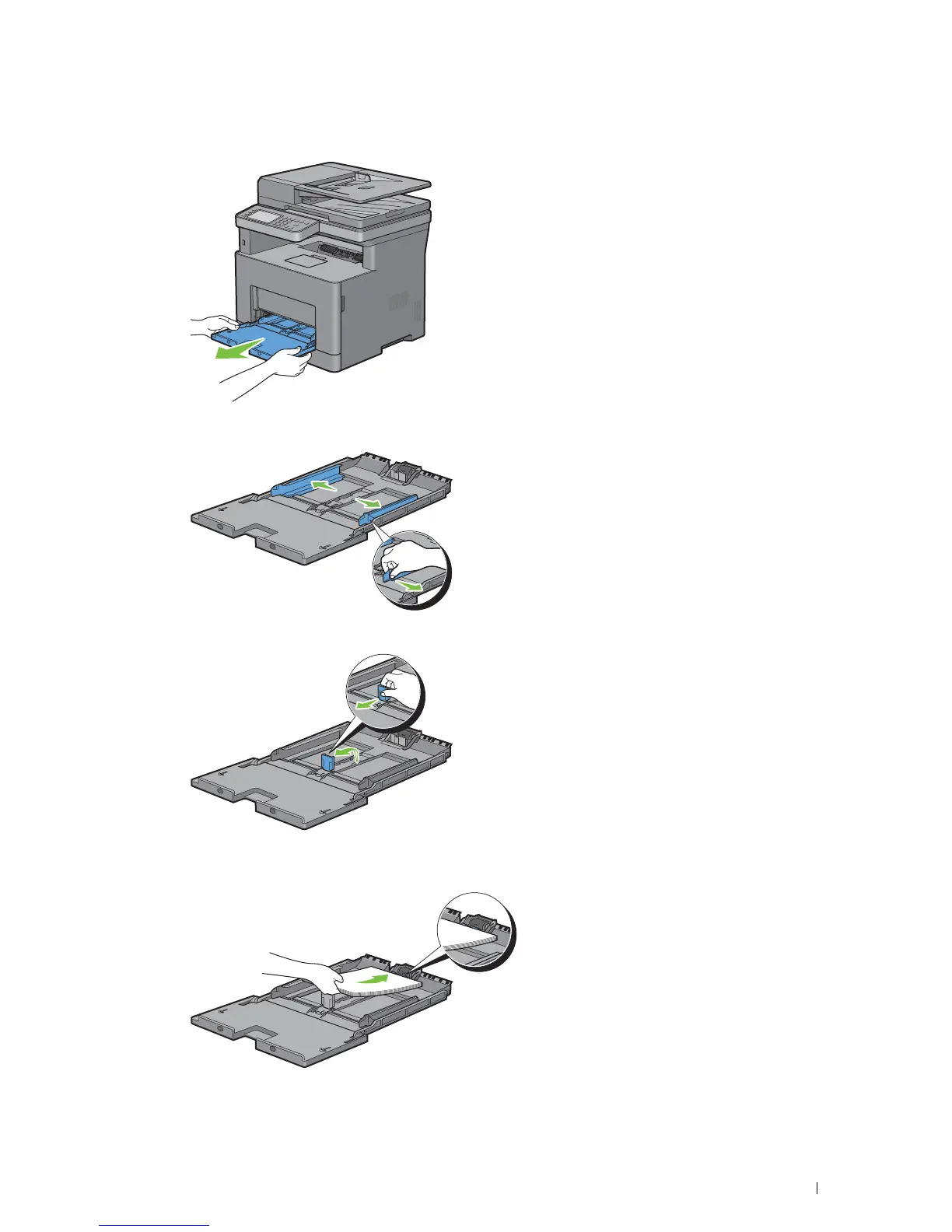
Grasp both sides of the MPF, and then pull the MPF from the printer.
3
Slide the width guides to the edge of the tray. The width guides should be fully extended.
4
Pull up the length guide and slide it toward MPF cover until it stops.
5
Load the print media into the MPF with the recommended print side facing up so that the top edge of the print
media enters the printer first.













 To Next Page