362
Faxing
For Microsoft
®
Windows
®
:
For Apple Macintosh:
6
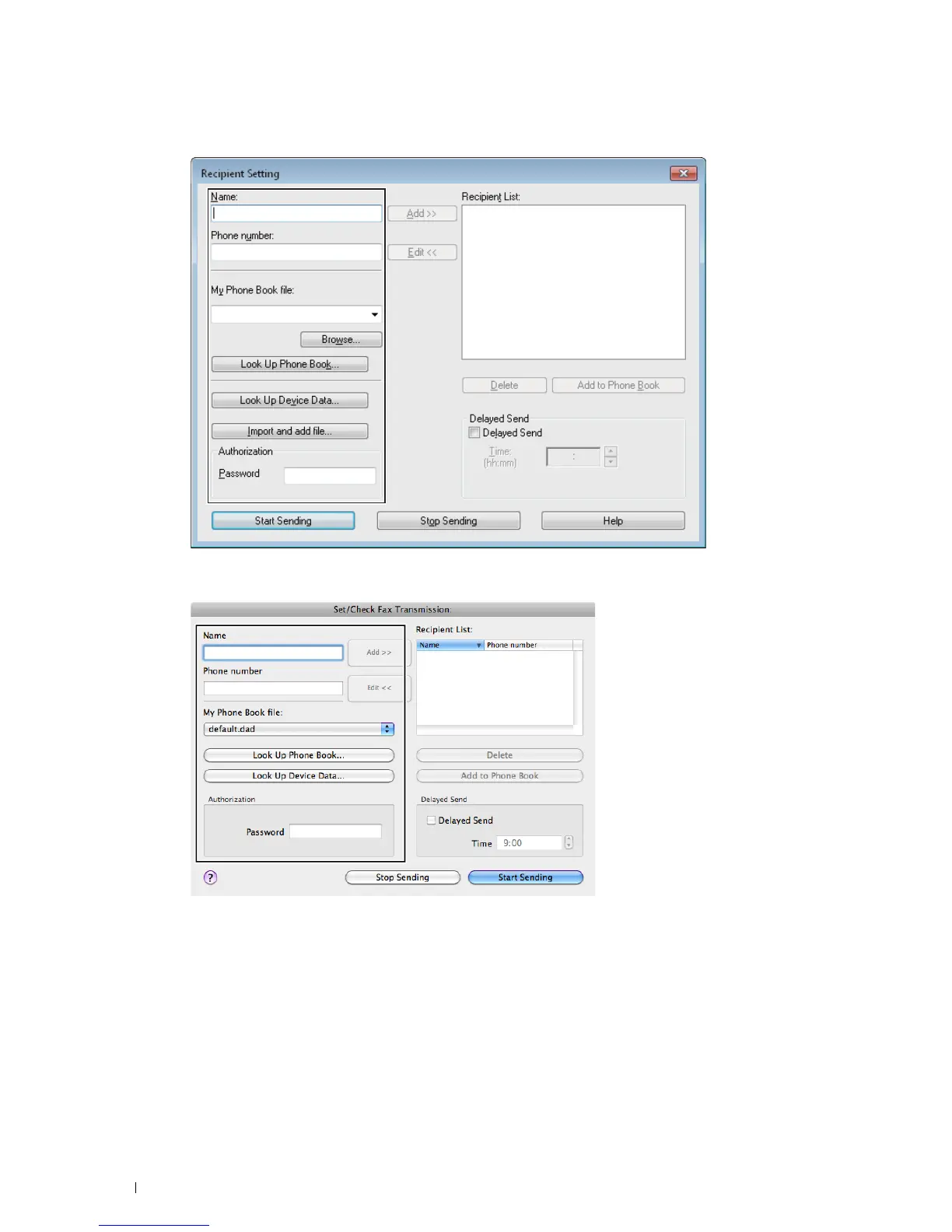
Enter the destination for the recipient. The following procedure is for entering the destination. For details on how
to enter the destination, please refer to the Help file for the driver.
a
Enter the name and fax number directly.
b
Select a fax number from a phone book.
•
Look Up Phone Book
:
Displays a list of fax numbers that are saved in the file specified for
My Phone
Book file
.
•
Look Up Device Data
: Displays a list of fax numbers that are saved in the Phone Book on your printer.
•
Import and add file
(Windows
®
only): Allows you to select a source file such as a CSV file, WAB file,
MAPI, or a LDAP server. (For details on LDAP server, see "LDAP Server" and "Fax Server Phone Book.")













 To Next Page