450
Maintaining Your Printer
5
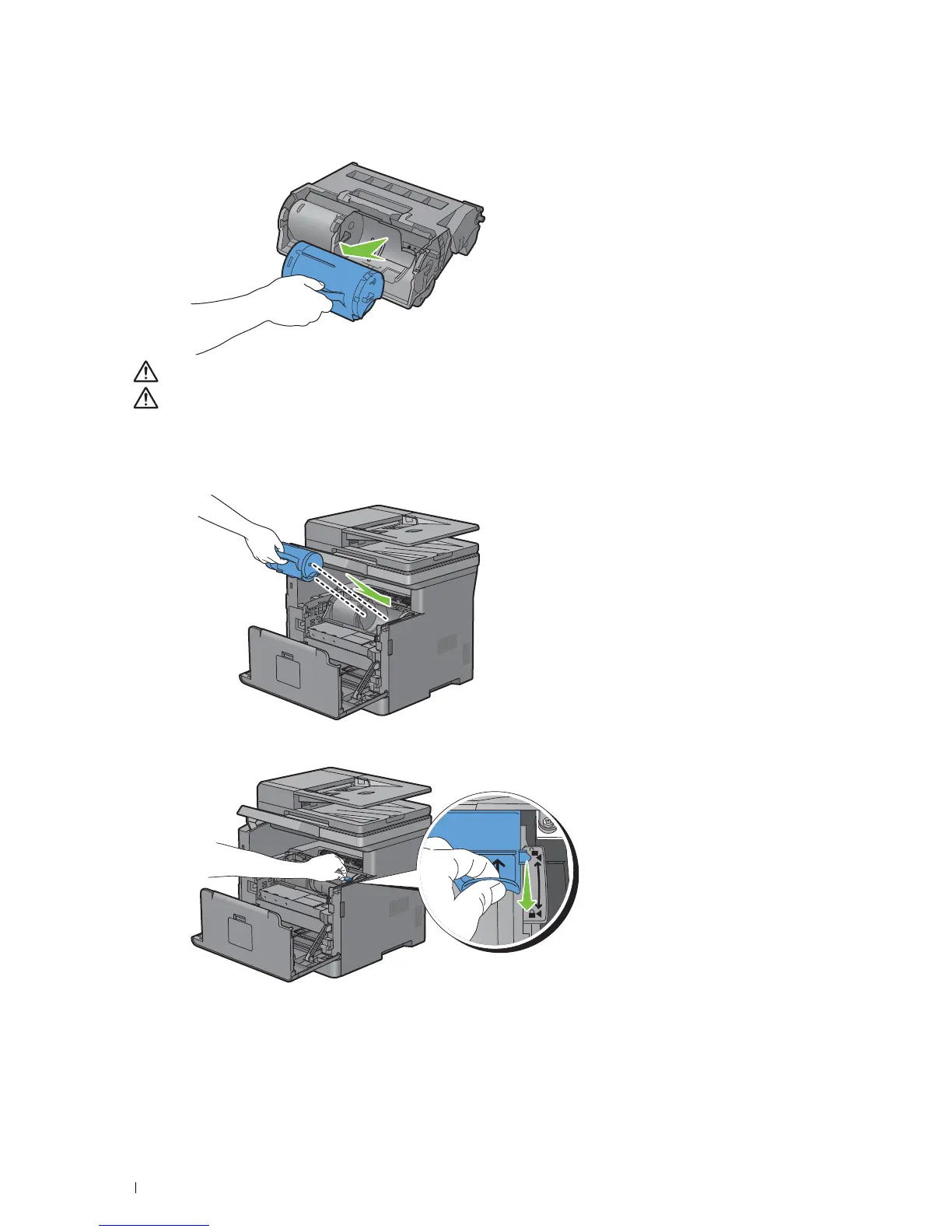
Grasp the handle on the toner cartridge, and then pull it out of the old drum cartridge.
WARNING:
Do not shake the toner cartridge. This may cause toner spills.
WARNING:
Keep the removed toner cartridge on a level surface.
6
Install the removed toner cartridge to the new drum cartridge in the printer. Make sure that the two tabs of the
toner cartridge align with the grooves on the printer, and then insert it into the printer until it clicks into place.
7
Grasp the toner cartridge lock lever, and then pull it down until it stops.













 To Next Page