Connecting and Setting Up Your Printer
67
1
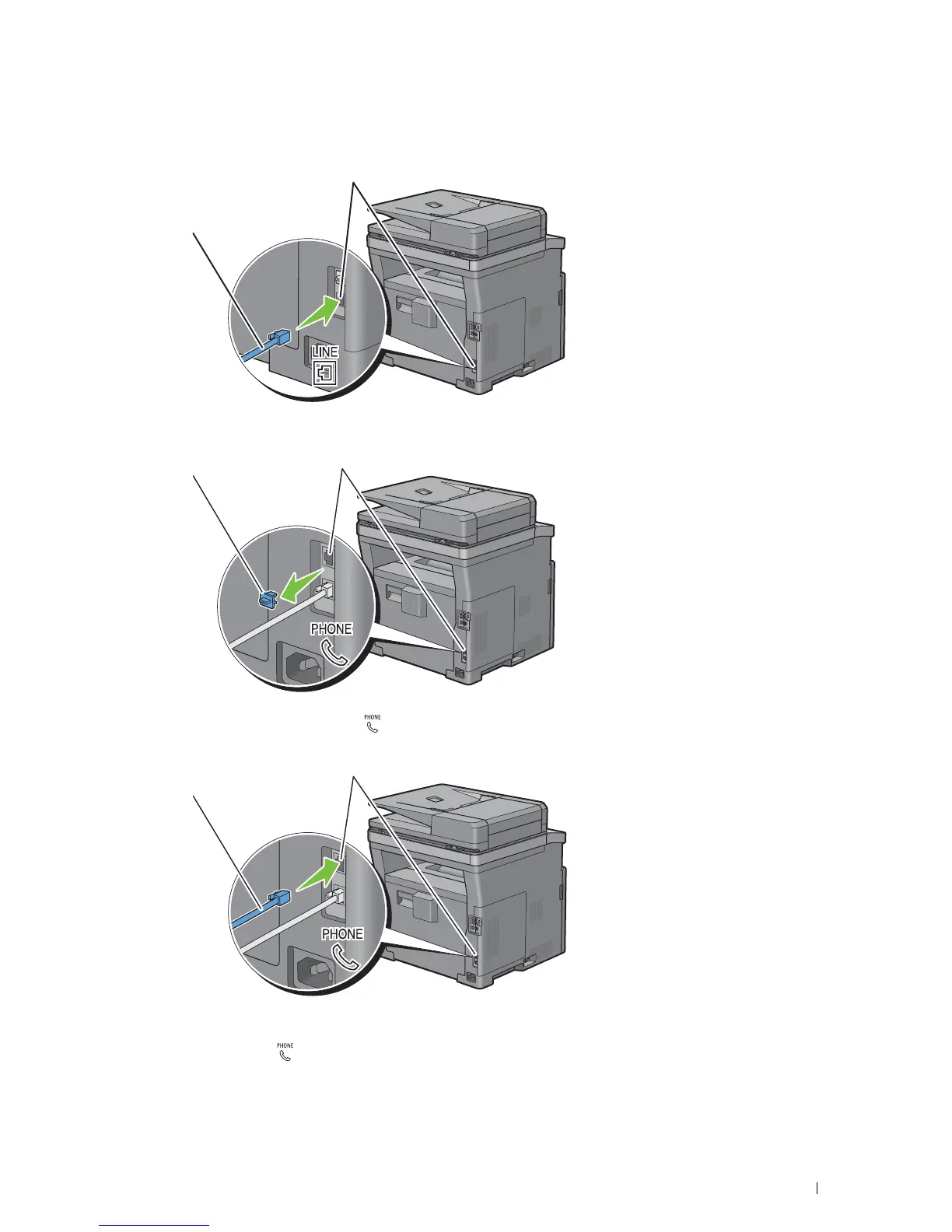
Connect one end of a telephone line cord into the wall jack connector and the other end into an active wall jack.
2
If the "Blue" plug is attached to the phone connector, remove it.
3
To connect a telephone and/or answering machine to your printer, connect the telephone or answering machine
line cord into the phone connector ( ).
If the phone communication is serial in your country (such as Germany, Sweden, Denmark, Austria, Belgium, Italy,
France and Switzerland), and that you are supplied with a "Yellow" terminator, insert the "Yellow" terminator into
the phone connector ( ).
Wall jack connector
To the wall jack
Phone connector
"Blue" plug
Phone connector
To an external telephone or
answering machine













 To Next Page